
Description
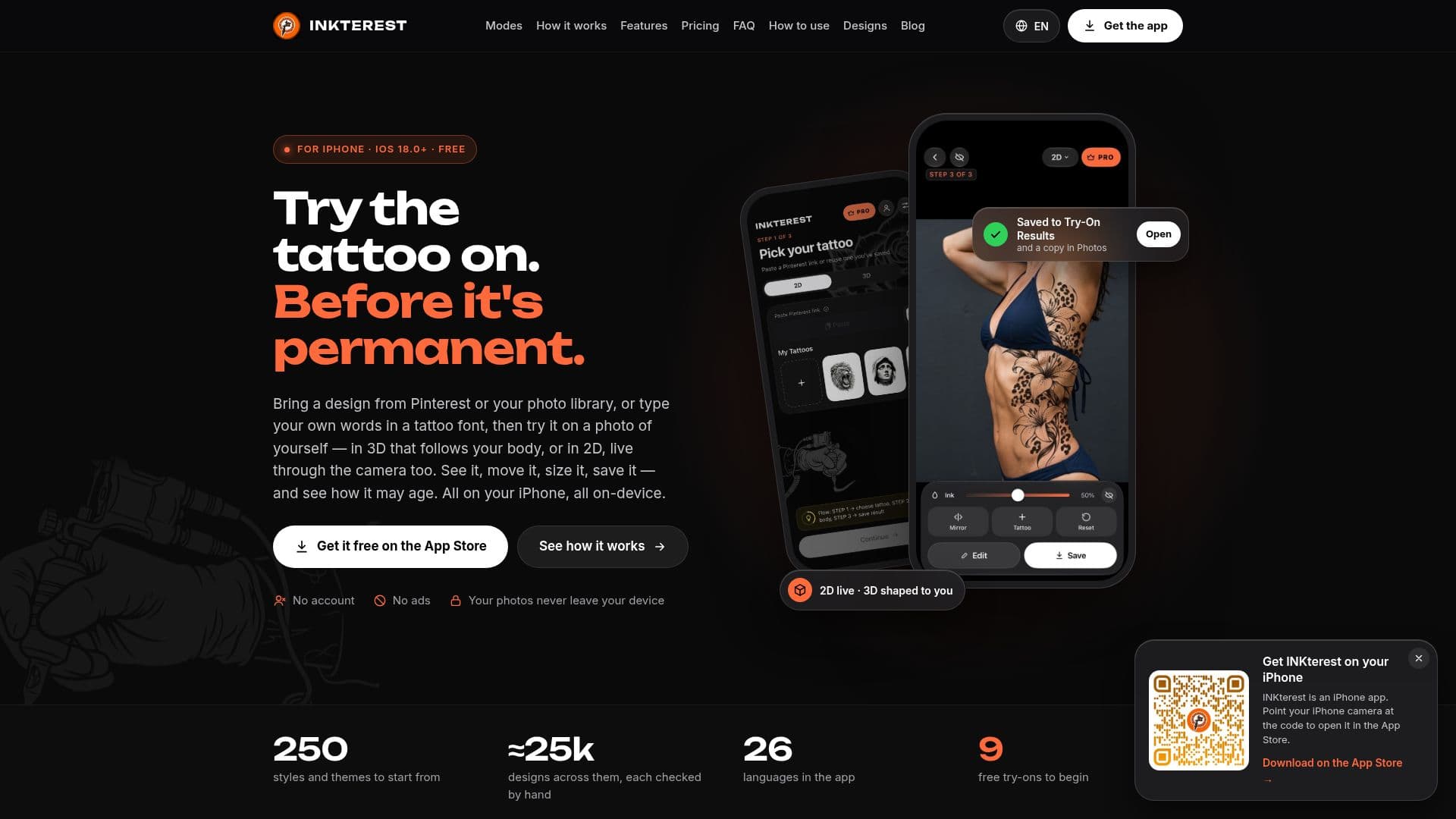
INKterest is a dedicated iPhone application designed to help individuals visualize tattoo designs on their own bodies before making a permanent decision. The app provides two primary preview modes: a live 2D preview through the camera and a more advanced 3D mode that warps the design to follow the natural curves of the body from a photo. This on-device processing ensures user privacy, as no photos or designs are uploaded to external servers.
Read More
Users can source tattoo designs from various places, including an in-app Pinterest browser, a selection of approximately 250 built-in tattoo styles and themes, pasted links, the iOS share sheet, or their personal photo library. For those considering text-based tattoos, the "Lettering" feature allows typing up to 60 characters and setting them in one of 59 open fonts across 13 styles, with options for ink color, spacing, and orientation.
Beyond basic placement, INKterest offers a comprehensive set of editing tools. Users can move, scale, rotate, and tilt designs, adjust ink opacity, and apply black and white filters. Advanced features include a skin mask with eraser and brush tools to ensure the tattoo appears only on bare skin, and a "Tattoo Aging" function that simulates how a tattoo might look after 3, 5, 10, or 20 years, showing line softening, color fading, and black greying. The app also supports trying on up to three tattoos simultaneously, or six with the A vs B comparison feature, and a "One Body Part" switch to keep designs confined to specific areas.
The app is free to download and includes 9 free try-ons and three Tattoo Aging checks. An INKterest Pro subscription, available weekly, monthly, or yearly, unlocks unlimited try-ons, unlimited Tattoo Aging, saves without watermarks, custom fonts in Lettering, and access to all advanced try-on tools. INKterest is not an AI tattoo generator or a booking service; it focuses solely on realistic visualization. It requires iOS 18.0 or later and is available in 26 languages.
- CategoryOther AI Tools
- Pricing ModelFreemium
- DeploymentCloud
- PlatformsiPhone
INKterest's Core Features
Live 2D tattoo preview through iPhone camera
3D tattoo preview warped to body curves from a photo
On-device processing for privacy (no uploads)
Access to 250 built-in tattoo styles and themes
In-app Pinterest browser for design inspiration
Lettering tool for custom text tattoos with 59 fonts
Tattoo Aging simulation (3, 5, 10, 20 years)
Tattoo editor with move, scale, rotate, tilt, and opacity controls
Skin masking tools (eraser, brush, Magic, remove-clothing)
Compare up to three tattoos at once (Pro feature)
A vs B comparison for up to six designs (Pro feature)
One Body Part switch to confine tattoos to specific areas (Pro feature)
Black and white filter for designs
White underlay and tan options for previews (Pro feature)
Find nearby tattoo studios via Apple Maps or Google Maps
How to use INKterest?
Pick a Tattoo: Choose a design from the built-in styles, Pinterest, a link, your photo library, or create custom lettering.
Try it On: Use the live 2D camera preview or the 3D mode with a photo to place the tattoo on your body.
Adjust & Edit: Move, resize, rotate, and tilt the design. Use masking tools to ensure it sits correctly on your skin.
Preview Aging: Utilize the Tattoo Aging feature to see how the design might look over 3, 5, 10, or 20 years.
Save & Decide: Save your try-ons to review later or share with a tattoo artist for consultation.
INKterest's Use Cases
- Tattoo Visualization
- Design Placement Planning
- Aging Simulation
- Custom Lettering Preview
- Tattoo Artist Consultation
- Cover-Up Planning
- Design Comparison
- Inspiration Browsing