Description
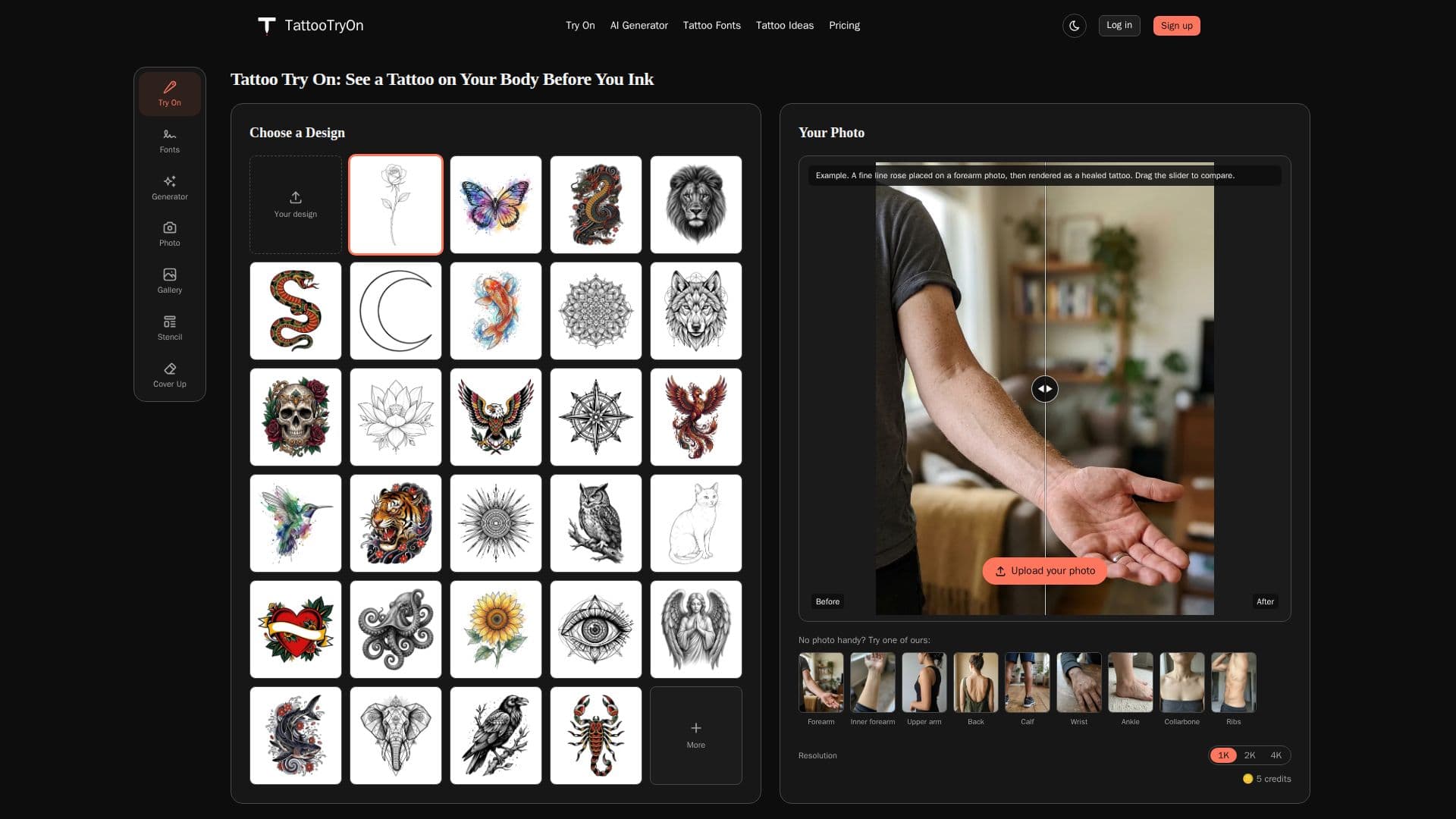
TattooTryOn provides a unique solution for anyone considering a tattoo, allowing them to preview designs on their own body with remarkable realism. The platform addresses the common regret associated with permanent ink by offering a comprehensive simulation experience. Users begin by uploading a photo of the specific body part they wish to tattoo. They can then select from a library of 340 designs across 10 styles, ranging from fine line to Japanese, or upload their own custom artwork, including photos of paper sketches.
Read More
The core functionality involves placing, resizing, and rotating the chosen design directly onto the uploaded photo. This initial placement preview is entirely free and requires no sign-up, operating directly in the browser on both desktop and mobile devices. During this stage, the design is shown on bare skin, intelligently tucking under clothing, straps, and hair, allowing users to accurately judge the size and position. This free preview can be downloaded as a PNG, with the photo remaining on the user's device.
For a truly realistic visualization, users can opt for an AI render. This process transforms the flat design into a healed tattoo that appears to be under the skin, adapting to the user's skin tone, the lighting conditions of the photo, and the natural contours of their body. The AI ensures that skin texture, pores, and fine hair remain visible, and the design bends with the body's curves, taking on the same light and shadow as the surrounding skin. Crucially, TattooTryOn is designed to alter only the tattoo, leaving other elements like clothing, jewelry, and the background untouched.
The rendering process typically takes between 30 seconds to a minute. Every signed-in account receives 5 free credits each month, sufficient for one 1K resolution AI render. Additional credits are available through paid plans, which offer more renders and commercial use options for tattoo artists and studios. The platform also stores user photos and results in their history when signed in, ensuring privacy by never displaying them publicly or using them for purposes other than generating the result. This tool is ideal for consulting with tattoo artists, helping clients visualize designs, and making informed decisions about placement and size before committing to permanent ink.
- CategoryImage Generation & Editing
- Pricing ModelFreemium
- DeploymentCloud
- PlatformsWeb
TattooTryOn's Core Features
Realistic AI Tattoo Rendering
Upload Your Own Designs (PNG, JPG, sketches)
Extensive Design Library (340+ designs in 10 styles)
Free Placement Preview (in-browser, no sign-up)
Adjustable Design Size and Position
Adapts to Skin Tone, Light, and Body Contours
Preserves Skin Texture, Pores, and Hair
Keeps Clothing and Background Unchanged
Monthly Free Credits for AI Renders
Downloadable PNG Previews
Photo History for Signed-in Users
Compare Before and After with Slider
Supports Various Body Parts (forearm, back, leg, etc.)
Optimized for Mobile and Desktop Browsers
Background Removal for Uploaded Designs
How to use TattooTryOn?
Upload Photo: Take or select a photo of the body part where you want the tattoo.
Choose Design: Pick a design from the library or upload your own image or sketch.
Place & Resize: Drag, resize, and rotate the design to your desired position on the photo.
Preview: Download the free placement preview as a PNG to assess size and location.
Render with AI: Use credits to generate a realistic, healed tattoo render that adapts to your body.
Compare & Decide: Use the slider to compare the original photo with the AI-rendered tattoo.
TattooTryOn's Use Cases
- Tattoo Placement Visualization
- Design Comparison
- Consultation with Artists
- Personal Decision Making
- Custom Design Preview
- Exploring Body Art Styles
- Avoiding Tattoo Regret