
Description
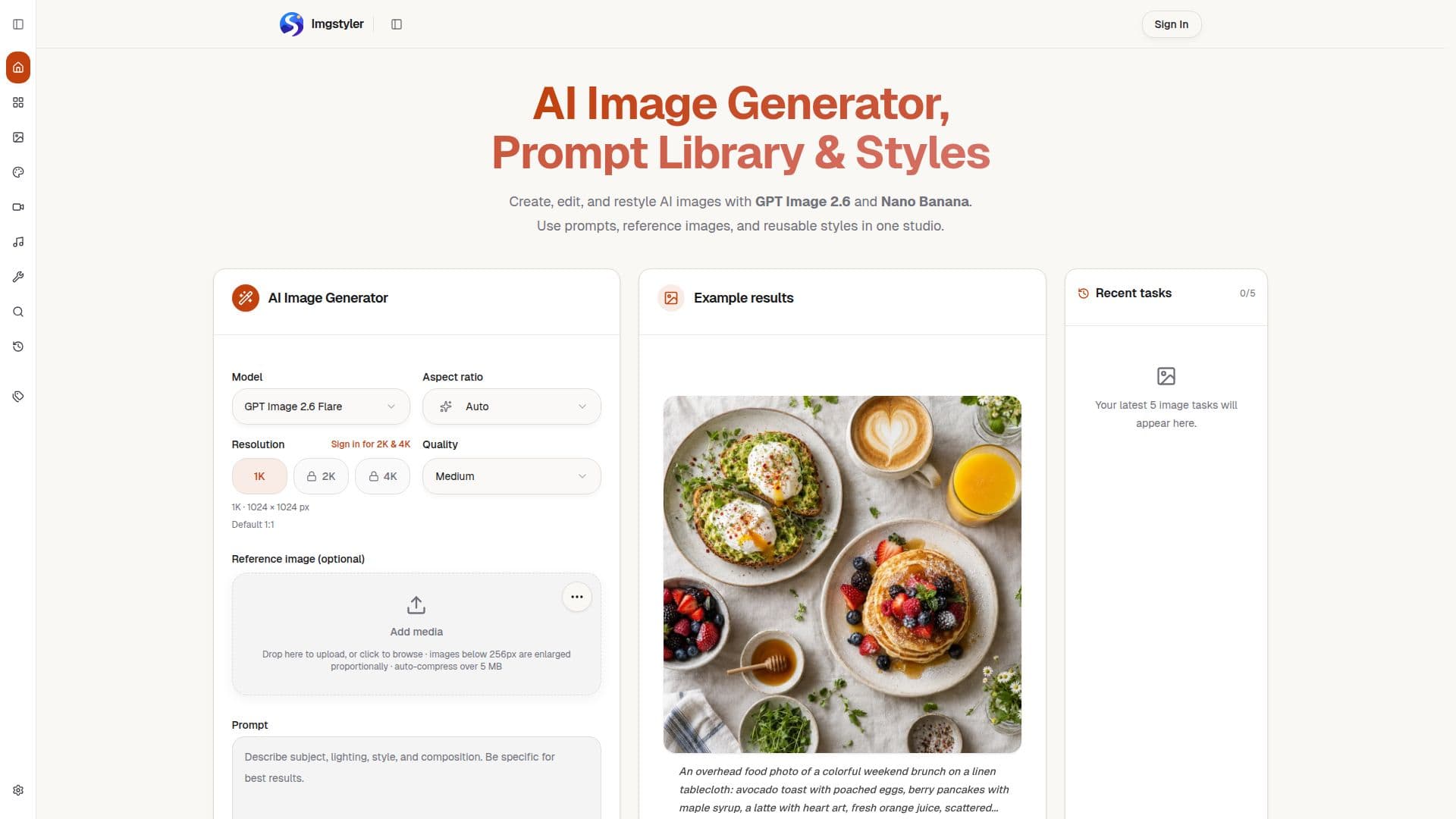
Imgstyler is a comprehensive AI image studio designed to streamline the creative workflow for generating, editing, and restyling AI images. It integrates advanced AI models such as GPT Image 2.6 and Nano Banana, offering a versatile platform for various visual content needs. The studio provides a focused workspace where users can start their creative process with either a text prompt or a reference image, facilitating rapid visual iteration and high-quality output.
Read More
The platform's core functionality includes creating images from detailed text descriptions, allowing users to specify scenes, products, lighting, and styles, and generate images in practical aspect ratios. For those looking to transform existing visuals, Imgstyler offers a restyling feature where users can upload a photo or mockup and guide the AI model with a prompt to achieve desired visual changes more quickly. A key component of Imgstyler is its reusable prompt library, which enables users to browse, save, and directly open ready-to-use prompts within the image generator, fostering consistency and efficiency in creative projects.
Imgstyler also offers specialized tools for specific creative tasks. The AI Product Image Generator creates a three-image listing set—a white-background main image, a lifestyle scene, and an ad creative—from a single product photo, ensuring consistency across the set. Similarly, the Shopify Product Image Generator helps merchants create high-resolution, Shopify-compliant product photos from phone snapshots, offering options for white backgrounds or lifestyle scenes at 1:1 and 2K (2048x2048 px) resolutions. The platform supports various generation modes and models, including GPT Image 2.5 Flare and Sunburst, Krea 3, Krea 3 Ultra, and MOSS-Image, catering to different artistic and commercial requirements.
Pricing for Imgstyler operates on a credit-based system, with options for monthly or yearly subscriptions and one-time credit packs. Credits are consumed per generation task, with costs varying based on the generation mode, quality, and settings. New accounts may receive welcome credits, and failed jobs typically result in automatic credit returns. The platform emphasizes user responsibility for uploaded reference images and generated outputs, with content moderation in place to prevent abuse and ensure compliance with terms of service. While currently focused on its web app experience, Imgstyler aims to provide a robust and organized solution for AI image creation.
- CategoryAI Image Generators
- Pricing ModelFreemium
- DeploymentCloud
- PlatformsWeb
Imgstyler's Core Features
AI Image Generation from Text Prompts
Image-to-Image Restyling with Reference Photos
Reusable AI Prompt Library
GPT Image 2.6 and Nano Banana Model Support
AI Pose Changer
Krea AI Image Generator (Krea 3, Krea 3 Ultra)
MOSS-Image Generator for Posters and Ads
AI Jewelry Photography for Listing Images
AI Jewelry Design Generator from Descriptions/Sketches
Product Listing Set Generation (Main, Lifestyle, Ad)
Shopify Product Image Generator (2048x2048 px)
Generation History and Output Accessibility
Credit-Based Pricing System
Monthly and Yearly Subscription Plans
One-Time Credit Packs
How to use Imgstyler?
Choose Starting Point: Write a new prompt, upload a reference image, or select a ready-to-use prompt from the library.
Tune Creative Brief: Set the generation mode and aspect ratio, then describe the subject, lighting, product angle, style, or edit goal.
Generate Images: Initiate the generation process and review the results.
Compare and Reuse: Download the strongest results, revisit generation history, and save prompts for future use.
Create Product Listing Set: Upload one product photo to generate a main image, lifestyle scene, and ad creative.
Generate Shopify Images: Upload a phone photo, choose white background or lifestyle scene, and select 1:1 and 2K for 2048x2048 px output.
Imgstyler's Use Cases
- AI Image Generation
- Image Restyling
- Product Listing Images
- Shopify Product Photos
- Jewelry Photography
- Jewelry Design Renders
- Pose Changing
- Poster and Ad Creation
- Prompt Exploration
- Creative Experiments