Description
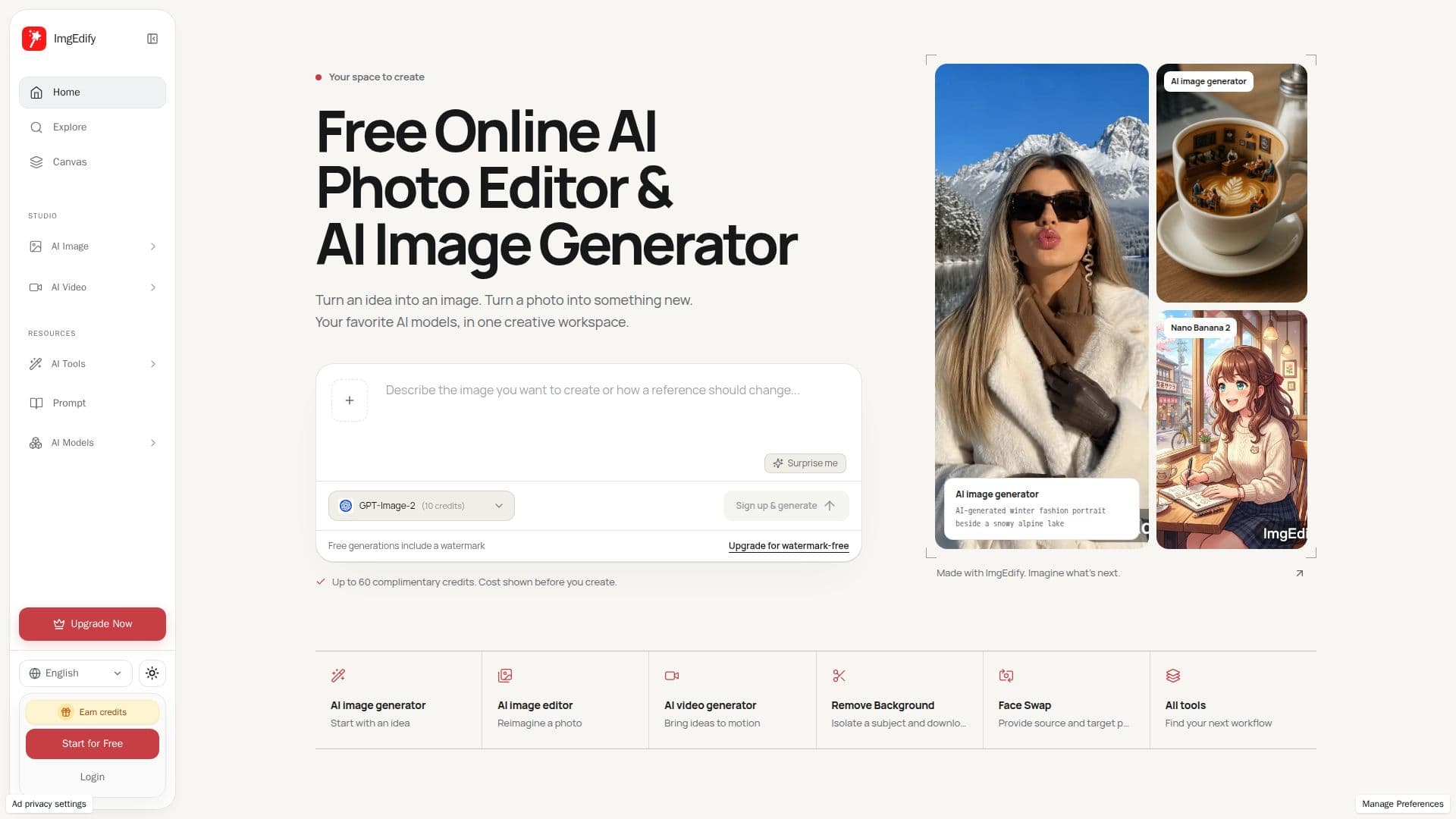
ImgEdify provides a comprehensive online workspace for AI image generation, AI photo editing, and video creation. Users can transform text prompts into new images or modify existing photos with precise edits. The platform supports a range of AI models, including GPT Image 2.5, Nano Banana 2.1, and HappyHorse, allowing for diverse creative outputs from photorealistic visuals to stylized illustrations.
Read More
The service operates on a freemium model, offering up to 60 complimentary credits for new accounts. Paid plans start from $7.92 per month when billed yearly, providing more credits, watermark-free results, and access to advanced image and video workflows. Users can compare credit plans and features, with options like Basic, Lite, and Pro tailored for individual and professional creators.
Key capabilities include text-to-image generation, where users describe their vision to create new images, and image-to-image editing, which allows for restyling, detail rewriting, or transforming reference images while preserving core elements. Additional tools like background removal and face swap enhance the editing experience. ImgEdify also supports AI video generation, enabling users to create short cinematic clips from text or image prompts using models like HappyHorse.
To use the platform, an account is required for any AI generation or editing request. The cost in credits for each operation is displayed before submission, ensuring transparency. ImgEdify also offers a Model Context Protocol (MCP) for integrating its image and video generation capabilities into AI assistants like Cursor or Claude Code, allowing users to manage personal API keys and approve quotes within their budget. Supported image formats for editing include JPG, PNG, and WebP, with specific limits depending on the selected workflow.
ImgEdify is designed for a wide audience, from individual creators to marketing professionals, enabling the creation of concept art, marketing materials, social media content, and story illustrations. The platform emphasizes ease of use, high-resolution output, and quick generation times, making advanced AI creative tools accessible without requiring extensive design skills.
- CategoryAI Image Generators
- Pricing ModelFreemium
- DeploymentCloud
- PlatformsWeb
ImgEdify's Core Features
AI Image Generation from Text Prompts
AI Photo Editing from Reference Images
AI Video Generation (Text-to-Video, Image-to-Video)
Multiple AI Models (e.g., GPT Image, Nano Banana, HappyHorse)
Complimentary Credits for New Accounts
Credit Cost Preview Before Generation
Background Removal Tool
Face Swap Tool
Reference-Guided Image Changes
Custom Prompt Support
High-Resolution Output
API for AI Assistant Integration (MCP)
Watermark-Free Future Generations (Paid Plans)
Email Support (Paid Plans)
Community Prompt Exploration
How to use ImgEdify?
Create Account: Sign up for a free ImgEdify account to access generation and editing features.
Choose Workflow: Select either AI Image Generator for new images from text or AI Image Editor for modifying existing photos.
Prepare Input: For generation, enter a detailed text prompt. For editing, upload a reference image and describe desired changes.
Select Model: Choose from available AI models, such as GPT Image or Nano Banana, based on your desired style and capabilities.
Review Cost: Check the displayed credit cost for your chosen model and settings before proceeding.
Generate/Edit: Submit your request and wait for the AI to process and create your image or video.
Download Result: Once complete, download your high-resolution image or video for use.
ImgEdify's Use Cases
- Concept Visualization
- Marketing Material Generation
- Social Media Content Creation
- Story Illustrations
- Outfit Editing
- Background Removal
- Face Replacement
- Product Teasers
- Editorial Art Posters
- AI Assistant Integration