Description
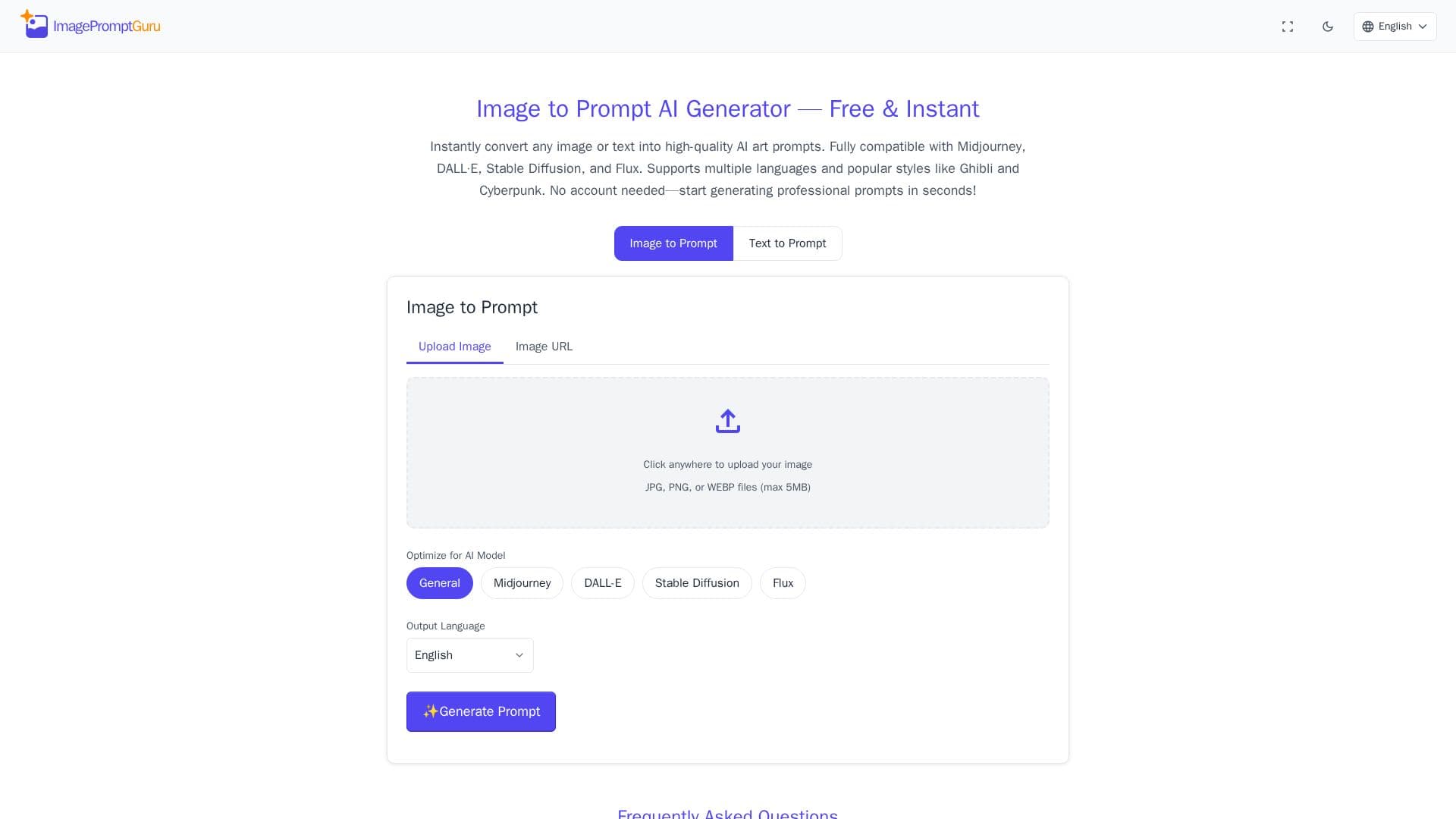
Image Prompt Guru is a free online tool that instantly turns any image or text description into high-quality AI art prompts. It is designed to work with all major AI art generators, including Midjourney, DALL-E, Stable Diffusion, and Flux, and requires no account to start generating prompts.
Read More
The tool offers two modes. Image to Prompt analyzes visual content to create descriptive prompts, which is useful for photos or sketches, while Text to Prompt enhances a written description using AI art best practices, ideal when a user has an idea but needs professional phrasing. It supports popular styles such as Ghibli and Cyberpunk.
Image Prompt Guru supports input in 18 languages, including Spanish, Japanese, Chinese, Arabic, French, and German, while the generated prompts are produced in English, the standard for AI art. Prompt history is stored locally in the browser for privacy, and uploaded images are processed in real time and instantly discarded rather than stored, shared, or used for training.
The service is described as completely free with no subscriptions, watermarks, or hidden costs, and all generated prompts belong to the user for personal, client, or commercial AI art projects.
- CategoryPrompt Engineering Tools
- Pricing ModelFree
- DeploymentCloud
- PlatformsWeb
Image Prompt Guru's Core Features
Image to Prompt mode that analyzes visuals into descriptive prompts
Text to Prompt mode that refines written ideas into polished prompts
Optimized output for Midjourney, DALL-E, Stable Diffusion, and Flux
Support for 18 input languages with English prompt output
Popular style support such as Ghibli and Cyberpunk
No account required, with browser-local prompt history
Uploaded images discarded instantly for privacy
Free, unlimited use with full commercial rights to prompts
How to use Image Prompt Guru?
Choose a mode: Select Image to Prompt or Text to Prompt.
Provide input: Upload a JPG, PNG, or WEBP image, or type a description in your language.
Generate the prompt: Get a high-quality English prompt in seconds.
Use it: Paste the prompt into Midjourney, DALL-E, Stable Diffusion, or Flux to create your image.
Image Prompt Guru's Use Cases
- Image to prompt
- Refining text ideas
- Cross-model prompting
- Multilingual creation