
Description
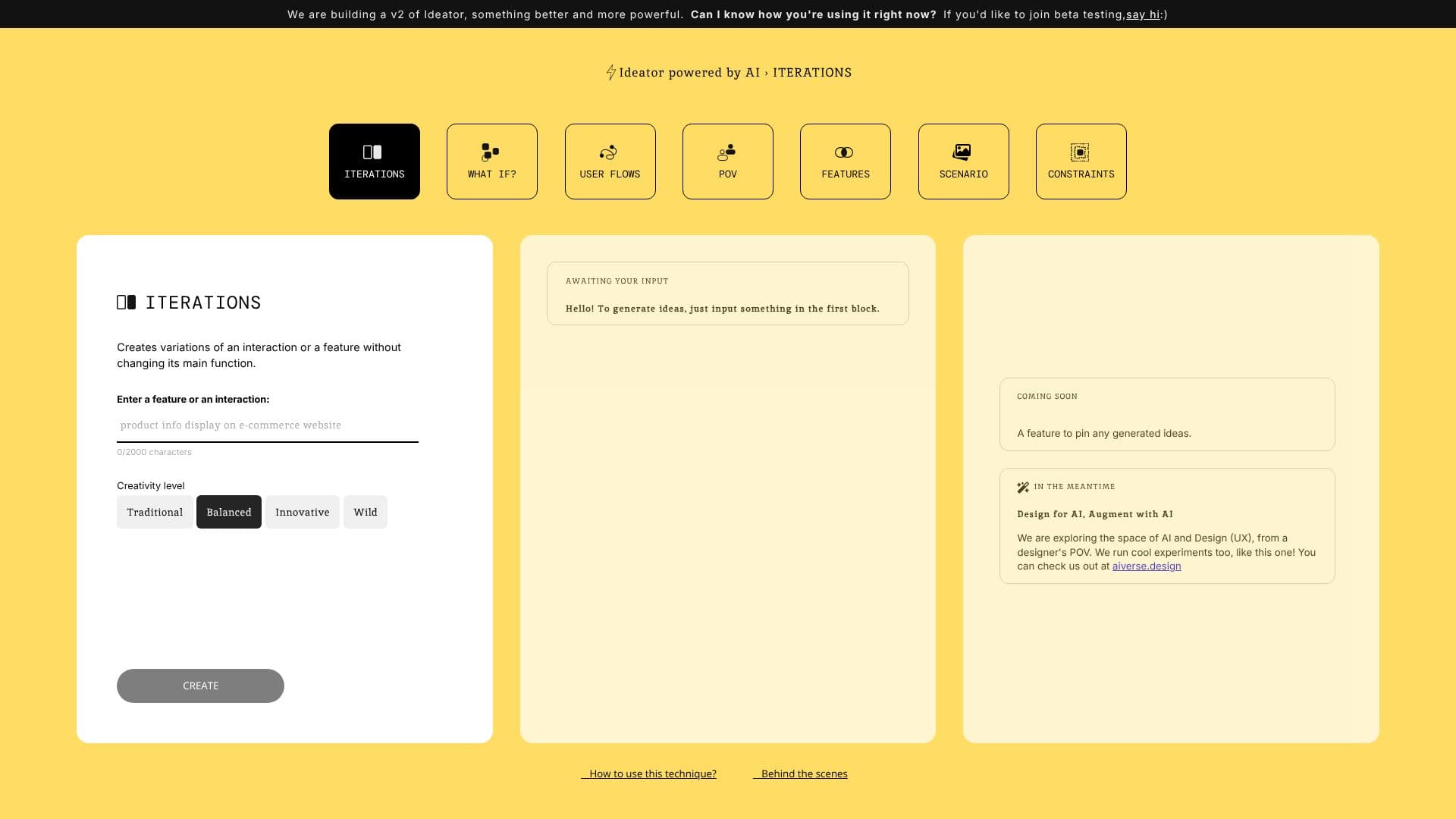
Ideator AI is a web application designed to assist designers and innovators by generating multiple variations of an interaction or feature without altering its core function. The tool leverages the power of GPT-4 to explore creative avenues, offering users a way to expand their design concepts.
Read More
Users can input a feature or interaction into the application, and Ideator AI will then produce a range of iterations. This process is guided by a 'Creativity Level' setting, allowing users to choose between 'Traditional', 'Balanced', and 'Innovative' outputs. This feature empowers designers to quickly visualize different approaches and possibilities for their projects, fostering a more dynamic and experimental design workflow.
The concept behind Ideator AI is inspired by tools like TextFX by Google, with a specific focus on applying similar AI-driven ideation capabilities to the field of design, particularly UX design. The creators are exploring the intersection of AI and Design from a designer's perspective, running experiments to understand and enhance this synergy. The platform aims to be a valuable resource for professionals looking to augment their creative process with AI.
Future developments for Ideator AI include a feature to pin generated ideas, allowing users to save and organize their favorite concepts. The team is also committed to exploring the broader landscape of AI in design, offering insights and experiments through their related platform, aiverse.design. For inquiries or further information, users can reach out via email. The web application is built on GPT-4, ensuring robust and advanced generative capabilities for creative exploration.
- CategoryAI UI & UX Design Tools
- DeploymentCloud
- PlatformsWeb
Ideator AI's Core Features
Generates variations of interactions and features
Utilizes GPT-4 for idea generation
Offers adjustable creativity levels (Traditional, Balanced, Innovative)
Character limit for input (2000 characters)
Designed from a designer's point of view
Inspired by TextFX by Google
Explores AI and UX design synergy
Future feature: Pinning generated ideas
How to use Ideator AI?
Input Feature/Interaction: Enter the design element you want to iterate on.
Select Creativity Level: Choose between Traditional, Balanced, or Innovative settings.
Generate Ideas: Click 'CREATE' to receive variations.
Review and Refine: Examine the generated ideas and select those that best fit your project.
Save Ideas (Future): Utilize the upcoming pinning feature to organize your favorite concepts.
Ideator AI's Use Cases
- Feature Variation Generation
- Interaction Design Exploration
- Creative Ideation
- UX Design Augmentation
- Prototyping Assistance
- Innovation Spark