
Description
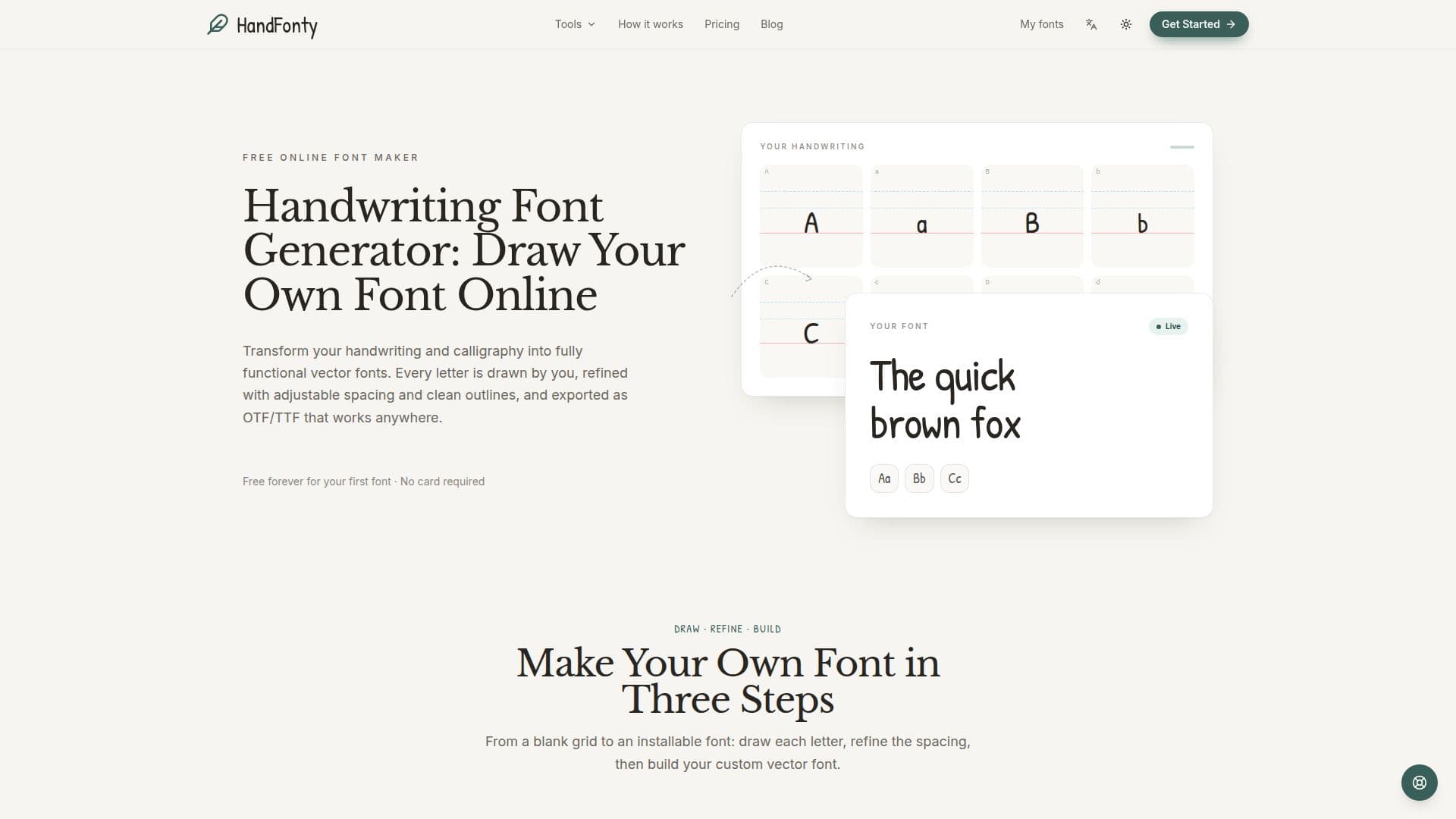
HandFonty provides a unique online platform for converting personal handwriting and calligraphy into fully functional vector fonts. Users can draw each character directly within the browser-based editor, offering a natural and intuitive creative process. The tool supports various writing styles, including print, cursive, brush lettering, and formal calligraphy, ensuring that the final font truly reflects the user's unique hand.
Read More
The process involves three main steps: drawing letters, refining spacing and outlines, and finally building and downloading the font. Each character is assigned its own cell with baseline guides and a faint reference letter, aiding in consistent letterform creation. HandFonty offers calligraphy-ready brushes, including pen, marker, and fountain-nib options with adjustable thickness, allowing for authentic reproduction of brush strokes and calligraphic details. Strokes are automatically converted into clean vector outlines, ensuring crispness and scalability at any size.
Beyond individual character creation, HandFonty provides granular control over per-letter spacing and kerning, as well as global letter spacing, to maintain the natural rhythm of handwriting. Users can preview pangrams or their own text in the finished font before downloading. The platform supports OTF and TTF export, making the fonts compatible with macOS, Windows, and various design software. WOFF2 web font export is also planned for future release.
HandFonty offers a free tier that allows users to create, refine, and download their first handwriting font without requiring a credit card. For more advanced features and commercial use, paid plans are available, including single font unlocks and a Studio subscription for unlimited fonts. The platform also includes a separate "Text to Handwriting Converter" tool, which allows users to turn typed text into natural-looking handwritten pages, customizing paper and ink, and exporting as PNG or PDF, without requiring sign-up. This feature is primarily tuned for Latin text.
- CategoryAI Graphic Design Tools
- Pricing ModelFreemium
- DeploymentCloud
- PlatformsWeb
HandFonty's Core Features
Handwriting to Vector Font Conversion
Free Online Font Maker
Draw Letters with Mouse, Finger, or Stylus
Calligraphy and Brush Lettering Support
Vector OTF and TTF Export
Per-Letter Spacing and Kerning Controls
Adjustable Smoothing for Strokes
Multiple Brush Types (Pen, Marker, Fountain-nib)
Adjustable Brush Thickness
Alternates and Ligatures for Natural Look
Draft Font Download for Incomplete Sets
User Owns the Created Font
Cross-Device Progress Sync
Text to Handwriting Converter Tool
Customizable Paper and Ink for Handwritten Pages
How to use HandFonty?
Create a Font: Start a new font project on HandFonty's online editor.
Draw Letters: Use a mouse, finger, or stylus to draw each character in its designated cell, utilizing baseline guides and reference letters.
Refine Spacing: Adjust the space before and after each character, vertical position, scale, and global letter spacing to achieve a natural flow.
Build Font: Preview your font with pangrams or custom text to ensure desired appearance and check for missing characters.
Download Font: Export your custom handwriting font as OTF or TTF files for installation and use on various operating systems and design tools.
HandFonty's Use Cases
- Personalized Branding
- Custom Design Projects
- Digital Scrapbooking
- Educational Materials
- Unique Invitations
- Handwritten Digital Documents
- Artistic Expression