


Description
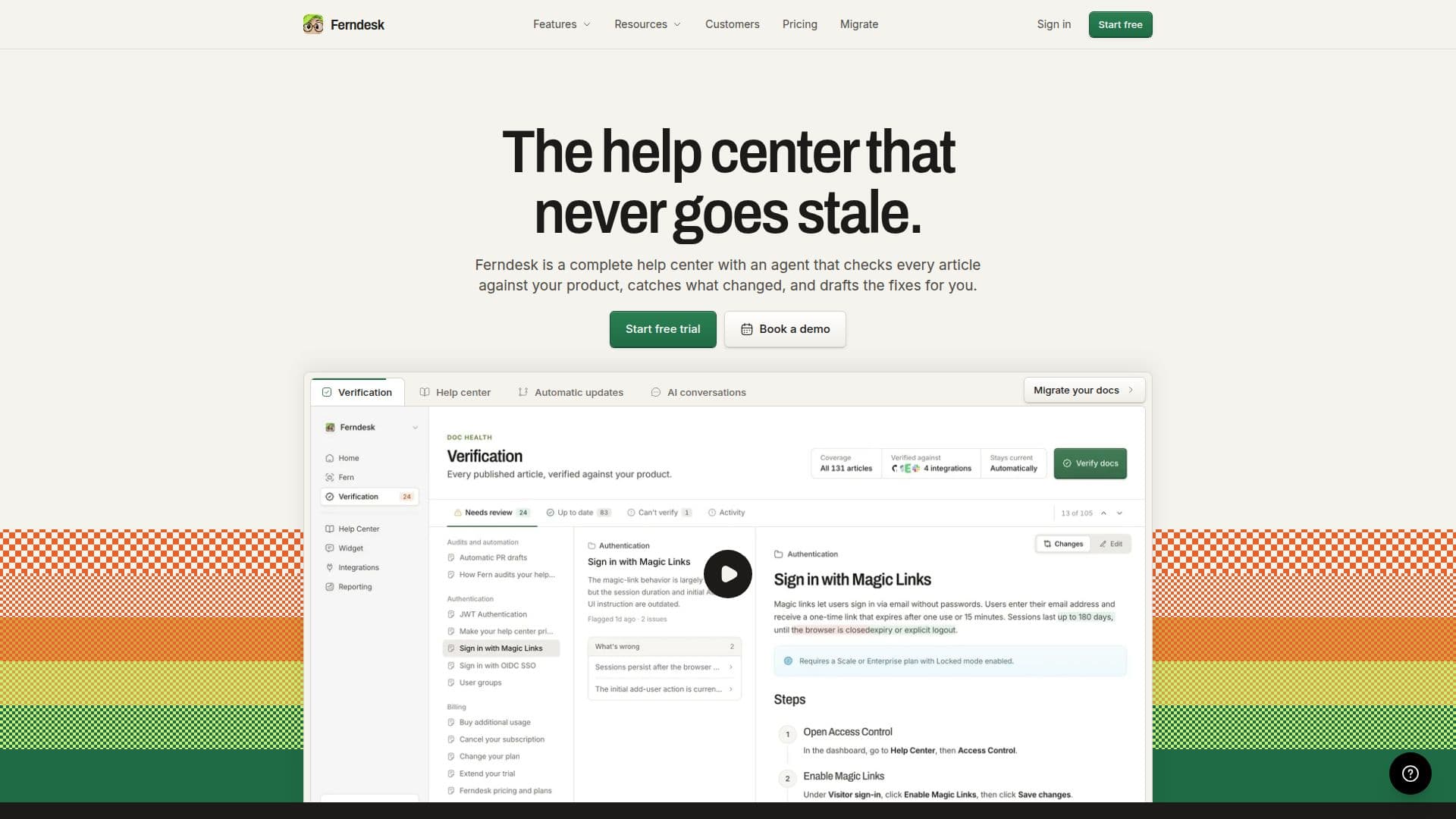
Ferndesk is a comprehensive help center solution designed to keep your documentation current and accurate. It features an AI agent named Fern, who checks every article against your product, identifies changes, and drafts updates. This ensures that your help center never goes stale, even as your product evolves.
The platform allows you to import your existing help center quickly, preserving URLs and creating redirects to maintain SEO rankings. Fern verifies claims against your product, such as navigation steps and feature behaviors, and flags those that cannot be verified. Verification runs monthly or on demand, ensuring your documentation is always up to date.
Ferndesk offers a 7-day free trial with full access to its features, allowing you to experience its capabilities without commitment. The pricing starts at USD 149 per month, with an option for a yearly plan that offers two months free. The platform is particularly beneficial for SaaS companies, as it reduces the time spent on documentation by automating updates and maintaining accuracy.
Integrations with tools like GitHub, Slack, and Intercom enable Fern to draft articles based on real product context. The platform supports custom domains, ensuring your help center aligns with your brand's SEO strategy. Ferndesk is ideal for teams looking to streamline their documentation process and reduce support tickets by providing accurate, self-service resources.
Ferndesk's Core Features
AI-native help center
Automatic article verification
Drafts updates for documentation
Preserves URLs and SEO rankings
Monthly and on-demand verification
7-day free trial
Integrates with GitHub, Slack, Intercom
Supports custom domains
Reduces support ticket volume
Maintains documentation accuracy
How to use Ferndesk?
Import: Transfer existing help center
Verify: Check articles against product
Draft: Fern suggests updates
Approve: Review and publish changes
Integrate: Connect with tools like GitHub
Optimize: Maintain SEO with custom domains
Ferndesk's Use Cases
- SaaS Documentation
- SEO Optimization
- Support Ticket Reduction
- Custom Domain Hosting
- Automated Article Updates