
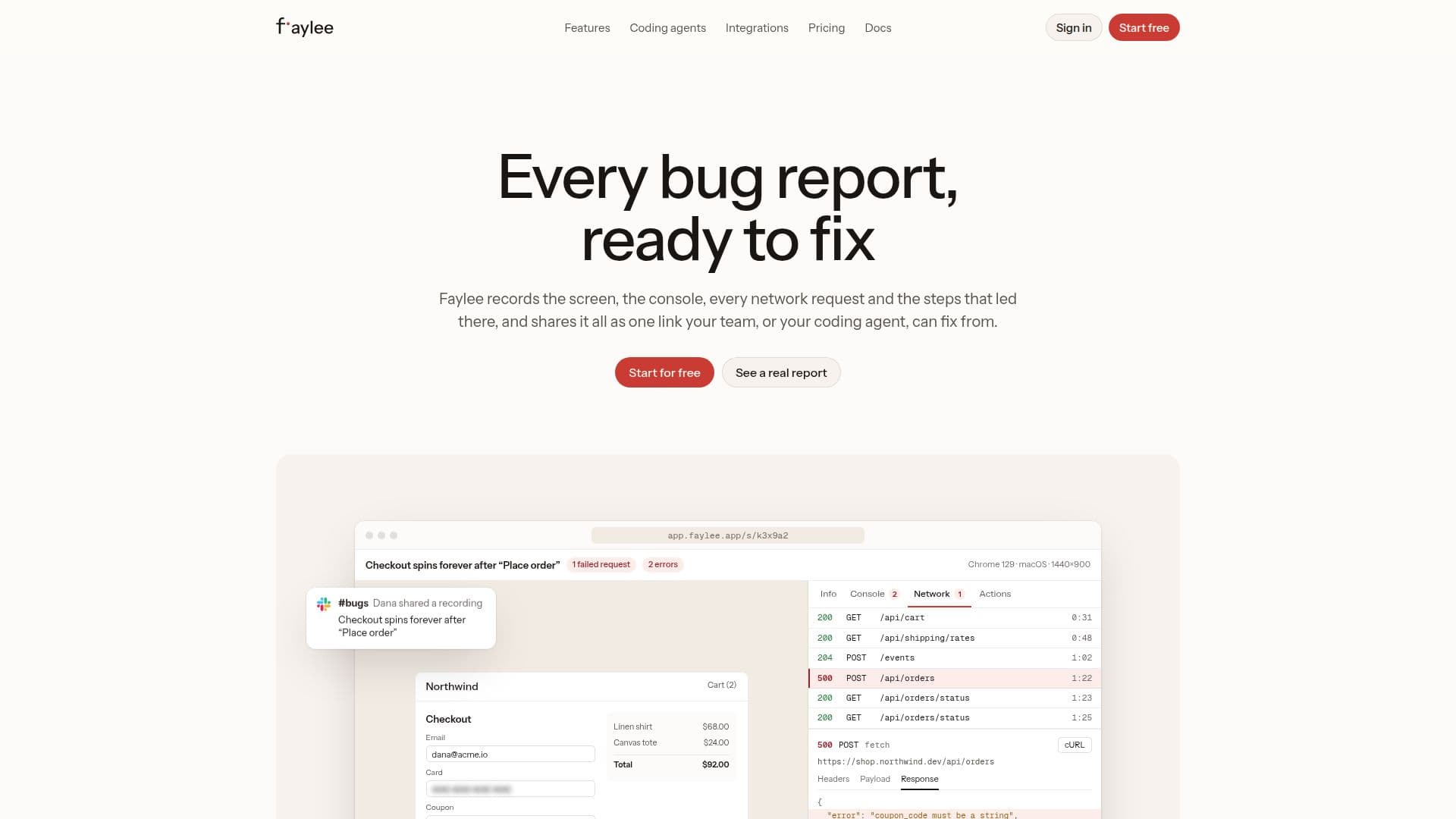
Description
Faylee is a comprehensive bug reporting tool designed to simplify the process of identifying and resolving issues in web applications. It captures all the necessary context for developers and AI coding agents, including screen recordings, console logs, network requests, and a step-by-step breakdown of user actions that led to the bug. This information is then consolidated into a single shareable link, eliminating the need for lengthy explanations and back-and-forth communication.
Read More
The tool integrates seamlessly with various AI coding agents such as Claude Code, Codex, Cursor, and OpenCode. By pasting a Faylee link into these agents, they can read the full report, analyze the video, console, and network data, identify the root cause, fix the code, and even comment back on the recording. This capability significantly reduces the time spent on bug reproduction and resolution, allowing developers to focus on coding rather than debugging.
Faylee prioritizes data privacy and security. It automatically redacts sensitive information like tokens, cookies, passwords, and card numbers in the browser before any data is uploaded. Users can also manually blur parts of the page or mark specific fields for masking. Recordings are kept on the user's machine until explicitly shared, ensuring control over data. For teams, Faylee offers options for self-hosting recordings in S3-compatible buckets and provides features like SAML single sign-on, SCIM, and an audit log.
Beyond technical teams, Faylee enables non-technical users and customers to submit detailed bug reports without installing extensions or creating accounts. They can simply use a recording link or a site widget embedded on the website to capture their screen and send a report. The platform also integrates with popular issue trackers like Jira, GitHub, Slack, and Zendesk, ensuring that every bug report lands directly where the team works, complete with all relevant context for quick resolution.
- CategoryAI Code Review & Testing
- Pricing ModelFreemium
- DeploymentCloud
- PlatformsWeb, Chrome Extension
Faylee's Core Features
Screen, Console, and Network Recording
Step-by-step Bug Reproduction
Single Shareable Link for Bug Reports
Integration with AI Coding Agents (Claude Code, Codex, Cursor, OpenCode)
Automatic Redaction of Sensitive Data
Manual Page Blurring and Data Masking
Customer-friendly Recording Links and Site Widget
Integration with Issue Trackers (Jira, GitHub, Slack, Sentry, Zendesk, Intercom, Linear, GitLab, Azure DevOps, ClickUp, Asana, Trello, Notion)
Minified Stack Trace Resolution with Source Maps
S3-Compatible Storage Bucket Integration
REST API, Webhooks, and CLI for Recordings
Instant Replay of Last Few Minutes
Narration Transcription and Captioning
AI Summary and Likely Cause Analysis
SAML SSO, SCIM, and Audit Log
How to use Faylee?
Install Extension: Add the Faylee extension to Chrome or other Chromium browsers.
Record Bug: Use the extension to record your screen, a tab, or take a screenshot, capturing the console, network requests, and steps.
Review and Share: Review the recording, blur sensitive information if needed, and then share it as a single link.
Integrate with AI Agent: Paste the Faylee link into a compatible AI coding agent (e.g., Claude Code).
Receive Fix: The AI agent will analyze the report, identify the issue, suggest a fix, and comment back on the recording.
Collaborate: Share the link with your team or integrate with issue trackers to streamline the bug resolution workflow.
Faylee's Use Cases
- Bug Reporting for Web Apps
- AI-Assisted Debugging
- Customer Bug Submission
- Developer Workflow Integration
- Reproducing Complex Bugs
- Security-Conscious Reporting
- Remote Team Collaboration
- Source Map Debugging