
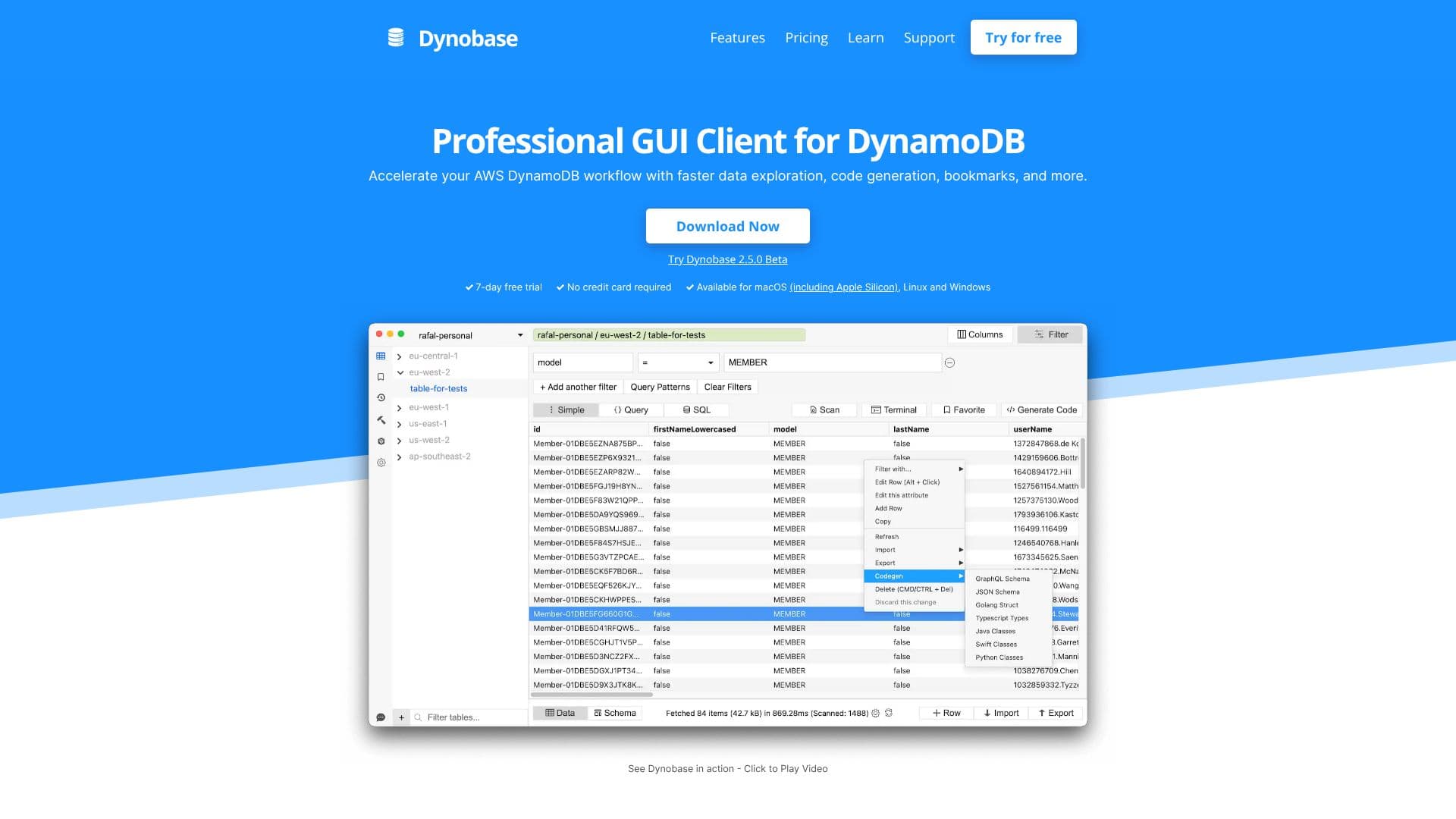
Description
Dynobase provides a professional Graphical User Interface (GUI) client for Amazon DynamoDB, aimed at significantly enhancing developer productivity. It allows for faster data exploration, intuitive query building, and seamless code generation, all within a sleek and modern interface. The tool is designed to simplify complex DynamoDB operations, making it easier for developers to manage and interact with their NoSQL databases.
Read More
Key capabilities include the ability to jump between profiles and regions quickly, eliminating the need for browser extensions or constant re-logging. Dynobase supports various authentication methods, including short and long-lived credentials, MFA-protected profiles, AWS SSO, and tools like aws-vault. Data editing is made straightforward, allowing users to modify DynamoDB items as if they were editing JSON.
The visual query builder simplifies the process of creating scans and queries, even supporting SQL-like syntax with PartiQL. All queries can be exported to code snippets in popular languages such as JavaScript/TypeScript, Rust, Golang, and Python, directly usable in projects. Dynobase also features an AI assistant to generate code snippets from natural language descriptions.
For data management, Dynobase offers robust import and export functionalities for CSV and JSON formats, including type conversion. It also provides a Terminal feature for advanced data manipulation using JavaScript, bookmarks and history for frequently used queries, and a WYSIWYG Operation Builder for creating complex operations like updates, deletes, and transactions.
Dynobase is trusted by engineers from successful companies and is endorsed by prominent figures in the AWS community. It's available for macOS (including Apple Silicon), Linux, and Windows, with a 7-day free trial offered. The tool integrates with existing workflows by exporting operations to CLI and SDK formats, and supports offline use with DynamoDB Local and Localstack.
- CategoryAI SQL & Database Tools
- Pricing ModelSubscription, Lifetime
- DeploymentCloud
- PlatformsmacOS, Linux, Windows
Dynobase's Core Features
Professional GUI client for DynamoDB
Accelerated data exploration and editing
Visual query builder with SQL (PartiQL) support
Automatic code generation for multiple languages (JS/TS, Rust, Golang, Python)
AI-powered code snippet generation
Import and export data in CSV and JSON formats
Terminal for advanced data manipulation with JavaScript
Bookmarks and history for queries
WYSIWYG Operation Builder for complex operations
Support for AWS SSO and aws-vault
Offline support for DynamoDB Local and Localstack
Keyboard shortcuts for faster navigation
Multiple tabs for multitasking
Query Optimizer to prefer Queries over Scans
Dark Mode for reduced eye strain
How to use Dynobase?
Download and Install: Get the Dynobase application for macOS, Windows, or Linux.
Connect to DynamoDB: Configure your AWS profiles, which Dynobase uses to connect securely.
Explore and Edit Data: Navigate tables, view items, and edit data directly in a JSON-like interface.
Build Queries: Use the visual query builder or PartiQL to find and filter data.
Generate Code: Export queries to code snippets or use the AI assistant for custom code generation.
Import/Export Data: Utilize the tools to migrate data in CSV or JSON formats.
Utilize Advanced Features: Leverage the Terminal, Operation Builder, and Bookmarks for complex tasks.
Dynobase's Use Cases
- Data Exploration
- Data Editing
- Query Building
- Code Generation
- Data Migration
- Offline Development
- Workflow Integration
- Complex Operations