Description
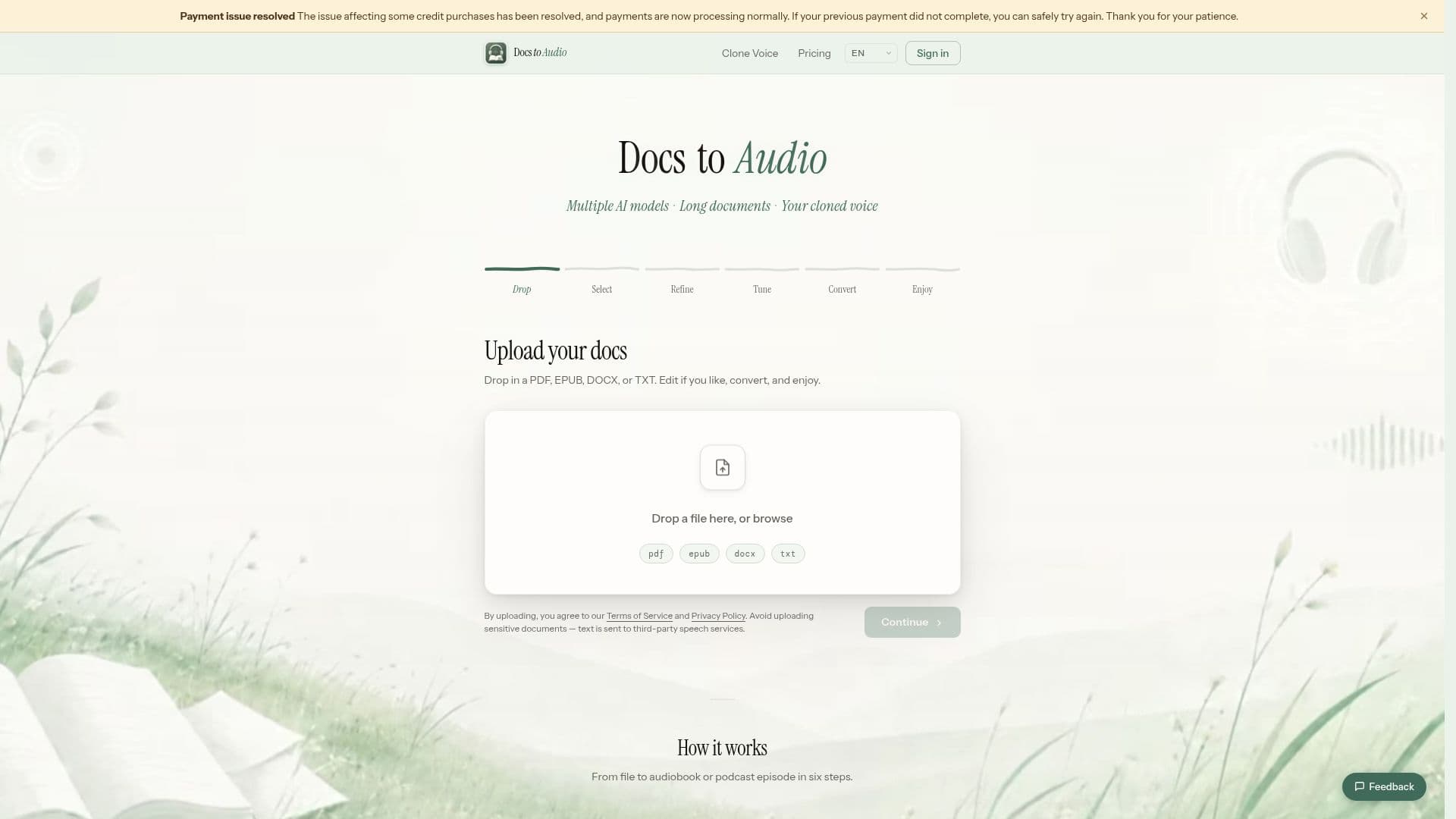
DocsToAudio is an innovative tool designed to convert long documents, including EPUB, PDF, DOCX, and TXT files, into audio formats like MP3 and M4B. This service utilizes various AI voice models, including Standard, ElevenLabs, and Gemini, to provide a range of voice options for users. With DocsToAudio, you can select specific chapters to convert, ensuring that you only process the content you need. The platform also supports voice cloning, allowing users to create a personalized voice for narrating their documents.
Read More
The conversion process is straightforward. Users can upload their documents directly to the platform without needing to create an account for the free Standard tier. This tier offers over 300 AI voices in more than 30 languages, making it accessible for a diverse audience. For those seeking enhanced features, the Premium tier provides access to over 800 AI voices in 50+ languages, background conversion capabilities, and a 7-day re-download option. This tier requires an account and operates on a credit-based system, with credits available for purchase.
One of the standout features of DocsToAudio is its commitment to user privacy. The original document is processed in the user's browser, ensuring that files are never uploaded to the server. This means that users can convert their documents with confidence, knowing that their data remains secure. Additionally, the platform allows for seamless background conversion, enabling users to close their browser while the audio is being generated, with notifications sent via email once the process is complete.
DocsToAudio is ideal for a variety of users, including students, educators, authors, and content creators. Whether you want to create audiobooks, podcasts, or educational materials, this tool simplifies the process of turning written content into engaging audio formats. With its user-friendly interface and robust features, DocsToAudio stands out as a valuable resource for anyone looking to enhance their document consumption experience.
- CategoryText to Speech
- Pricing ModelFreemium
- DeploymentCloud
- PlatformsWeb
DocsToAudio's Core Features
Supports EPUB, PDF, DOCX, TXT formats
Converts to MP3 and M4B audio
Multiple AI voice models available
Voice cloning feature
Chapter selection for conversion
Background conversion capability
Free Standard tier available
Premium tier with enhanced features
No file size limits
Privacy-focused processing in browser
How to use DocsToAudio?
Upload your document: Drag and drop your EPUB, PDF, DOCX, or TXT file into the platform.
Choose chapters: Select specific chapters you want to convert, viewing word counts and estimated listening times.
Select voice: Pick from various AI voice models or use your cloned voice for narration.
Start conversion: Initiate the conversion process, which can run in the background if you are a Premium user.
Download audio: Once conversion is complete, download your audio file as a ZIP of MP3s or a single M4B.
Use audio: Enjoy your converted audio for personal listening, study, or publishing.
DocsToAudio's Use Cases
- Audiobook Creation
- Podcast Production
- Educational Content
- Voice Cloning
- Content Accessibility