Description
Voicemaker is a robust text-to-speech (TTS) converter designed to transform written content into natural-sounding audio. Leveraging advanced AI, the platform provides an extensive library of over 2,000 voices across 130 languages and accents, ensuring a perfect fit for global audiences and diverse project requirements.
Read More
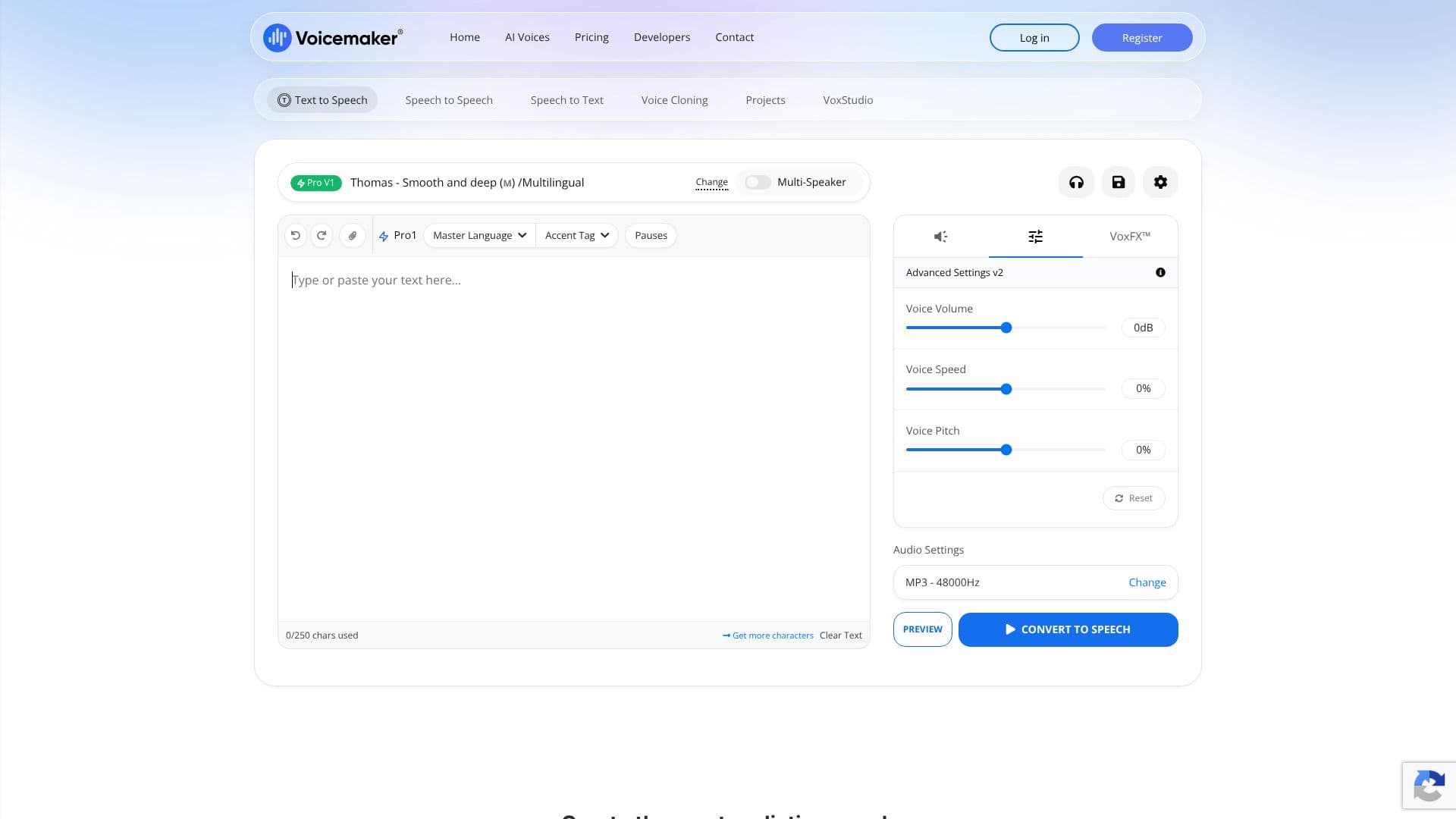
Users can fine-tune their audio output with interactive sliders for pause, pitch, and speed. The platform also offers advanced features like a Pronunciation Editor to ensure accurate pronunciation of names, brands, and complex terms, and ID3 tag metadata for voice details. For professional use, Voicemaker includes premium voice models such as ProVoices 2.0, ProVoices 1.0, and the highly expressive ProPlus and Turbo VoiceModels, offering studio-quality audio at 48 kHz, 16-bit PCM.
Beyond basic TTS, Voicemaker provides additional functionalities like Speech to Speech, allowing users to transform existing audio into different voices, and AI Dubbing for instant translation and voiceover in multiple languages. The platform supports various audio formats including MP3, WAV, OGG, AAC, and OPUS, catering to a wide range of output needs. Projects can be managed efficiently with a Multi Editor, and cloud storage ensures seamless access across devices.
Voicemaker is suitable for a broad spectrum of users, from content creators and educators to businesses and developers. Its versatile features make it an invaluable tool for producing audiobooks, YouTube videos, marketing materials, e-learning courses, IVR systems, and much more. The availability of a free tier for standard TTS voices allows users to explore the platform's capabilities before committing to premium plans.
The value proposition of Voicemaker lies in its combination of an expansive voice library, advanced customization options, high-quality audio output, and user-friendly interface. It empowers users to create professional-grade voiceovers efficiently and cost-effectively, saving time and resources compared to traditional voice recording methods. The platform is trusted by leading teams, including Samsung, for scaling multilingual voiceover campaigns.
- CategoryText to Speech
- Pricing ModelFreemium
- DeploymentCloud
- PlatformsWeb
Voicemaker Text to Speech's Core Features
Over 2,000 AI voices
Supports 130 languages and accents
Downloadable audio in MP3 and WAV formats
Interactive sliders for pitch, speed, and pause
Pronunciation Editor for custom pronunciation
ID3 tag metadata support
ProVoices 2.0, ProVoices 1.0, ProPlus, and Turbo VoiceModels
Studio-quality audio at 48 kHz, 16-bit PCM
Speech to Speech transformation
AI Dubbing for multilingual voiceovers
Multi Editor for project management
Cloud storage for projects
Unlimited free standard TTS voices
Voice Cloning feature
How to use Voicemaker Text to Speech?
Configure: Select voice, language, and adjust settings like pitch, speed, and pauses.
Input Text: Enter or paste the text you want to convert into speech.
Generate Speech: Click the generate button to create the audio.
Download Audio: Download the generated speech file in your preferred format (MP3, WAV).
Refine: Use the Pronunciation Editor or advanced settings for precise control.
Manage Projects: Organize multiple audio tracks and edits within the project workspace.
Voicemaker Text to Speech's Use Cases
- Video Voiceovers
- E-learning Content
- Audiobooks
- Presentations
- IVR and Chatbots
- Podcast Narration
- Content Localization
- Personalized Audio