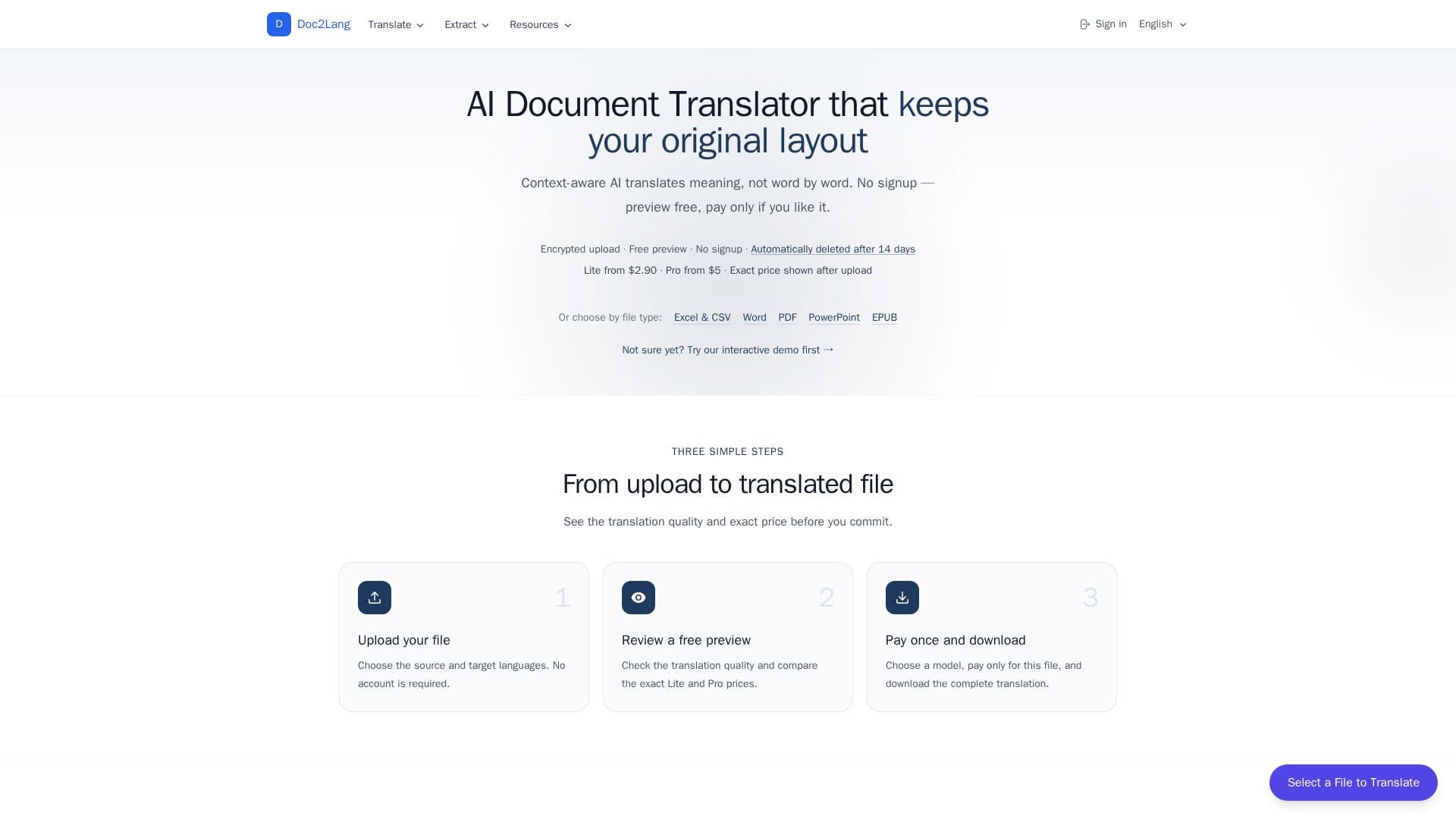
Description
Doc2Lang is an AI-powered document translator that keeps the original layout intact. It uses context-aware AI to translate meaning rather than word by word, and supports over 100 languages and 20+ file formats including PDF, Word, Excel, PowerPoint, EPUB, subtitles, images, audio, video, and InDesign IDML. Charts, columns, formulas, fonts, and styles stay exactly where they were.
Read More
The workflow requires no account: users upload a file, choose source and target languages, review a free translation preview with the exact price, then pay once and download the complete translation. Scanned or image-only PDFs are read with built-in OCR, Excel formulas and worksheet structure are preserved, EPUBs keep their table of contents for Kindle and Kobo, and a ZIP archive can be unpacked in the browser for batch translation of multiple files. Advanced options include retranslation, translation styles, custom prompts, glossaries, auto-detected terms, and per-column or per-sheet exclusion for spreadsheets.
Doc2Lang uses pay-per-file pricing with no subscription: a Lite tier starts at a $2.90 minimum per file and a Pro tier starts at $5, with the exact price shown before payment and a free preview so users pay only if satisfied. Uploads are encrypted over HTTPS, can be deleted anytime, are auto-deleted after 14 days, and content is never used to train public AI models.
- CategoryAI Translators
- Pricing ModelPaid
- DeploymentCloud
- PlatformsWeb
Doc2Lang's Core Features
AI document translation preserving original layout
Support for 20+ formats including PDF, Word, Excel, EPUB, and subtitles
100+ language support
Free translation preview before payment
Built-in OCR for scanned PDFs
Excel formula and worksheet-structure preservation
Batch translation from a ZIP archive
Glossaries, translation styles, and custom prompts
How to use Doc2Lang?
Upload your file: Choose source and target languages; no account required.
Review a free preview: Check translation quality and see the exact Lite and Pro prices.
Pay once and download: Select a model, pay for that file, and download the complete translation.
Doc2Lang's Use Cases
- PDF translation
- Spreadsheet translation
- Ebook translation
- Subtitle translation