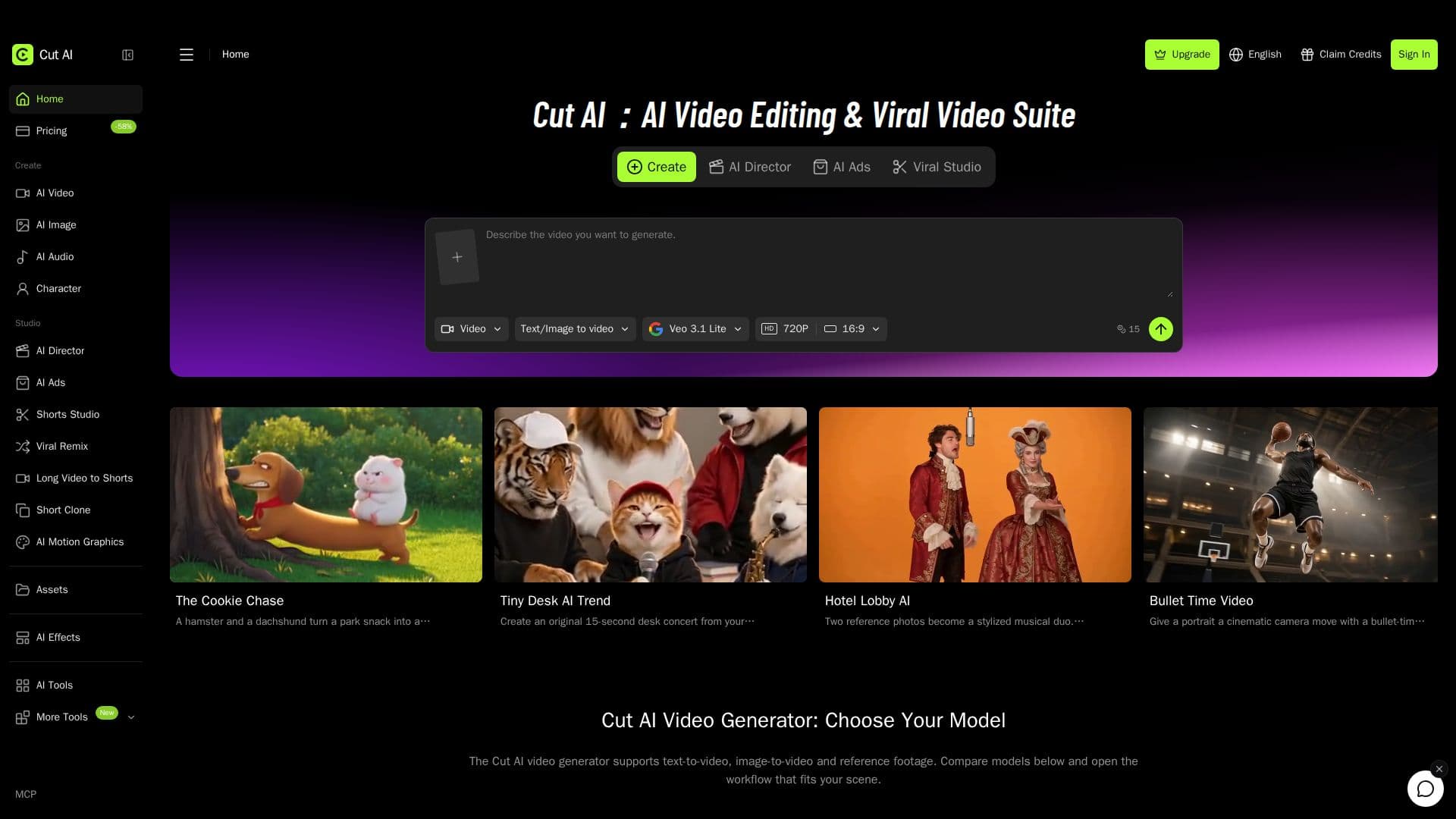
Description
Cut AI is a creative platform designed for AI video editing, generation, and repurposing. It offers a unified studio environment where users can plan and generate videos, images, voices, music, and sound effects. A core feature is the AI Video Agent, which guides users through the project lifecycle, from initial brief and scene planning to visual and audio asset creation, video assembly, and further edits through conversational interaction.
Read More
The platform supports various video generation models, each suited for different creative needs. For instance, Seedance is ideal for controlled motion, Veo for polished image-to-video conversions, and Kling for motion imitation. For still assets, users can choose image models like Wan 2.7 Image Pro or GPT Image 2. Cut AI also allows users to animate uploaded images using image-to-video workflows such as Seedance, Veo, or Wan 3.0, guiding the moving scene based on the input image.
Beyond video, Cut AI provides dedicated tools for individual clips, images, and music generation. Its audio capabilities include narration, character dialogue, and sound effects, while the music generator can create tracks from prompts, styles, or lyrics. The Video Agent can then arrange these audio elements within a project. The platform is versatile, catering to creators, marketers, e-commerce teams, agencies, and production teams for tasks like ad videos, product demos, explainers, social content, and localized clips.
Cut AI offers a Free plan with 10 one-time credits for 720p video generation with a watermark. Paid plans include monthly or annual credits, watermark removal, and a commercial license. Users can connect Cut AI to popular AI assistants like Claude, ChatGPT, Claude Code, and Cursor via its MCP (Multi-Client Protocol) for integrated media creation and project management. The platform emphasizes the importance of reviewing AI outputs for accuracy, brand fit, and usage rights before publishing.
- CategoryAI Video Editors
- Pricing ModelFreemium
- DeploymentCloud
- PlatformsWeb
Cut AI's Core Features
AI Video Generation
AI Video Editing Studio
AI Video Agent for Guided Projects
Image Generation and Editing
Audio, Music, and Sound Effect Generation
Text-to-Video Capabilities
Image-to-Video Capabilities
Video-to-Video Editing
Reference-Based Video Creation (Viral Remix)
Multi-Scene Video Planning
Character Consistency Across Scenes
Watermark Removal (Paid Plans)
Commercial License (Paid Plans)
Integration with AI Assistants (MCP)
Template Catalogue for Video Generation
How to use Cut AI?
Describe Project: Outline the purpose, audience, and style, adding references like images, video, or audio.
Shape Plan: Develop scenes, timing, and characters, adjusting the plan or creating a single scene first.
Create Media: Use the video generator for clips, then create images, dialogue, narration, music, and effects.
Review & Edit: Revise the plan or edit saved media through conversation, then review and download the final video.
Connect MCP: Sign in to your Cut AI account from the MCP page to connect with supported AI clients.
Generate with Assistant: Ask your connected AI assistant to create media or plan a Cut AI video project.
Approve Generation: Review the credit quote and approve generation before paid media is created.
Cut AI's Use Cases
- Ad Video Creation
- Viral Short Video Production
- Multi-Scene Storytelling
- Product Demo Videos
- Explainer Videos
- Social Media Content
- Image Animation
- Audio and Music Generation
- Video Repurposing
- AI Assistant Integration