Description
Clive offers a unique approach to setting alarms by integrating directly with AI assistants like Claude. Instead of manually configuring alarms in your phone's clock app, you can simply ask your AI assistant to set a real alarm on your iPhone. This streamlines the process, making it more conversational and intuitive.
Read More
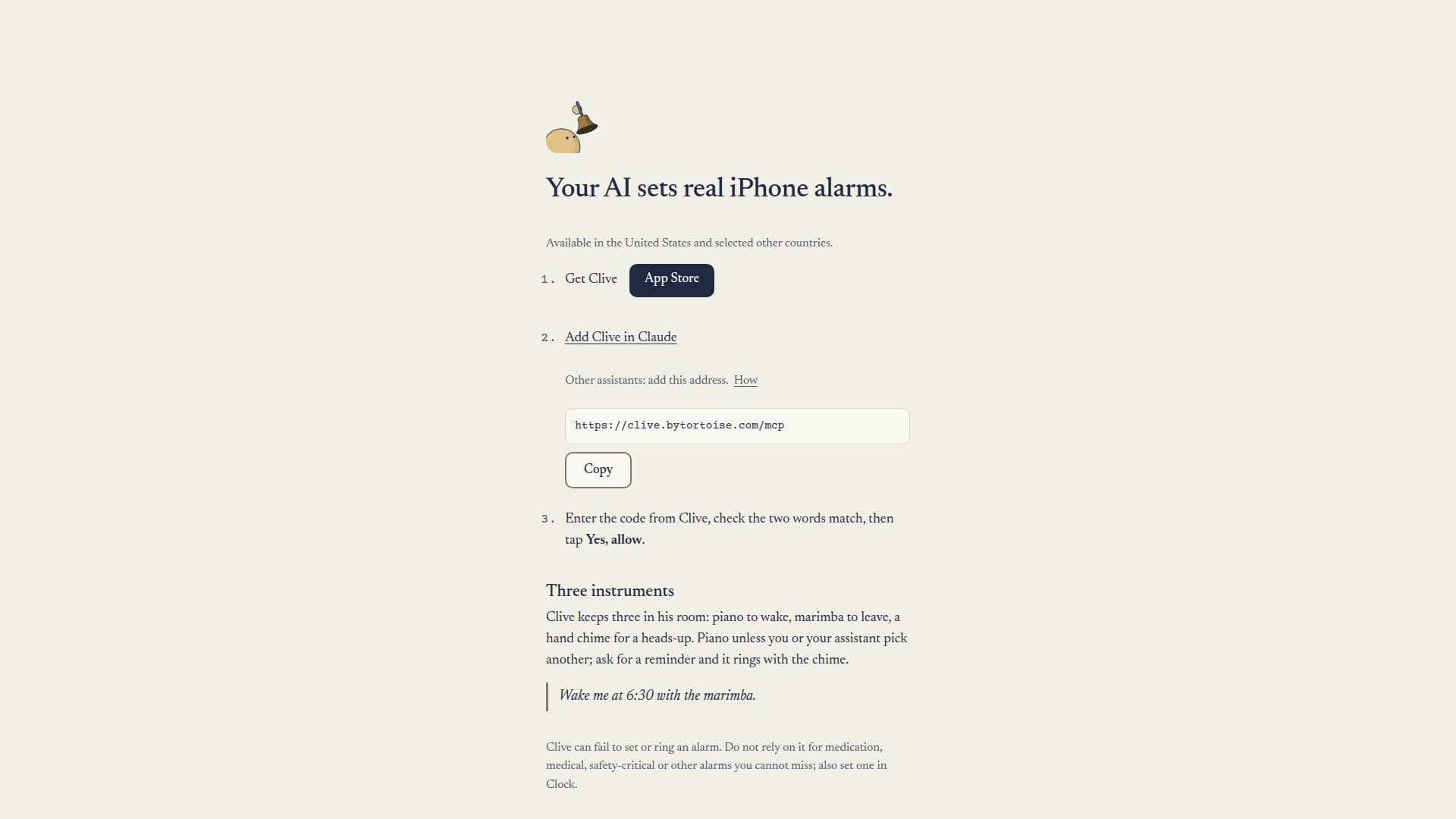
The system is designed to provide a seamless experience where your AI assistant acts as the interface for alarm management. Once you've added Clive to your assistant, you can issue commands such as "Wake me at 6:30 with the marimba." Clive then translates these requests into actual iPhone alarms that will ring on your device.
Clive includes three distinct instrument sounds for alarms: a piano for waking up, a marimba for signaling it's time to leave, and a hand chime for heads-up reminders. By default, the piano sound is used unless a different instrument is specified by the user or their AI assistant. The hand chime is specifically designated for reminder requests.
While Clive aims to simplify alarm setting, it's important to note its limitations. The service explicitly states that it can fail to set or ring an alarm. Therefore, it is not recommended for critical alarms such as those for medication, medical appointments, or safety-critical situations where missing an alarm could have serious consequences. For such crucial reminders, users are advised to also set a backup alarm using their phone's native Clock application. Clive is available in the United States and selected other countries, providing its AI-driven alarm functionality to a global audience.
- CategoryAI Personal Assistants
- Pricing ModelFree
- DeploymentCloud
- PlatformsiPhone
Clive's Core Features
AI-driven alarm setting
Real iPhone alarms
Integration with Claude
Compatibility with other AI assistants
Three distinct alarm instruments: piano, marimba, hand chime
Default piano alarm sound
Marimba for 'time to leave' alarms
Hand chime for 'heads-up' reminders
Conversational alarm commands
Available in the United States
Available in selected other countries
Direct app store access for installation
Code-based assistant integration
How to use Clive?
Get the App: Download Clive from the App Store.
Add to Assistant: Integrate Clive with Claude or other AI assistants using the provided address and code.
Verify Connection: Check that the two words match and tap 'Yes, allow' to confirm the connection.
Set Alarms: Ask your AI assistant to set an alarm, specifying time and instrument if desired (e.g., "Wake me at 6:30 with the marimba.").
Receive Reminders: Your iPhone will ring with the chosen instrument at the scheduled time.
Clive's Use Cases
- Daily Wake-Up Alarms
- Time Management Reminders
- Heads-Up Notifications
- Hands-Free Alarm Setting
- Personalized Alarm Tones