Description
Clipboard TTS offers a revolutionary approach to text-to-speech, acting as a powerful reading aid for individuals seeking to supercharge their comprehension and overcome reading challenges. This next-generation tool is specifically designed to be dyslexia-friendly, providing a streamlined reading experience that minimizes effort and maximizes understanding.
Read More
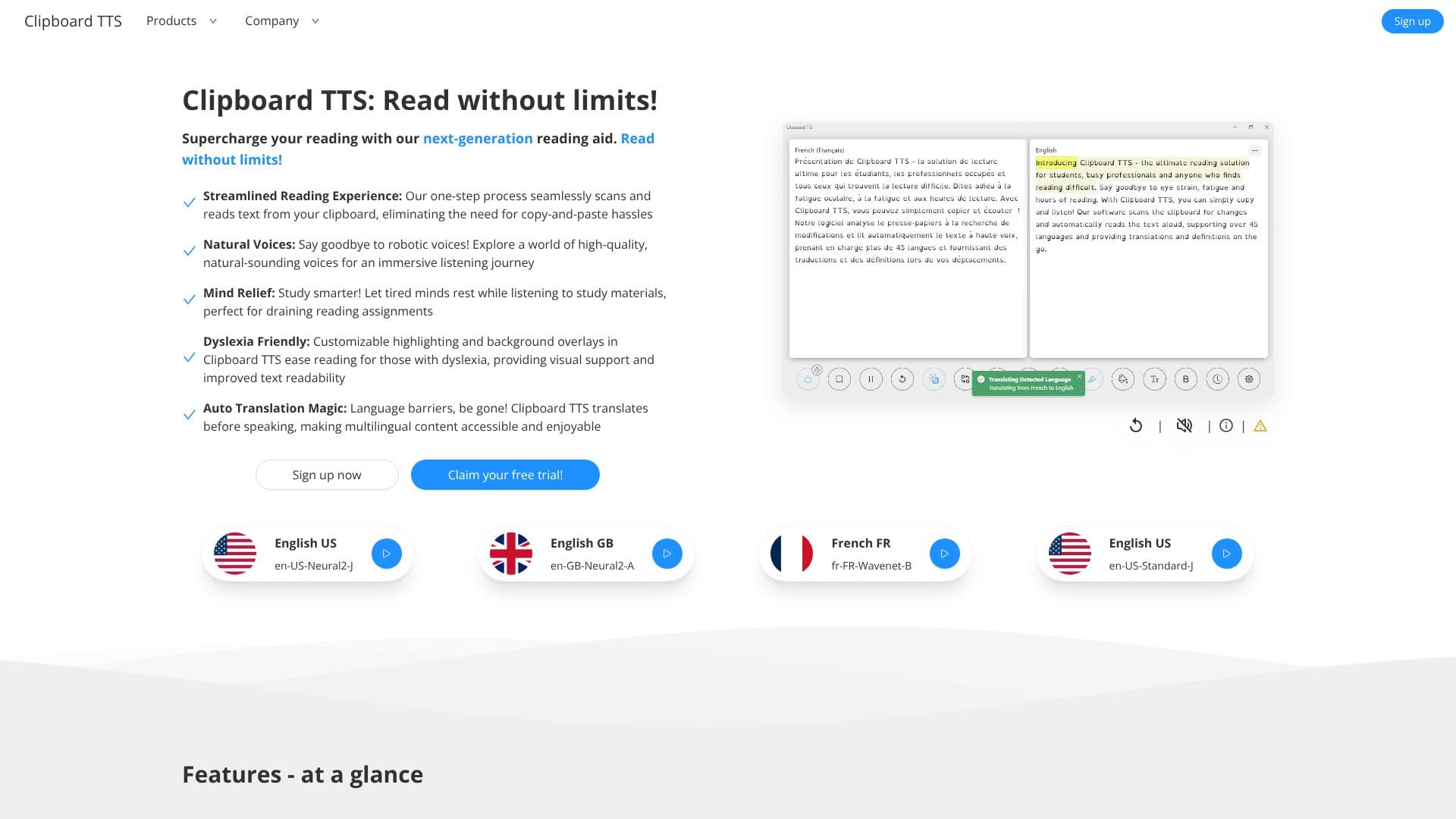
The core functionality of Clipboard TTS revolves around its ability to automatically detect and read text directly from your clipboard. This eliminates the tedious process of manual copying and pasting, allowing users to focus on the content itself. The tool boasts an impressive array of natural-sounding voices across 49 languages, ensuring an immersive and personalized listening experience.
For users with dyslexia, Clipboard TTS provides crucial visual support. Features such as customizable highlighting of the current sentence and word, along with background overlays and the option to use the OpenDyslexic font, significantly improve text readability and reduce eye strain. The BoldCue feature, which bolds the first half of each word, further aids in quicker visual tracking and comprehension.
Beyond its core reading capabilities, Clipboard TTS incorporates advanced features like Auto Translation, which translates copied text into the user's selected voice language, making multilingual content accessible. The Auto Dictionary feature reads aloud definitions of copied words, aiding vocabulary expansion. An experimental AI Assist feature can mutate and generate text based on custom prompts, offering capabilities like summarization.
Customization is a key aspect of Clipboard TTS. Users can adjust font type, letter spacing, and size for optimal readability. The Substitutions feature allows for text modification before speech output, and the Custom Mutations Order enables users to control the sequence of feature application. A history log ensures easy retrieval and replay of previously copied text.
Clipboard TTS is an invaluable tool for students, professionals, and anyone who wants to improve their reading efficiency and accessibility. Its focus on natural voices, dyslexia-friendly features, and multilingual support makes it a versatile solution for a wide range of reading needs.
- CategoryText to Speech
- Pricing ModelFree Trial
- DeploymentCloud
- PlatformsWindows, Linux
Clipboard TTS's Core Features
Reads text directly from the clipboard, eliminating copy-paste.
Offers high-quality, natural-sounding voices.
Supports 49 languages and over 100 voices.
Provides dyslexia-friendly features like customizable highlighting and overlays.
Includes Auto Translation for multilingual content.
Features an Auto Dictionary to read word definitions aloud.
Supports font customization for improved readability.
Offers BoldCue for enhanced word visual cues.
Allows text substitutions before speech output.
Maintains a history of copied text for easy retrieval.
Includes an experimental AI Assist feature for text mutation and generation.
Allows custom ordering of text mutation features.
How to use Clipboard TTS?
Configure: Select preferred voice, language, and customize reading aids.
Copy Text: Copy any text from your clipboard.
Listen: Clipboard TTS automatically detects and reads the copied text aloud.
Customize: Adjust font, highlighting, overlays, and substitutions as needed.
Utilize Advanced Features: Explore Auto Translation, Auto Dictionary, and AI Assist.
Review History: Access and replay previously copied text from the history log.
Clipboard TTS's Use Cases
- Dyslexia Support
- Study Aid
- Vocabulary Enhancement
- Multilingual Content Access
- Efficient Reading
- Content Summarization
- Accessibility Tool