Description
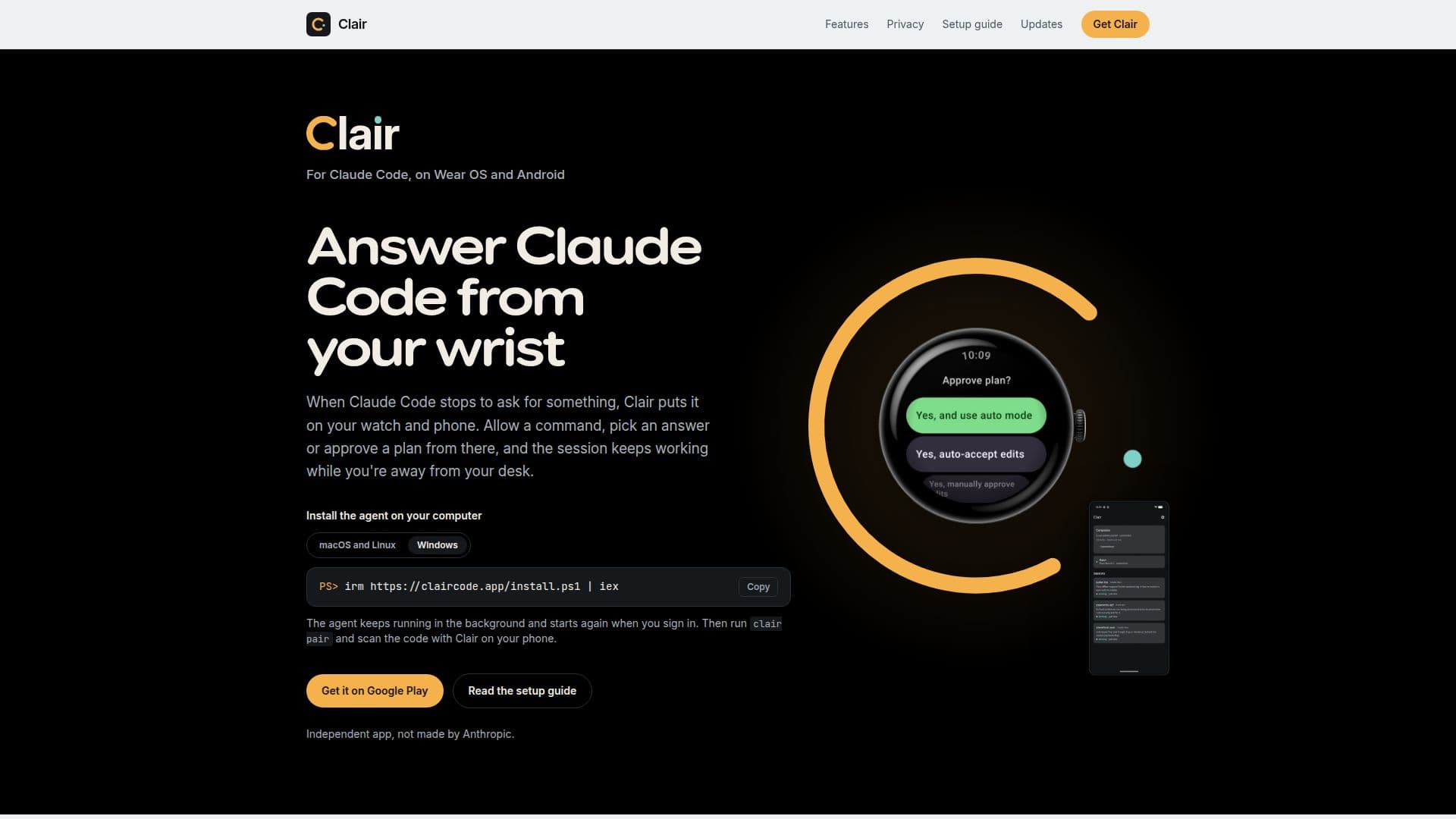
Clair is an innovative application designed to streamline the management of Claude Code's permission prompts, questions, and plan reviews. Users can interact with these prompts directly from their Wear OS watch or Android phone, providing a seamless experience that extends beyond the desktop. Clair operates independently and is not affiliated with Anthropic, the creators of Claude Code.
Read More
The app works by connecting to Claude Code through hooks, allowing users to answer prompts without needing to log into Claude Code directly. This connection is secure, with all communications traveling end-to-end encrypted from the user's computer to their phone. Clair's functionality is enhanced by its ability to operate independently of network constraints, meaning that both the computer and phone do not need to be on the same network to communicate effectively.
Clair is compatible with Android phones running Android 12 or later and Wear OS watches running Wear OS 4 or later. The agent required for operation can be installed on macOS, Linux, and Windows systems. Users can manage prompts from multiple computers, with each session clearly labeled for easy identification.
The app is free to install, but answering prompts from your watch or phone requires a subscription through Google Play, which may include a free trial. Without a subscription, users can still receive notifications and manage sessions through the terminal.
Clair's user-friendly interface allows for quick setup and easy management of sessions. The app's design ensures that users can leave their phone behind and still manage prompts from their wrist, provided their watch has its own Wi-Fi or LTE connection. This flexibility makes Clair an ideal tool for users who need to manage Claude Code sessions while away from their desk.
- CategoryAI Personal Assistants
- Pricing ModelFreemium
- DeploymentCloud
- PlatformsAndroid, Wear OS
Clair's Core Features
Manage Claude Code prompts from Wear OS and Android
End-to-end encrypted communication
Independent app, not affiliated with Anthropic
Compatible with Android 12+ and Wear OS 4+
Subscription required for full functionality
Supports macOS, Linux, and Windows
Multiple computer pairing
Secure relay for message transmission
How to use Clair?
Install the app: Download Clair from Google Play on your phone and watch.
Run the setup guide: Follow the guide on your phone to configure notifications and pairing.
Install the agent: Set up the Clair agent on your computer.
Pair your computer: Use the Clair app to scan the code displayed by the agent.
Clair's Use Cases
- Remote Prompt Management
- Secure Communication
- Multi-Device Support
- Wear OS Integration
- Subscription-Based Access