Description
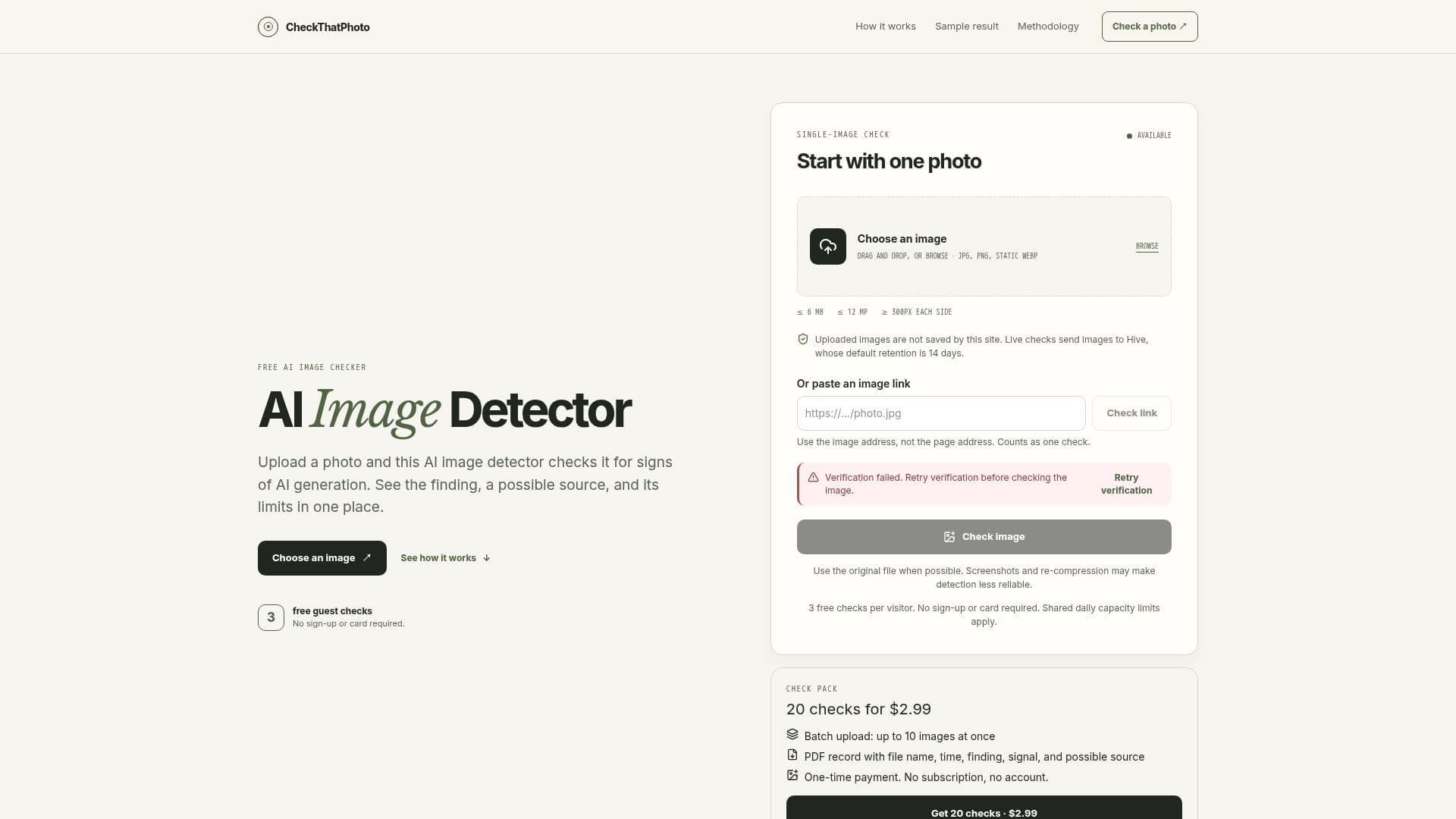
CheckThatPhoto is an AI image detector designed to help users determine if a photo exhibits patterns associated with AI generation. It supports JPG, PNG, and static WebP file types, with a maximum size of 6 MB and 12 megapixels, and both sides at least 300 pixels. The tool provides on-screen findings, indicating whether strong AI signals are detected, no clear signs are found, or if the system cannot reliably decide. When strong AI signals are present and the underlying model is confident, it may even suggest a possible AI source like Midjourney or DALL·E, though this is presented as a guess and less reliable than the AI signal itself.
Read More
The service is built as a narrow, limitation-first image context tool, emphasizing that no AI image detector can definitively prove if a photo is real or AI-generated. Users are advised to use the results in conjunction with other contextual information, such as the image's source and visual details. The platform also differentiates between AI-generated photos (created from scratch) and AI-edited photos (real photos modified with AI tools), noting that the detector may flag either.
CheckThatPhoto offers three free checks per visitor without requiring an account or credit card, subject to shared daily capacity limits. For more extensive use, a $2.99 check pack provides 20 checks, including the ability to batch upload up to 10 images at once and download a PDF record of results. The site explicitly states that it does not save uploaded images on its servers. However, for live detection, images are sent to Hive, which has a default retention period of 14 days. An encrypted server replay cache makes completed responses unavailable after 24 hours, and there is no saved user history.
The tool's methodology involves sending supported images to an approved detection provider for analysis, reducing the result to three main findings. It acknowledges that factors like compression, screenshots, resizing, and editing can alter AI signals, potentially leading to inconclusive results, false positives, or false negatives. Therefore, a finding from CheckThatPhoto is not considered legal, authenticity, ownership, or identity proof. The platform encourages users to perform additional manual checks, such as scrutinizing details like hands and text, checking light and reflections, tracing the image's source, and examining file information, before drawing conclusions.
- CategoryAI Content Detectors
- Pricing ModelFreemium
- DeploymentCloud
- PlatformsWeb
CheckThatPhoto's Core Features
AI image detection for JPG, PNG, and static WebP files
On-screen findings indicating AI generation signals
Identification of possible AI sources (e.g., Midjourney, DALL·E) when confident
Support for images up to 6 MB and 12 megapixels
Three free checks per visitor without account or sign-up
Batch upload option for up to 10 images with check pack
Downloadable PDF record of results for check pack users
No saving of uploaded images on CheckThatPhoto servers
Temporary image retention by Hive for live detection (14 days default)
Server replay cache makes responses unavailable after 24 hours
Visible limitations and guidance on result interpretation
Distinction between AI-generated and AI-edited photos
Guidance on manual image verification techniques
Support for screenshots, with caveats on reliability
How to use CheckThatPhoto?
Choose Image: Select one JPG, PNG, or static WebP image from your device or paste a link.
Initiate Check: Click the 'Check image' button to begin the detection process.
Review Findings: Read the on-screen finding, which indicates signs of AI generation, no clear signs, or an inconclusive result.
Examine Details: Note any possible AI source identified and review the visible limitations of the detection.
Consider Context: Combine the detector's result with your own manual checks of the image's details, source, and file information.
Draw Conclusion: Use all available information to make an informed decision about the image's origin, understanding that the detector's finding is not definitive proof.
CheckThatPhoto's Use Cases
- Verifying Photo Authenticity
- Identifying AI-Generated Content
- Detecting AI-Edited Images
- Investigating Image Sources
- Educational Purposes
- Content Review
- Personal Image Verification