
Description
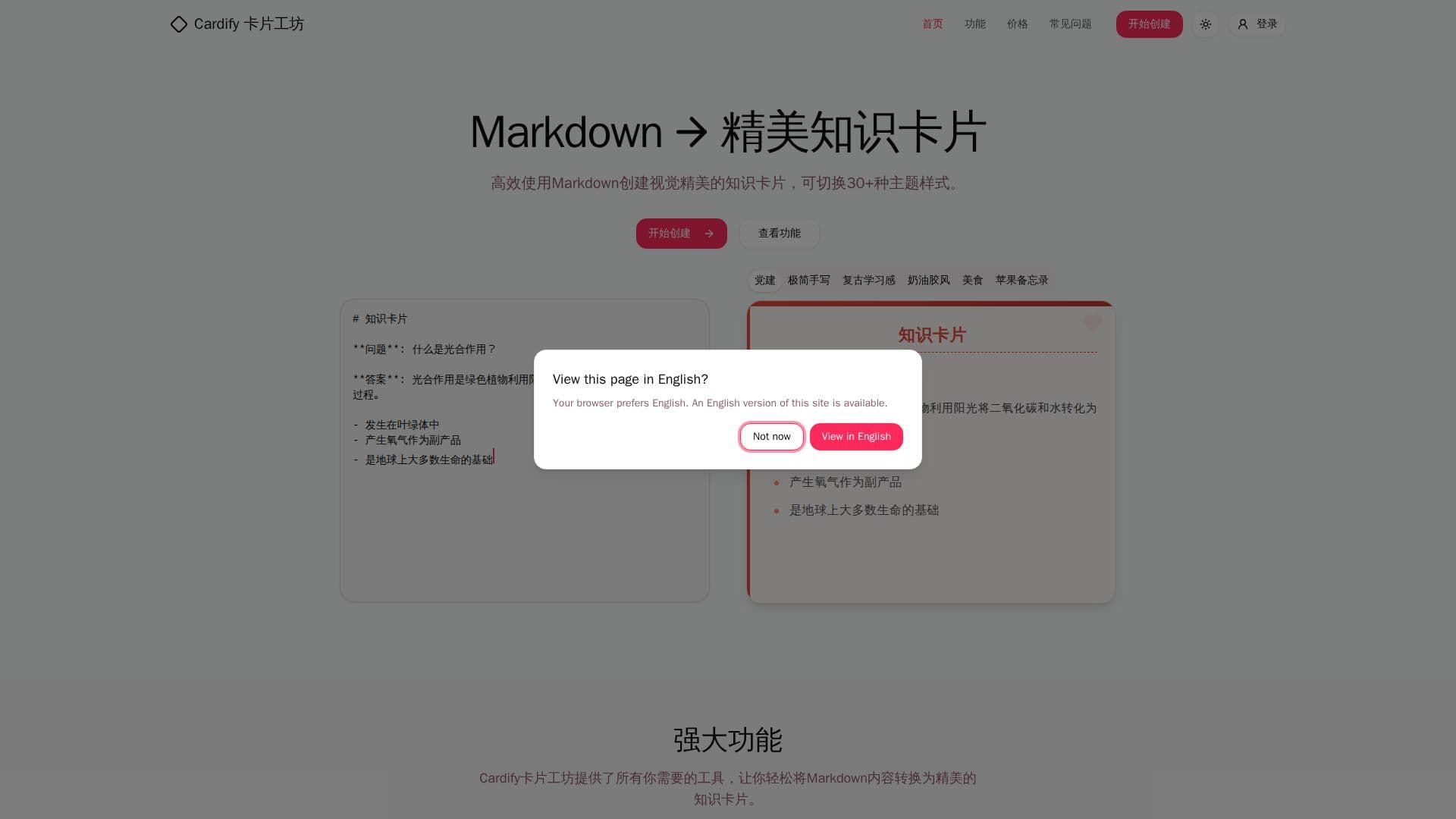
Cardify卡片工坊 is a free online tool designed to convert Markdown content directly into beautiful knowledge cards. It provides a seamless experience where users can write Markdown on the left side of the interface and see the real-time visual effect on the right. The tool supports all mainstream Markdown syntax, allowing for comprehensive content creation, including the ability to upload images, utilize over 2000 emojis, and leverage keyboard shortcuts for efficient editing.
Read More
The platform offers a wide selection of over 30 professionally designed themes, enabling users to match their content style and purpose effortlessly. These themes are rendered simultaneously, allowing for quick selection without repeated previews. Users can also fine-tune color schemes, card dimensions, and choose from various built-in fonts, with the added flexibility to upload custom fonts.
Cardify supports exporting cards in multiple high-definition formats, including PNG, SVG, and PDF. A key feature is the ability to batch export multiple cards at once, making it highly efficient for users who need to create numerous cards for different purposes. This functionality makes Cardify suitable for a diverse range of applications, from creating detailed study notes and educational handouts to crafting engaging content for social media platforms.
Beyond its core conversion capabilities, Cardify emphasizes user convenience. It's a free online tool that does not require registration, making it accessible to anyone needing to quickly generate polished knowledge cards. The interface is available in both English and Chinese, catering to a broader international audience. The tool is fully responsive, ensuring a consistent and effective workflow across various devices, including phones and tablets. While creating and previewing cards is free, paid plans unlock advanced export options, batch high-resolution output, and the removal of Cardify branding for commercial use, with a 7-day trial available.
- CategoryAI Study Tools
- Pricing ModelFreemium
- DeploymentCloud
- PlatformsWeb, Mobile, Tablet
Cardify卡片工坊's Core Features
Markdown to Knowledge Card Conversion
Real-time Preview Editor
30+ Customizable Themes
Batch Export (PNG, SVG, PDF)
Image Upload (Paste, Drag & Drop)
2000+ Emojis Available
Full Markdown Syntax Support
Content Highlighting
Keyboard Shortcuts for All Operations
Custom Font Upload
Adjustable Card Dimensions
HTML to Markdown Smart Conversion
List Autocompletion
Blank Space Auto-Removal
Multi-language Interface (English/Chinese)
How to use Cardify卡片工坊?
Input Markdown: Write or paste your Markdown content into the editor on the left.
Real-time Preview: Observe the live rendering of your knowledge card on the right as you type.
Select Theme: Browse and choose from over 30 themes, with all themes rendering simultaneously for quick comparison.
Customize Card: Adjust theme colors, card size, and select or upload custom fonts.
Export Cards: Choose your desired format (PNG, SVG, PDF) and export single or multiple high-resolution cards.
Share Content: Download your cards or share them via a unique link for collaborative editing.
Cardify卡片工坊's Use Cases
- Study Notes Creation
- Teaching Materials
- Social Media Content
- Concept Explanation
- Personal Knowledge Management
- Quick Information Sharing