
Description
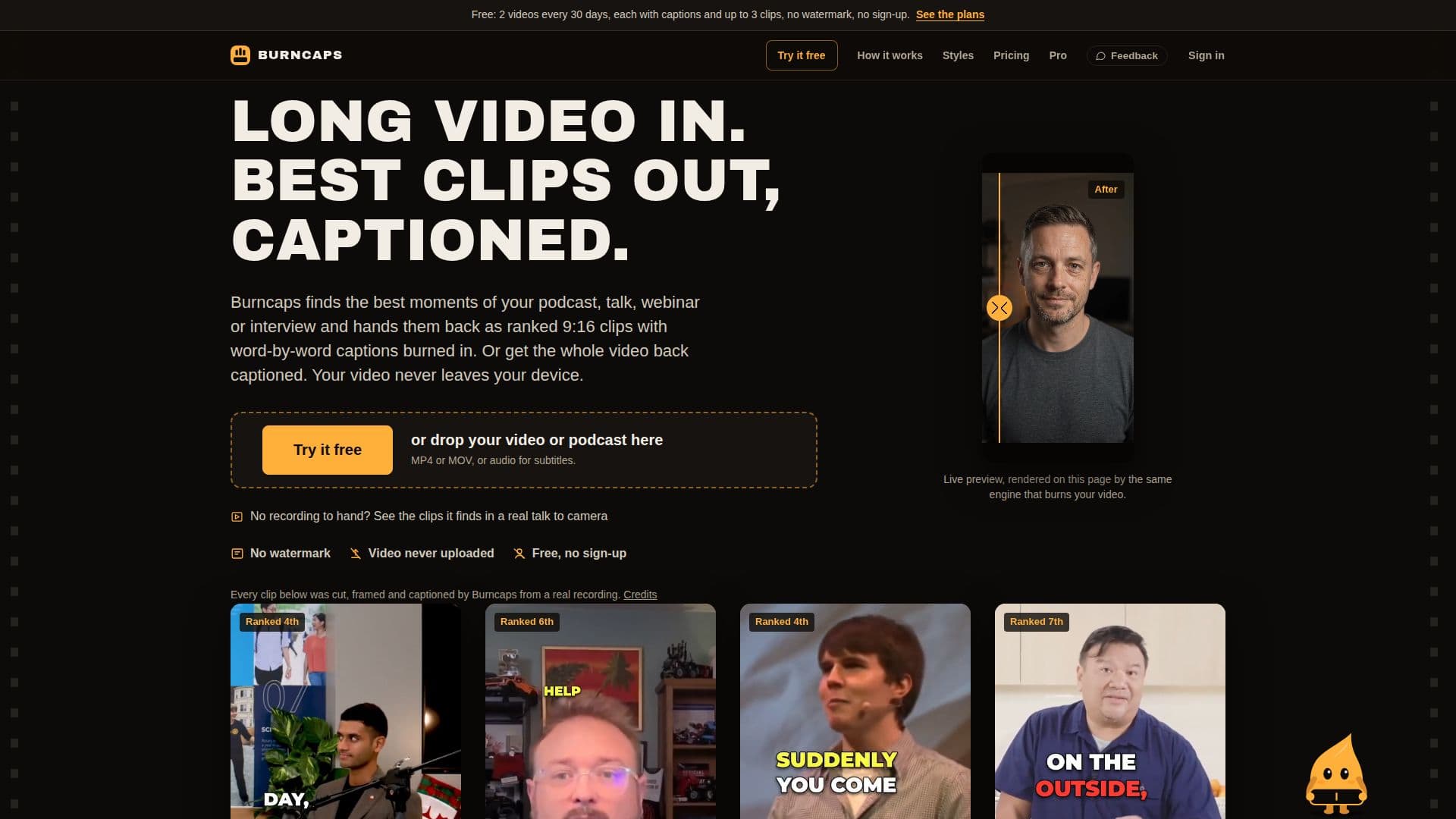
Burncaps is a versatile AI tool designed to simplify video editing by generating subtitles and creating short, engaging clips from longer recordings. It operates directly within your browser, ensuring that your video files are never uploaded to external servers, which enhances privacy and security. The platform offers word-by-word captions in 59 languages, allowing users to accurately transcribe and translate their video content.
Read More
For content creators looking to repurpose long-form videos, Burncaps can automatically identify and extract the best moments, transforming them into ranked 9:16 clips suitable for social media platforms. Each clip is precisely cut to start and end on coherent thoughts, with filler words and dead air removed. Users can customize caption styles, framing, and placement, and even add B-roll footage from Pixabay to Pro plan clips to enrich visual storytelling.
Burncaps provides a free tier that allows users to process two videos every 30 days, each yielding a fully captioned video and up to three clips, all without watermarks or requiring a sign-up. For those needing more extensive features, the Pro plan offers unlimited clips and captioned videos for $29 a month, while the Starter plan focuses solely on unlimited captioned videos for $9.98 a month or a one-time payment of $49. A 7-day free trial of the Pro features is also available without requiring a credit card.
Beyond basic captioning and clipping, Burncaps offers advanced editing capabilities. Users can correct any word in the transcript, add missing words, or cut existing ones, with changes applied universally. It supports video inputs up to ten minutes and 1.2 GB for full video captioning, and up to three hours and 10 GB for clip generation. Subtitle files (SRT, VTT, ASS, and text) are provided free for recordings up to ten minutes. The tool is built by Jordan Labs Ltd, a UK company, emphasizing privacy with no ads, cookies, or tracking pixels.
- CategoryAI Short Video Makers
- Pricing ModelFreemium
- DeploymentCloud
- PlatformsWeb
Burncaps's Core Features
Free AI clip generator: 2 videos every 30 days, up to 3 clips each
Word-by-word captions in 59 languages
No watermark on any exported video or clip
Video processing occurs in-browser; no video upload to servers
Automatic identification and ranking of best clips from long videos
Customizable caption styles, framing, and placement
Ability to correct, add, or cut words in transcripts without re-listening
Support for MP4 or MOV input, MP4 output
Subtitle file export (SRT, VTT, ASS, text) for videos up to 10 minutes
Pro plan for unlimited clips and captions
Starter plan for unlimited captioned videos only
7-day free Pro trial without credit card or sign-up
Add B-roll footage from Pixabay to clips (Pro plan)
Remembers names for correct spelling across videos
Supports recordings up to 3 hours for clip generation
How to use Burncaps?
Drop Video: Upload your MP4 or MOV video file directly into the browser.
Generate Captions/Clips: Burncaps automatically transcribes the audio and generates word-by-word captions or identifies key moments for clips.
Customize Content: Edit transcripts, adjust caption styles, position, and size, or add B-roll to clips.
Export Video: Export your captioned video or selected clips without watermarks.
Burncaps's Use Cases
- Social Media Content Creation
- Podcast Repurposing
- Educational Video Captioning
- Interview Highlight Reels
- Marketing Video Production
- Multi-Language Content
- Personal Video Projects