
Description
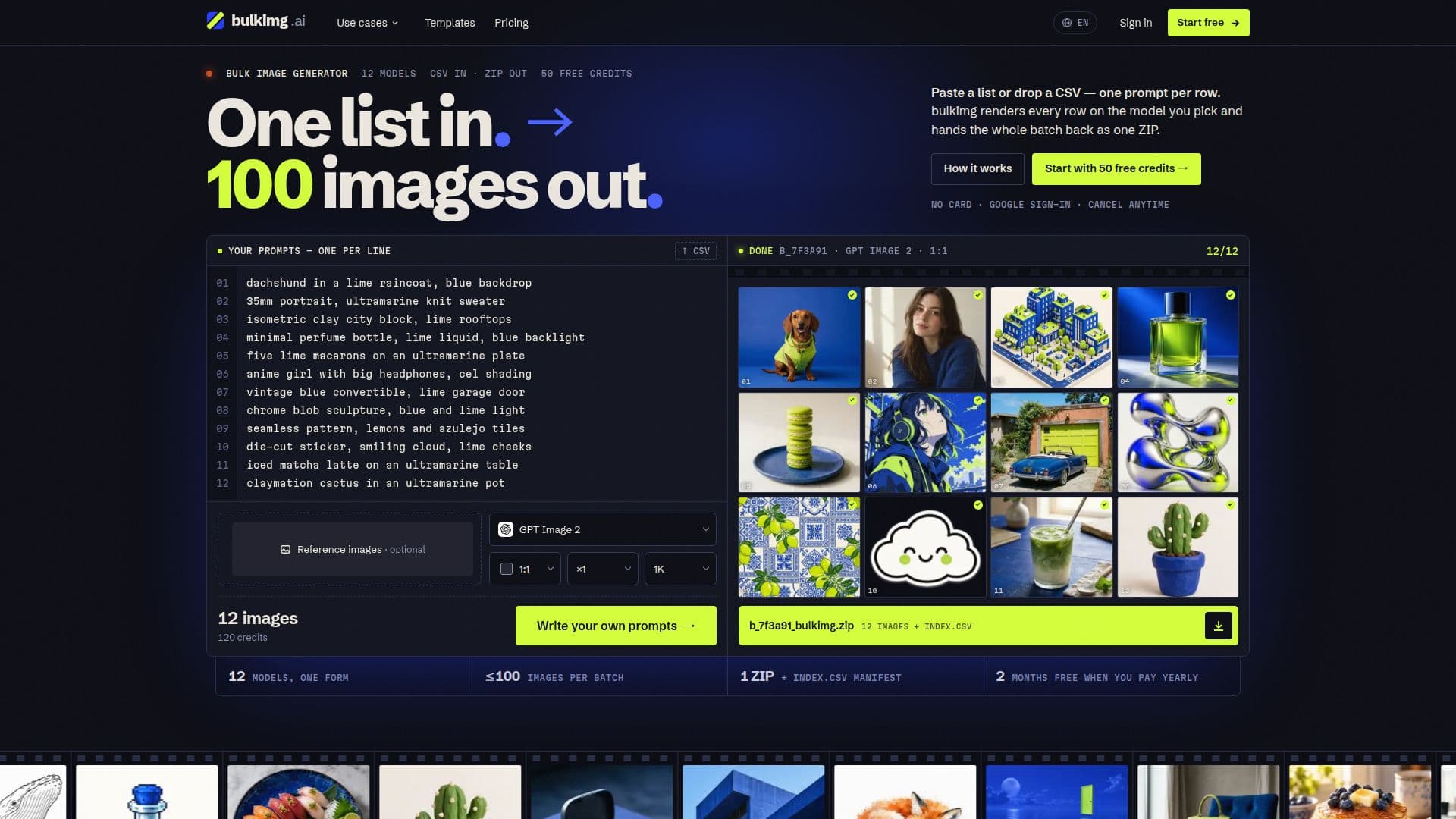
bulkimg is a specialized AI image generation tool designed for efficiently creating multiple images from a single input list or CSV file. Unlike traditional generators that process one prompt at a time, bulkimg queues and renders all prompts in parallel, significantly speeding up the workflow for users needing large volumes of consistent imagery.
Read More
The platform accepts prompts either as a pasted list, with one prompt per line, or as a CSV file containing a dedicated prompt column. Users can select from 12 different AI models, including popular options like GPT Image 2, Nano Banana, and Seedream, each offering varying capabilities and credit costs. The tool also allows for the addition of a reference image to maintain character or product consistency across a batch, a crucial feature for storyboards, product catalogs, and consistent branding.
Once the generation process is complete, all results are collected and made available for download as a single ZIP archive, which includes an `index.csv` manifest mapping each image file to its original prompt. This organized output is ideal for production work such as video storyboards, coloring book pages, ad variants, catalog photos, menu photos, and flashcards, where a uniform style across many images is essential.
bulkimg offers a transparent pricing model, displaying the total credit cost for a batch before rendering begins. New users are welcomed with 50 free credits upon sign-up, requiring no credit card, which is sufficient for a small initial batch. Beyond the free credits, users can choose from monthly subscription plans that provide fresh credits each month, or opt for one-off credit top-ups that never expire. Plans vary in the number of monthly credits and the maximum images allowed per batch, ranging from 5 for free accounts up to 100 for the Factory plan.
The service ensures that credits for any failed renders are automatically refunded to the user's balance. Users retain full ownership of the images they generate, subject to the license of the underlying AI model, and bulkimg does not add any watermarks. Finished images are stored for at least 14 days, allowing ample time for download. The platform also supports Google sign-in for quick and easy access.
- CategoryAI Image Generators
- Pricing ModelFreemium
- DeploymentCloud
- PlatformsWeb
bulkimg's Core Features
Bulk image generation from lists or CSVs
Parallel rendering of multiple prompts
Download results as a single ZIP file with index.csv
Support for 12 different AI image models (GPT Image, Nano Banana, Seedream, Flux, Qwen)
Reference image support for consistency across batches
Adjustable aspect ratio and resolution settings
Credit cost displayed before batch rendering
Automatic refunds for failed renders
User retains full ownership of generated images
No watermarks added to images
Images stored for at least 14 days
Free credits on sign-up (50 credits)
Monthly subscription plans and one-off credit top-ups
Google sign-in for quick access
Cancel monthly plans anytime
How to use bulkimg?
Sign Up: Create a new account using Google sign-in to receive 50 free credits.
Prepare Prompts: Paste a list of prompts (one per line) or upload a CSV file with a prompt column.
Configure Settings: Select an AI model, aspect ratio, resolution, and number of images per prompt. Optionally, add a reference image for consistency.
Review Cost: Check the total credit cost for the batch before initiating the render.
Generate Images: Start the batch rendering process; images will be processed in parallel.
Collect Results: Access generated images in your library as they finish and download the entire batch as a single ZIP file.
bulkimg's Use Cases
- Video Storyboards
- Product Catalogs
- Ad Variants
- Coloring Book Pages
- Menu Photos
- Flashcards
- Staff Portraits
- Icon Families