Description
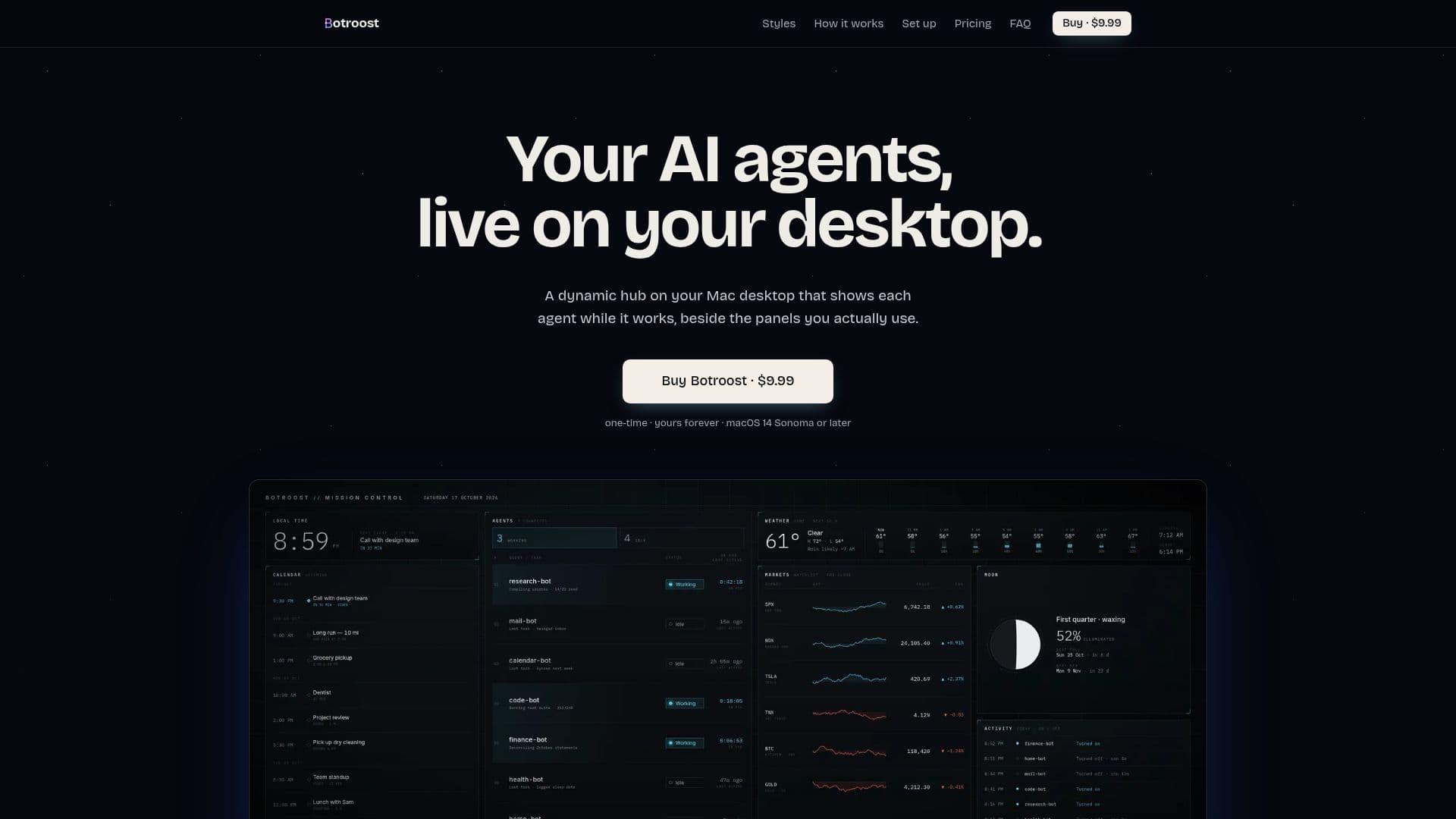
Botroost is a unique application designed to serve as a dynamic hub for AI agents on your Mac desktop. It integrates various panels such as clock, weather, calendar, and market updates, providing a comprehensive view of your AI agents' activities. The application is designed to run entirely locally on macOS 14 Sonoma or later, ensuring user privacy and data security. Botroost supports a variety of AI agents, including Claude, ChatGPT, Cursor, and Codex, allowing users to monitor their activities in real-time.
Read More
The application offers multiple styles for users to choose from, such as Supernova, Mission Control, and Arc, with the flexibility to switch styles at any time. Users can customize these styles further by adjusting colors, fonts, and panel layouts. Botroost is priced at a one-time fee of $9.99, with no additional in-app purchases or advertisements, making it a cost-effective solution for users who need a reliable AI hub on their desktop.
Botroost's setup is straightforward, involving a simple installation process and a guided setup for configuring styles, city settings, and panels. The application is designed to be user-friendly, with features like automatic updates and a secure checkout process through Lemon Squeezy. It also includes a built-in Stocks widget, allowing users to track up to eight stocks, indexes, or cryptocurrencies directly from their desktop.
The application is ideal for users who rely on AI agents for various tasks and need a centralized platform to monitor their activities. It is particularly useful for developers and tech enthusiasts who work with AI scripts and need a visual representation of their agents' statuses. Botroost's local operation ensures that no data leaves the user's Mac, except for necessary online checks for weather updates and license verification.
- CategoryAI Agent Builders
- Pricing ModelOne-time purchase
- DeploymentLocal
- PlatformsmacOS 14 Sonoma or later
Botroost's Core Features
Local operation on macOS
Integration with AI agents
Customizable styles and panels
One-time purchase pricing
Automatic updates
Built-in Stocks widget
Secure checkout via Lemon Squeezy
No ads or in-app purchases
Supports Claude, ChatGPT, Cursor, Codex
How to use Botroost?
Install: Drag Botroost into Applications
Configure: Choose a style and set your city
Connect: Paste a prompt into your AI agent
Use: Monitor AI agents and panels on your desktop
Customize: Adjust styles, colors, and panels
Update: Automatic updates with new features
Botroost's Use Cases
- AI Monitoring
- Custom Dashboards
- Stock Tracking
- Weather Updates
- Calendar Integration