
Description
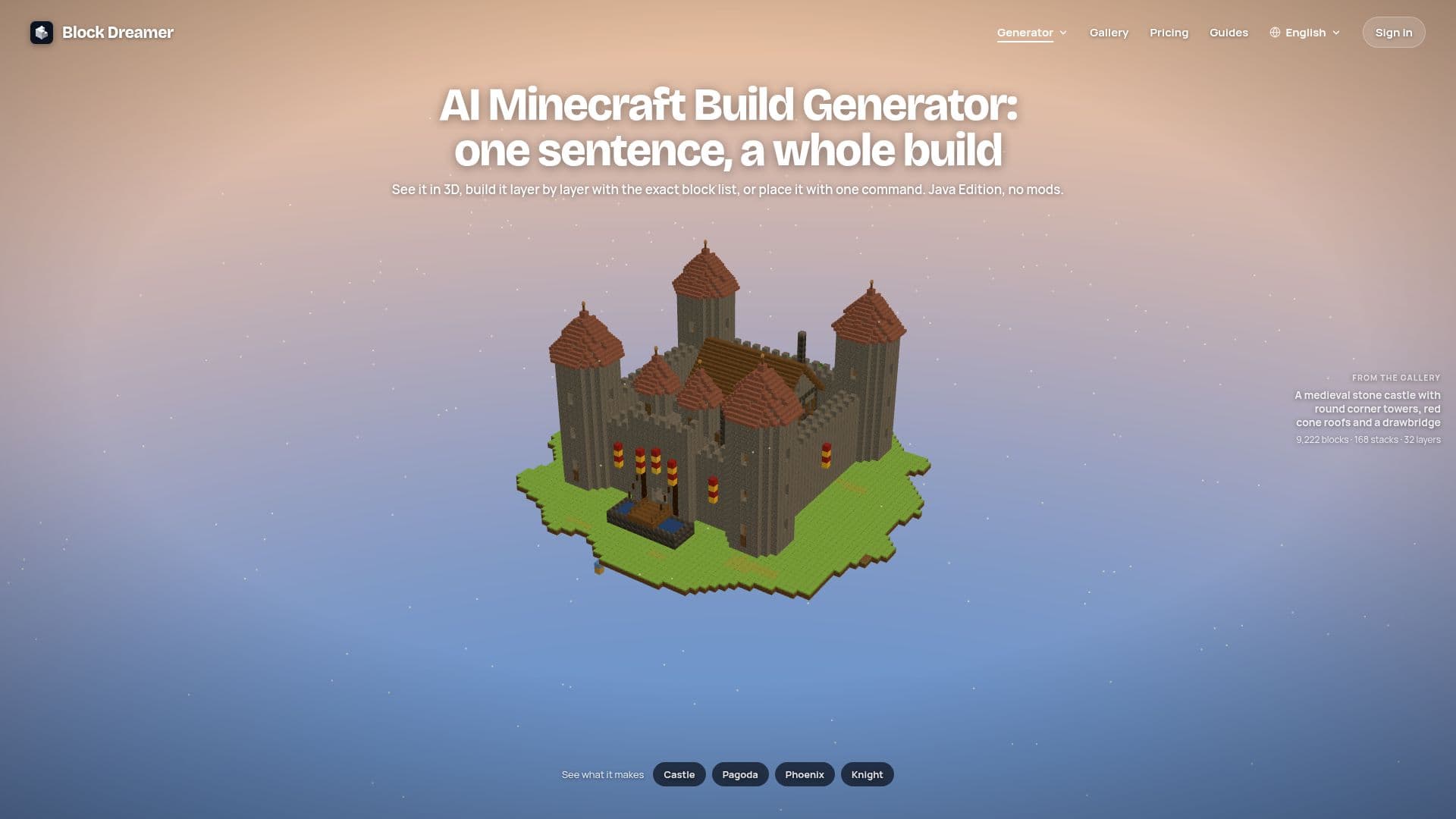
Block Dreamer is an innovative AI Minecraft build generator that allows players to create complex structures simply by describing them in plain words. This tool eliminates the need for tutorials or manual design, providing everything required to implement the build directly into a Minecraft world.
Read More
The process is straightforward: users describe their desired structure, such as a "mossy Japanese ruined castle," and within 20-40 seconds, a 3D preview appears, rising layer by layer. This interactive preview allows users to rotate, zoom, and cut the build at any height to inspect rooms from the inside before committing to construction.
Every build generated by Block Dreamer is a list of real Java 1.21 blocks, complete with their facing, and is checked for in-game stability. This ensures that all downloaded files accurately represent the preview. For Java Edition players, the default download is a vanilla Java function (.mcfunction), which can be placed using a single command in a datapack, even on servers that do not allow mods. Alternatively, builds can be downloaded as .litematic files for Litematica or .schem files for WorldEdit or FAWE.
For Bedrock Edition players or those who prefer building by hand, Block Dreamer provides a comprehensive layer plan and a block count, organized by stacks of 64. This feature effectively turns the generator into a blueprint maker, allowing players to gather necessary resources and construct the design block by block. While it excels at generating houses, cottages, towers, castles, temples, lighthouses, bridges, and carved statues or creatures, it currently does not support whole cities, landscapes, Redstone circuits, or command-block contraptions.
New accounts receive one free build, and gallery examples are always free to explore. A Pro plan offers 75 credits per month (equivalent to 37 Detailed 3D or 75 Classic builds) and a "second look" feature for builds. Builds remain private unless explicitly shared, which creates a public page with the 3D model and download options. The tool supports Classic builds up to 48 × 40 × 48 blocks (40,000 blocks total) and Detailed 3D sculptures up to 120 blocks on their longest side, or 200 for slim structures like statues or towers.
- CategoryAI Game Development Tools
- Pricing ModelFreemium
- DeploymentCloud
- PlatformsWeb, Minecraft Java Edition, Minecraft Bedrock Edition (manual build)
Block Dreamer's Core Features
Text-to-build generation for Minecraft
3D interactive build preview
Layer-by-layer build plan
Block list with quantities (shopping list)
Vanilla Java function (.mcfunction) download
Litematica (.litematic) file download
WorldEdit/FAWE (.schem) file download
Supports Java 1.21 blocks
Automatic structural integrity checks
Generates houses, castles, statues, and creatures
Private builds by default, with optional sharing
Free build for new accounts
Gallery of example builds
Pro plan with monthly credits and second look feature
How to use Block Dreamer?
Describe the Build: Enter a plain language description of the desired Minecraft structure, including style words like "mossy" or "Japanese."
Watch it Generate: The AI will process the description, and a 3D preview of the build will appear and rise layer by layer within 20-40 seconds.
Review and Inspect: Interact with the 3D model by turning, zooming, and cutting at different heights to view rooms and details.
Choose Download Option: Select the appropriate file format: .mcfunction for vanilla Java, .litematic for Litematica, or .schem for WorldEdit/FAWE.
Place in World (Java): For .mcfunction, place the file in your world's datapacks folder, run /reload, stand at the desired location, and execute /function <ns>:<name>.
Place in World (Mods): For .litematic or .schem, load the file using Litematica or WorldEdit within your game.
Build by Hand (Bedrock/Survival): Use the provided layer plan and block list to manually construct the design in Bedrock Edition or survival mode.
Block Dreamer's Use Cases
- Generating Custom Structures
- Blueprint Creation for Manual Builds
- Automated Build Placement
- Designing Statues and Creatures
- Server-Friendly Builds
- Creative Inspiration
- Learning Build Techniques