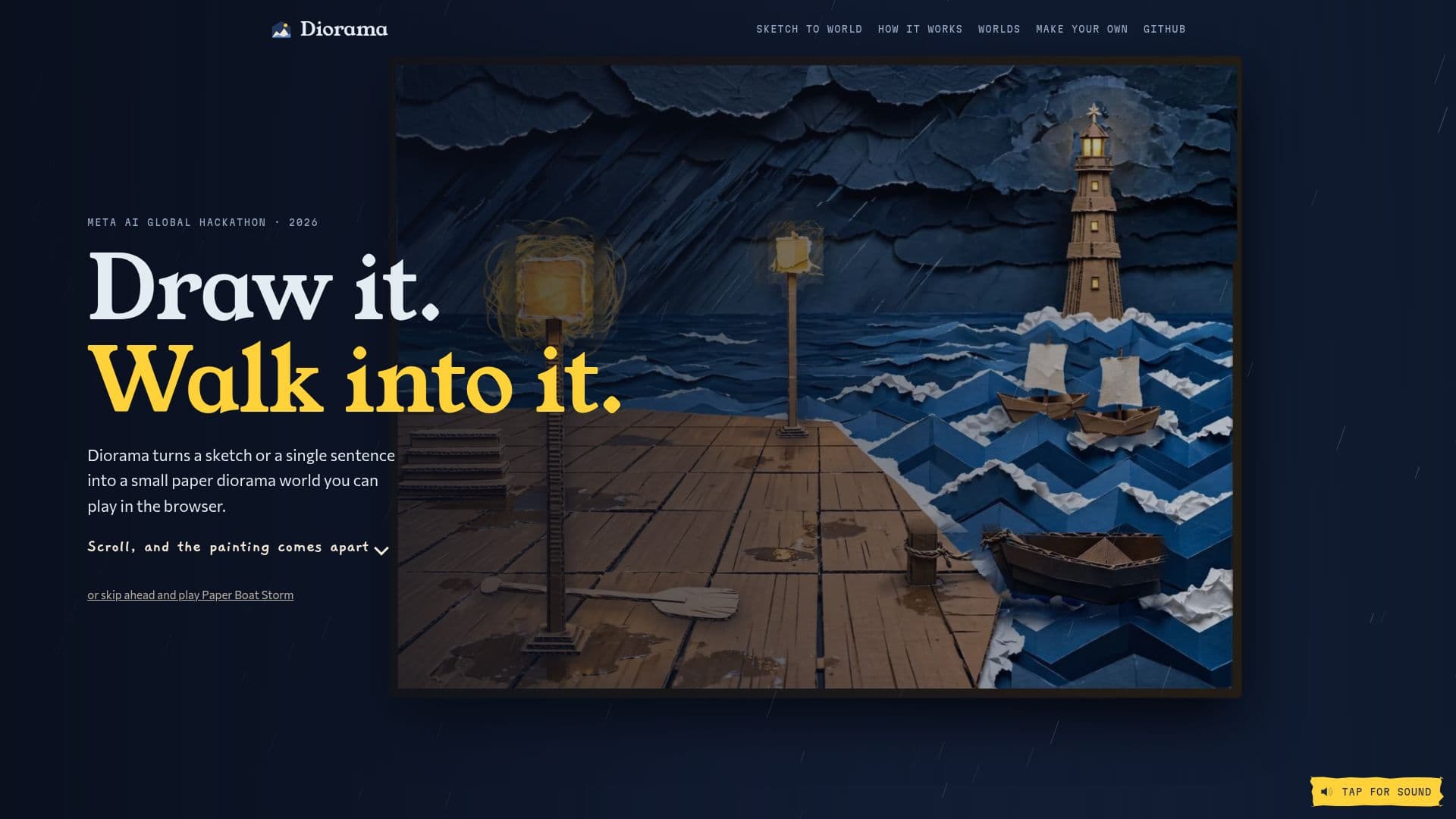
Description
Diorama is an innovative tool that converts a simple sketch or a single sentence into a playable paper diorama world. Developed during the Meta AI Global Hackathon, this application leverages Meta's Muse and SAM models to create immersive, interactive environments directly from user input. The process begins with a crayon sketch or a textual description, which Diorama then interprets to construct a detailed, multi-layered world.
Read More
The core functionality involves Muse Spark, which reads the input, plans the layout of the world, and Muse Image, which paints it in a cut-paper and cardboard style. SAM 3.1 plays a crucial role by cutting the painted image into individual paper cards, using a depth map to position each card at its own distance, thereby creating a sense of three-dimensionality. This allows for elements like lamp posts, waves, and boats to appear as distinct, interactive components within the scene.
Each generated world is not merely a static image but a dynamic stage where a hero character can walk, interact with objects, and engage with the environment. For instance, lamp posts become glowing paper lamps, zigzag waves transform into folded paper seas, and boats bob on the water. Even intricate details like a rope bridge are made walkable, waterfalls pour, and individual fish are cut-outs that swim, bringing the scene to life. The tool ensures that every element, from the keeper waiting in a lighthouse doorway to a sweeping light beam, is rendered as drawn in the initial sketch.
Diorama's creation process is highly automated, with Meta's models handling the creative aspects while code measures and checks every result to ensure playability. A typical four-place world takes approximately 17 minutes to build, involving around 200 Meta model calls. The system also incorporates Muse Spark for designing the world and story, Muse Image for painting and repainting regions, and SAM 3.1 for cutting out elements like things, floors, stairs, and water. Additional models like Muse Voice Transcribe and Muse Code (the Studio's agent) are used for voice input and interactive world editing.
Users can build worlds using a command-line tool or a Studio app in the browser. The generated worlds are playable directly in the browser on computers or phones, requiring no installation or sign-up. Players can click to walk, interact with objects, and talk to characters. Diorama also allows users to export their creations as static web pages, making them shareable on platforms like GitHub Pages or itch.io. The project was initiated during the Meta AI Global Hackathon on October 26, 2026, and runs locally, offering a unique blend of AI-driven creativity and interactive storytelling.
- CategoryAI Game Development Tools
- Pricing ModelFree
- DeploymentLocal CLI + Studio App
- PlatformsWeb Browser (Computer, Phone)
Diorama's Core Features
Sketch-to-World Generation: Transforms crayon sketches or single sentences into playable diorama worlds.
Browser-Based Playability: Worlds are playable directly in a web browser on computers and phones.
Interactive Environments: Allows characters to walk, interact with objects, and engage with the scene.
Depth-Based Card Creation: Uses SAM 3.1 and depth maps to cut paintings into multi-distance paper cards.
Automated World Building: Leverages Meta's Muse Spark and Muse Image for planning and painting.
Dynamic Elements: Includes flowing water, swimming fish, and walkable structures like rope bridges.
Character Integration: Paints and integrates 3D character models as sprites within the world.
Sound and Voices: Adds ambience, footsteps, music, and character voices using ElevenLabs and MusicGen.
Automated Playability Verification: Bots walk and use every place to ensure it is playable.
Studio App: Provides a browser-based interface for describing, building, and fixing worlds.
Command-Line Tool: Offers a local command-line interface for world creation.
Static Web Page Export: Allows exporting worlds as static web pages for easy sharing and hosting.
Real-time Editing: Muse Code agent enables interactive changes to the world within the Studio.
Input Flexibility: Accepts both visual sketches and textual story descriptions.
Critique and Repaint System: Muse Spark critiques paintings, and only flagged regions are repainted by Muse Image.
How to use Diorama?
Set Up Diorama: Initialize an empty folder and run `npx -y @gtanczyk/diorama setup` to configure your environment and API keys.
Describe Your World: Use the Studio app or command line to provide a single sentence or drop in sketches for your desired world.
Build the Diorama: Watch as Diorama constructs your world place by place, leveraging Meta's AI models.
Play and Interact: Walk through your newly built world in the browser, clicking to move, interact with objects, and talk to characters.
Refine with the Agent: Use the Studio's agent to make changes or fix elements in your world interactively.
Export Your World: Export the completed world as a static web page using `npx -y @gtanczyk/diorama export <world>` for sharing.
Diorama's Use Cases
- Interactive Storytelling
- Game Prototyping
- Creative Visualization
- Educational Content Creation
- Personalized Digital Art
- Concept Art Exploration
- Web-Based Experiences