Description
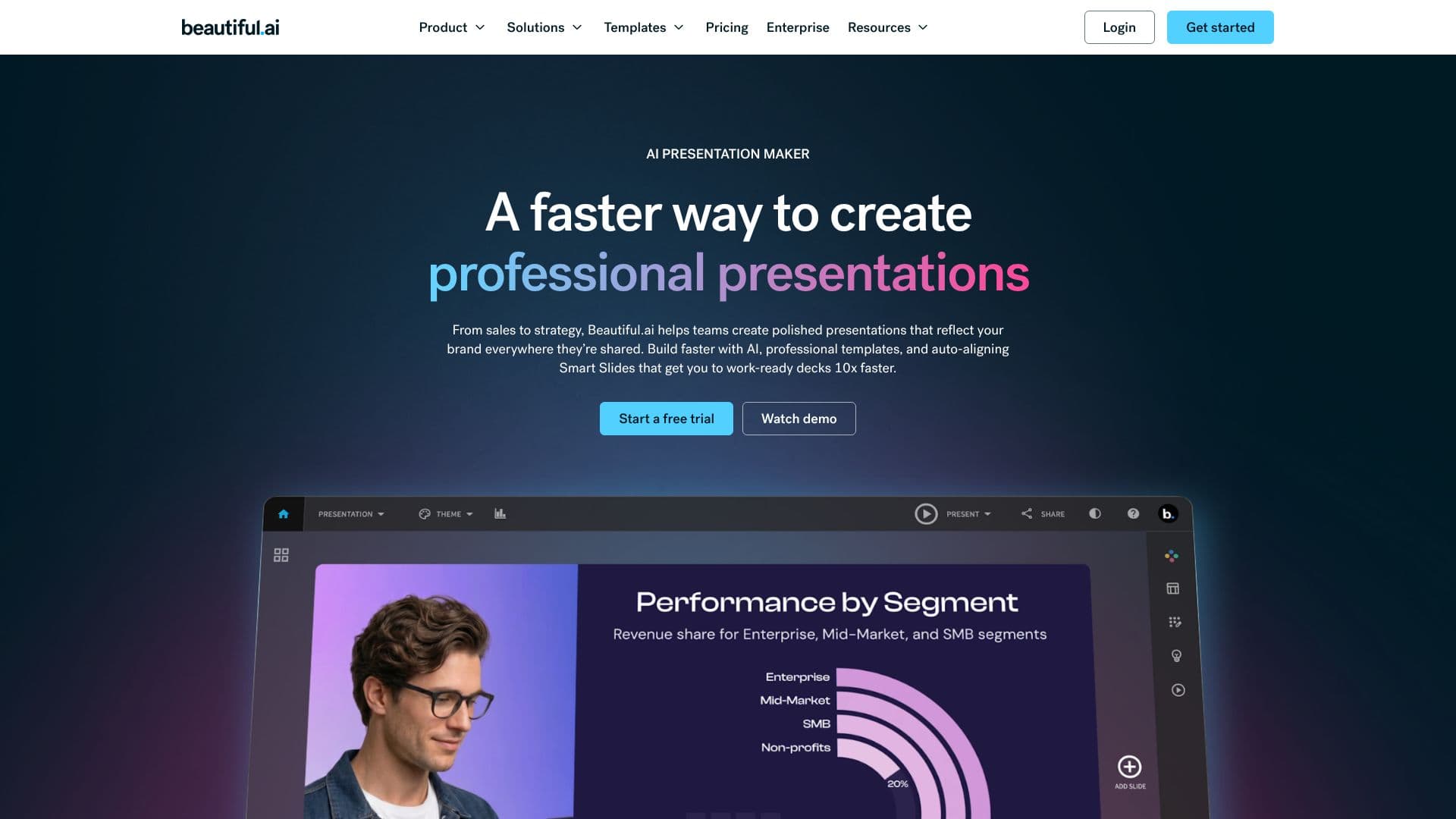
Beautiful.ai is an AI presentation maker that streamlines the creation of professional presentations for teams. It helps users build polished decks that reflect their brand consistently, from sales pitches to strategic overviews. The platform accelerates the creation process with AI assistance, a library of over 300 professional templates, and auto-aligning Smart Slides, enabling users to produce work-ready presentations up to 10 times faster.
Read More
Save significant time on each deck with Beautiful.ai. The software allows for rapid deck building, starting with AI-generated content or by selecting from numerous Smart Slide layouts. This ensures that presentations are always impressive, whether for potential clients or internal leadership. Designer layouts, animated slides, and compelling data visualizations contribute to a polished and prepared appearance.
Standardize slide quality and maintain brand consistency effortlessly. Define brand colors, fonts, and logos once, and the slides will automatically adapt. Shared themes ensure that every team member adheres to brand guidelines, guaranteeing a unified look across all presentations. This feature is crucial for enterprises aiming to maintain brand integrity across departments.
The platform offers a thoughtful AI workflow that keeps users in control. Users can start with an idea, refine an outline with AI, set the design direction, and iterate until the presentation is perfect. This process moves from prompt to work-ready decks efficiently, minimizing rework and edits. The AI matches the natural creation process, resulting in designer-quality slides with the intended content.
Smart Slides are a core component, acting as built-in designers. They are intelligent layouts that automatically realign, resize, and animate content, eliminating the need to start from a blank slide. These slides adjust in real time to maintain perfect spacing, alignment, and hierarchy. Beautiful.ai also provides a comprehensive library of data slides, including charts, graphs, timelines, and diagrams, to structure narratives effectively. Built-in slide animations add polish, and users can access an expansive library of free stock images and videos without leaving the slide editor.
Beautiful.ai supports various presentation workflows, including live presentations with cinematic animations, recorded walkthroughs, and easy export to PDF and PPT. It also offers features for secure sharing, view tracking, and collaboration, making it suitable for individuals, freelancers, teams, and larger enterprises. The platform aims to help organizations save hundreds of hours and significant design resources.
- CategoryAI Presentation Makers
- Pricing ModelFreemium
- DeploymentCloud
- PlatformsWeb
Beautiful.ai's Core Features
AI-powered presentation creation workflow
Hundreds of auto-aligning Smart Slide layouts
Customizable themes for brand consistency
Data visualization tools with charts and graphs
Built-in slide animations
Expansive library of stock images, icons, and videos
Collaboration features for teams
Presentation sharing with view analytics
Export options to PDF and PPT
AI assistance for content refinement and visual creation
Template gallery for various presentation types
Voice-over and narration capabilities
How to use Beautiful.ai?
Configure: Set up your brand themes, colors, and fonts.
Create with AI: Start with a prompt or outline, and let AI generate an initial draft.
Refine Outline: Edit and structure the slide-by-slide outline for optimal flow.
Generate Slides: Allow AI to create polished slides based on your refined outline.
Iterate and Edit: Adjust content, explore Smart Slide layouts, and regenerate visuals as needed.
Add Visuals: Incorporate images, videos, or data visualizations from the built-in libraries.
Animate and Narrate: Add professional animations and voice-overs for enhanced engagement.
Share and Track: Securely share your presentation and monitor viewer engagement.
Beautiful.ai's Use Cases
- Sales Presentations
- Strategy Decks
- Reports and Reviews
- Internal Communications
- Marketing Pitches
- Educational Content