
Description
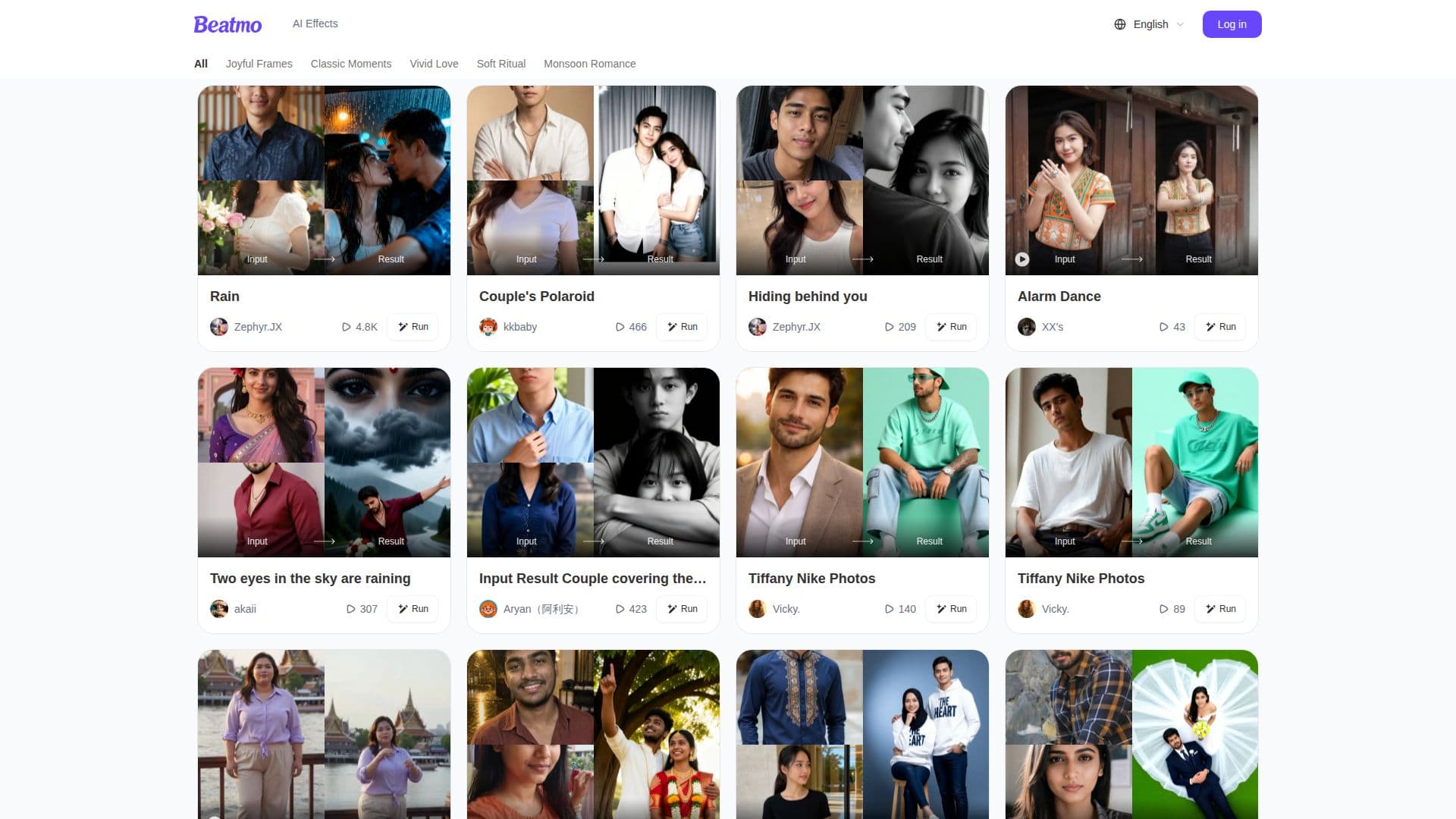
Beatmo is a cutting-edge AI application designed to convert still images into captivating motion videos. By leveraging advanced Image to Video AI technology, Beatmo empowers users to animate their photos, turning ordinary portraits into lively dance motion videos. This innovative tool is perfect for anyone looking to add a dynamic touch to their visual content, whether for personal enjoyment or professional use.
Read More
The process of using Beatmo is straightforward. Users can upload their photos and select from various animation styles to create their desired motion effect. The application offers a range of themes, including Joyful Frames, Classic Moments, Vivid Love, Soft Ritual, and Monsoon Romance, allowing for diverse creative expressions. Once the animation is generated, users can easily share their creations across social media platforms or save them for personal use.
Beatmo is particularly appealing to content creators, social media enthusiasts, and anyone interested in enhancing their digital storytelling. By transforming static images into engaging videos, users can capture the attention of their audience and convey emotions more effectively. The tool is designed to be user-friendly, making it accessible to individuals with varying levels of technical expertise.
In addition to its core functionality, Beatmo provides a support system for users encountering issues. The FAQ section addresses common concerns, such as how to delete images or videos, reasons for generation failures, and subscription management. This commitment to user support ensures that individuals can navigate the application with ease and confidence.
Overall, Beatmo stands out as a unique tool in the realm of photo animation, offering users the ability to create personalized motion legends that resonate with their audience. Its combination of simplicity, creativity, and support makes it a valuable asset for anyone looking to elevate their visual content.
- CategoryAI Animation Tools
- Pricing ModelFreemium
- DeploymentCloud
- PlatformsWeb
Beatmo's Core Features
Image to Video AI
Photo Animation
Multiple Animation Styles
User-Friendly Interface
Social Media Sharing
Support FAQ
Subscription Management
Dynamic Motion Videos
How to use Beatmo?
Upload your photo: Start by selecting the image you want to animate.
Choose an animation style: Pick from various themes like Joyful Frames or Classic Moments.
Generate the motion video: Allow Beatmo to process your image and create the animation.
Share or save: Once generated, share your video on social media or save it for later use.
Beatmo's Use Cases
- Social Media Content
- Personal Projects
- Marketing Campaigns
- Event Highlights
- Creative Storytelling