Description
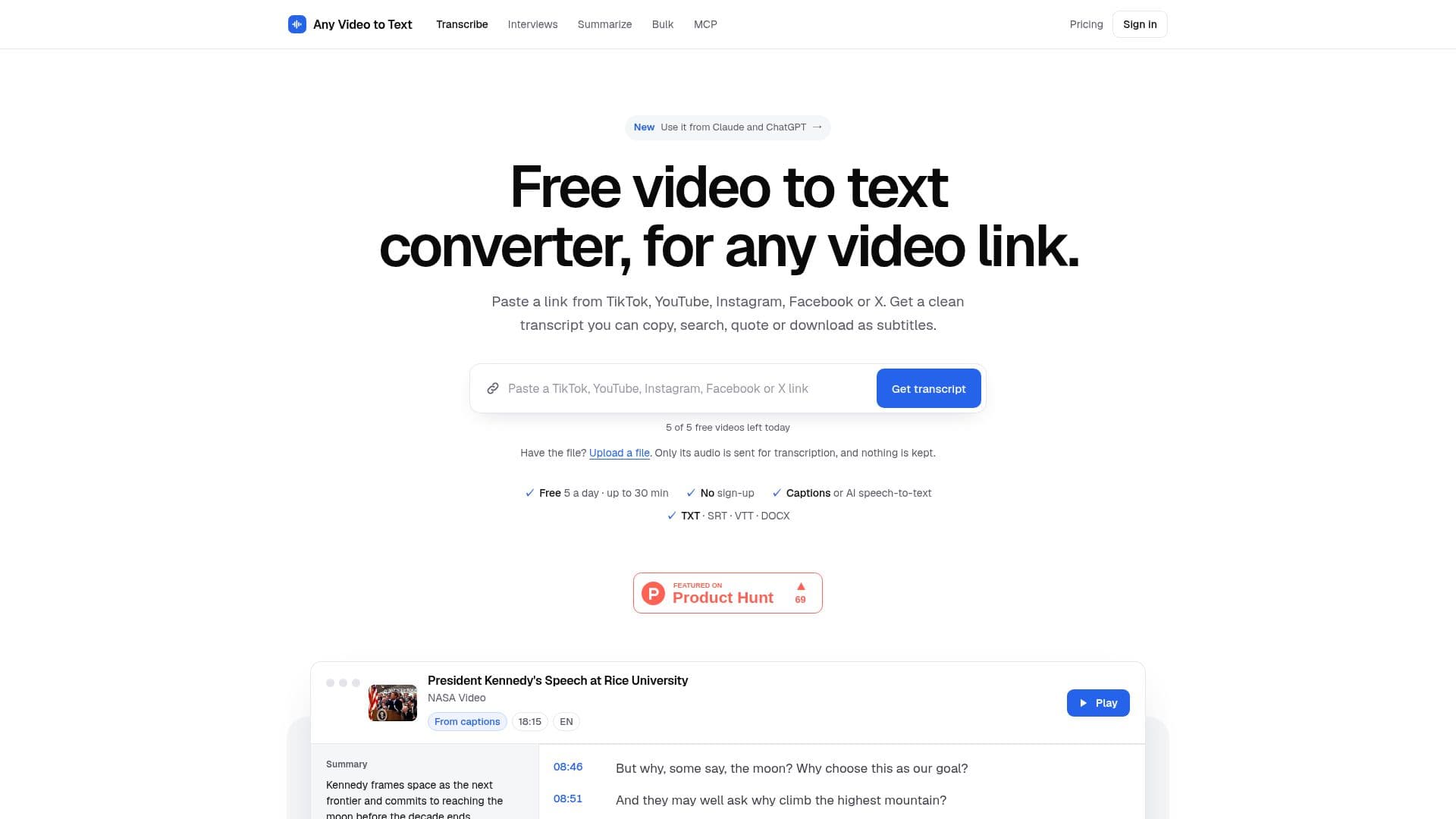
Any Video to Text provides a straightforward solution for converting video and audio content into text. Users can simply paste a video link from platforms like TikTok, YouTube, Instagram, Facebook, or X, or upload an audio/video file directly from their device. The tool processes the content to generate a full transcript within seconds, eliminating the need for downloads or sign-ups.
Read More
The service leverages existing video captions when available, indicating whether they were creator-provided or auto-generated. For videos without captions, or when auto-captions require improvement, it employs AI speech recognition (Whisper) to transcribe the audio, effectively handling accents, fast speech, and background music. This ensures high accuracy across diverse content.
Beyond basic transcription, Any Video to Text offers several advanced features. Users can enable timestamps for each line, download transcripts as TXT, SRT, VTT, or DOCX files, and even translate them into 36 different languages while preserving timestamps. An "Ask" feature allows users to query the video content, receiving short, timestamped answers derived directly from what was said.
The platform offers a free tier of 5 transcripts and 10 questions per day, with each video up to 30 minutes long (for those without captions). For more extensive needs, credit packs are available for purchase, providing no daily limits, longer video processing (up to 2 hours), and bulk transcription tools for up to 50 links or a channel's newest 50 videos. Users can also sign in with Google to save and manage their transcripts in a personal library.
Any Video to Text is designed for a wide range of users, including writers and marketers looking to repurpose viral video content, creators needing scripts for captions, students and researchers for accurate quoting and searching, and even cooks saving recipes from video tutorials. The tool emphasizes privacy, stating that videos are never downloaded or stored, and uploaded files remain on the user's device, with only their audio track sent for transcription.
- CategoryAI Transcription Tools
- Pricing ModelFreemium
- DeploymentCloud
- PlatformsWeb, Chrome
Any Video to Text's Core Features
Convert video links to text (TikTok, YouTube, Instagram, Facebook, X)
Transcribe uploaded audio/video files (MP4, MP3, WAV, MOV, M4A)
AI speech recognition (Whisper) for videos without captions
Automatic language detection for approximately 100 languages
Download transcripts in TXT, SRT, VTT, and DOCX formats
Include or exclude timestamps in transcripts
Translate transcripts into 36 languages with preserved timestamps
Ask questions about video content and get timestamped answers
Summarize long videos with timestamped key points
Speaker labels for interviews and podcasts
Bulk transcription for up to 50 links or a channel's newest 50 videos
Chrome extension for in-browser transcription and summarization
Save and manage transcripts in "My transcripts" with Google sign-in
No video storage; uploaded files remain on device
Free tier available with daily limits
How to use Any Video to Text?
Copy Link: Use the "Share" button in the app or copy the address from your browser for the desired video.
Paste Link: Paste the video's URL into the designated box on the Any Video to Text website.
Get Transcript: Press "Get transcript" to initiate the transcription process. The tool will use existing captions or AI speech recognition.
Review & Edit: View the generated transcript, optionally re-transcribe with AI for auto-captioned videos, or enable/disable timestamps.
Copy or Download: Copy the plain text, or download the transcript as TXT, SRT, VTT, or DOCX file.
Explore Features: Utilize additional features like translating the transcript, asking questions about the video, or summarizing the content.
Any Video to Text's Use Cases
- Content Repurposing
- Academic Research
- Video Accessibility
- Subtitle Generation
- Meeting & Interview Documentation
- Recipe & Tutorial Saving
- Language Learning
- AI Assistant Integration