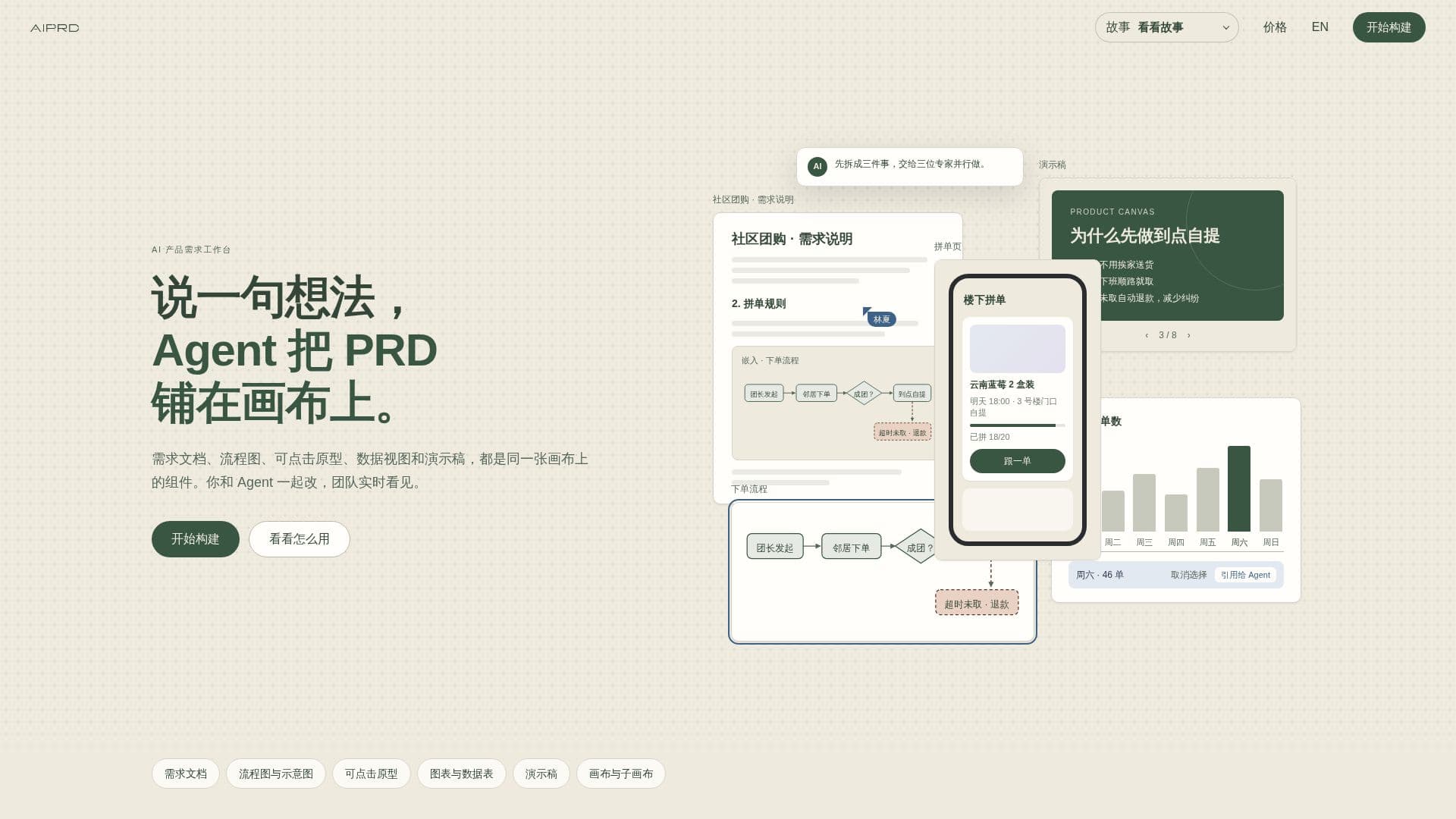
Description
AIPRD is an innovative AI product requirements workspace designed to streamline the product development process from ideation to execution. It provides a unified "product space" where ideas, documents, and designs coexist on a single, interactive canvas. Users can initiate a project by simply stating an idea or providing materials such as screenshots, PDFs, Word documents, PowerPoint presentations, Excel files, or zipped web projects, which the AI Agent processes.
Read More
The core functionality revolves around an AI Agent that takes user input and automatically lays out a comprehensive Product Requirements Document (PRD) on the canvas. This PRD is not a static document but a dynamic collection of interconnected components, including requirement documents, flowcharts, clickable prototypes, data views, and presentation decks. The platform facilitates real-time collaboration, allowing both the user and the AI Agent to refine content, with all team members seeing changes live.
AIPRD supports a parallel workflow where the main AI Agent can delegate tasks to specialized "helpers" for documentation, flowchart creation, and prototyping. This allows multiple aspects of a project to progress simultaneously, with visibility into each specialist's progress and time spent. Users retain control through approval mechanisms, choosing whether the Agent makes changes automatically or asks for permission first.
Every output from the Agent, whether a document, diagram, or prototype, appears as a card on the canvas. These cards can be opened for detailed editing or referenced for further modifications by the Agent. The platform ensures content consistency across the canvas, embedded documents, and dedicated editors. Key features include block editing, outlining, full-text search for documents, and version history with restore capabilities. Flowcharts are generated using Mermaid/SVG, allowing for editable source code. Prototypes are interactive, built with HTML, CSS, and JavaScript, and can integrate libraries like D3, three.js, and Tailwind. Data views offer bar, line, and pie charts linked to editable data tables. Presentations are created slide-by-slide, with editable elements upon export.
The canvas itself is highly interactive, supporting panning, zooming, and real-time display of collaborators' cursors and selections. Projects can be organized into sub-canvases for larger teams or complex structures. AIPRD operates on a credit-based system for AI usage, where credits are consumed based on the models and tokens used by the Agent. Membership plans determine access to features and collaboration scale.
- CategoryAI Project Management
- Pricing ModelFreemium
- DeploymentCloud
- PlatformsWeb
AIPRD's Core Features
AI Product Requirements Document (PRD) Generation
Unified Canvas for Ideas, Documents, and Designs
Real-time Team Collaboration
AI Agent for Task Delegation and Parallel Workflows
Interactive Flowcharts and Diagrams (Mermaid/SVG)
Clickable Prototypes (HTML, CSS, JavaScript)
Data Views with Charts and Editable Tables
AI-Generated Presentation Decks
Version History and Content Restoration
Block Editing and Full-text Search for Documents
Embeddable Components within Documents
Manual Approval or Auto-approve for AI Changes
Role-based Sharing and Permissions
Sub-canvases for Project Organization
How to use AIPRD?
State Idea: Provide a one-sentence idea or upload materials (screenshots, PDFs, Word, PPT, Excel, web archives) to the AI Agent.
Generate PRD: The Agent lays out the PRD on the canvas, including requirement docs, flowcharts, prototypes, data views, and presentations.
Collaborate & Refine: Work with the Agent and team members in real-time on the canvas, seeing live changes and delegating tasks to specialists.
Review & Approve: Decide whether the Agent makes changes automatically or asks for your approval before modifying content.
Edit Components: Open individual cards on the canvas to edit documents, flowcharts, prototypes, or data views directly.
Present & Export: Use AI-generated presentation decks for reviews and export various components to formats like Markdown, HTML, Word, PDF, SVG, PNG, or PPTX.
AIPRD's Use Cases
- Product Requirements Document Creation
- Collaborative Product Design
- Flowchart and Diagram Generation
- Interactive Prototype Development
- Data Visualization and Reporting
- Presentation and Review Preparation
- Community Group-Buying App Development