Description
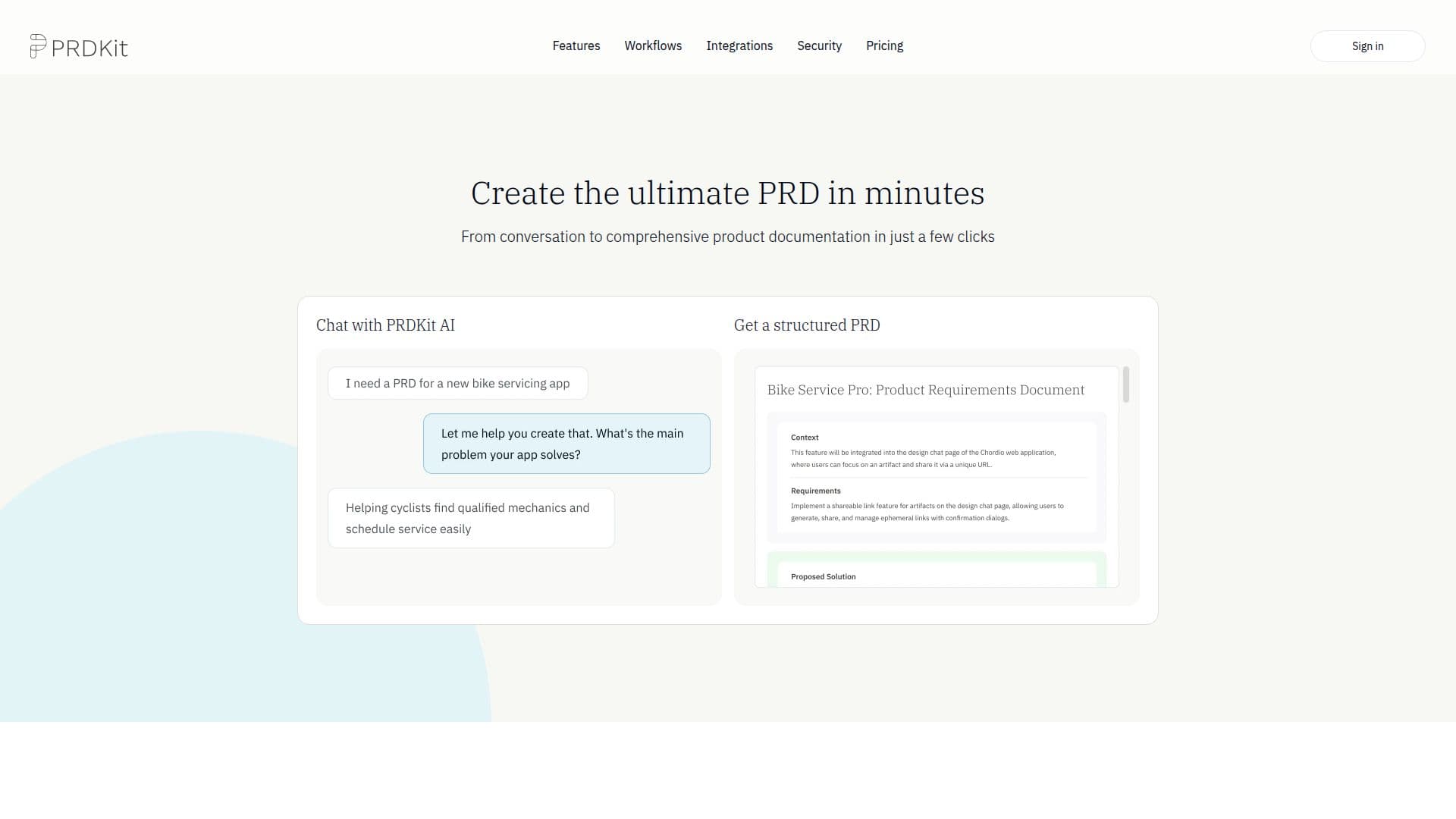
PRDKit is an AI-powered product requirements tool that helps teams create a comprehensive PRD in minutes. You chat with PRDKit AI, and it produces a structured PRD, then enhances it with complementary content and artifacts that drive alignment across cross-functional teams. It can generate wireframes to preview how a product would look, user flow diagrams to illustrate navigation, social posts to build launch anticipation, AI-simulated product reviews based on the PRD, future press releases, and demo scripts.
Read More
PRDKit is built to fit into an existing workflow. It can export the PRD to an LLM-optimized format for live prototyping with tools like Bolt, Lovable, v0, or Cursor, and it produces shareable links or content you can paste into Notion, Confluence, or any team workspace. For iterating on existing products, it automatically gathers context: paste a homepage URL and it collects insights about the product, audience, and business objectives, upload product screens and it maps user flows and interface elements, and it builds a knowledge hub with generated personas, journeys, and objectives.
The tool works where teams do, with a Slack integration, a web app accessible from any browser, and Microsoft Teams support coming soon. Plans include a Free tier with AI-powered PRDs, visual user flows, launch-ready content, exports, and shareable links (10 credits), a Premium tier that adds a 10x monthly limit, team workspace, shared knowledge, and a Slack bot, and an Enterprise tier with higher usage limits, custom integrations, and dedicated onboarding.
- CategoryAI Project Management
- Pricing ModelFreemium
- DeploymentCloud
- PlatformsWeb
PRDKit's Core Features
AI chat that generates a structured PRD in minutes
Wireframes and user flow diagrams generated from the PRD
Launch content: social posts, press releases, and demo scripts
AI-simulated product reviews to gauge user resonance
Export to LLM-optimized format for prototyping with Bolt, Lovable, v0, or Cursor
Automated context gathering from a homepage URL and product screens
Knowledge hub with generated personas, journeys, and business objectives
Slack integration, web app, and shareable links to Notion and Confluence
How to use PRDKit?
Chat with PRDKit AI: Describe your product idea in a conversation.
Get a structured PRD: PRDKit produces a comprehensive requirements document.
Generate artifacts: Add wireframes, user flows, social posts, simulated reviews, press releases, and demo scripts.
Prototype and share: Export to a prototyping tool like v0 or Cursor, or share via a link, Notion, or Confluence.
PRDKit's Use Cases
- Writing PRDs fast
- Design and flow visualization
- Launch preparation
- Prototyping handoff