
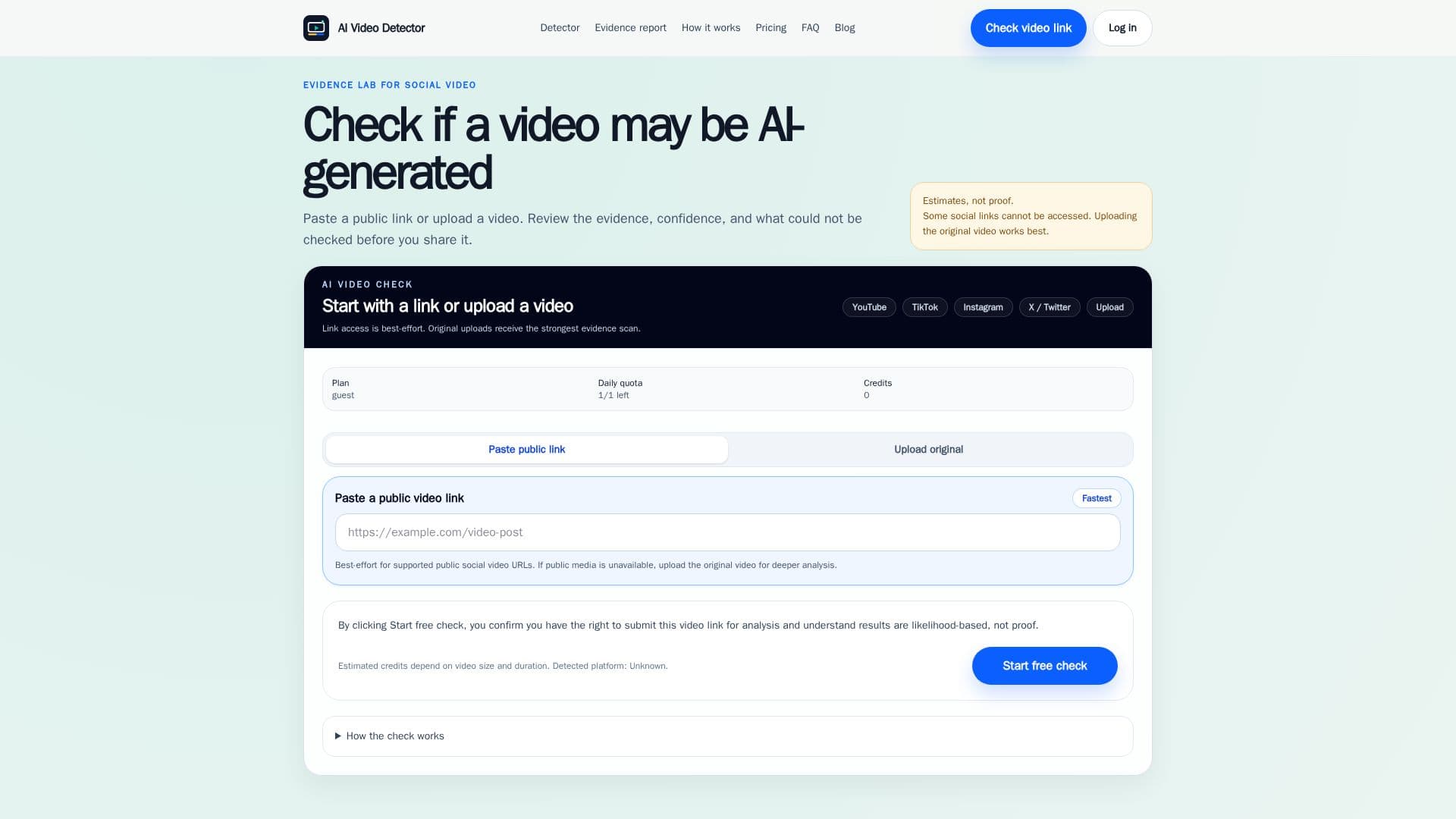
Description
AI Video Detector is a specialized tool designed to identify potential signs of AI generation, deepfake manipulation, or other forms of editing in video content. It serves as a first-pass screening aid, allowing users to quickly assess the authenticity of videos encountered on social media or uploaded directly.
Read More
The platform supports checking public social video links from popular platforms like YouTube, TikTok, Instagram, and X (formerly Twitter). For more comprehensive analysis, users can upload original video files, which typically yield stronger evidence reports due to direct media access. The detection process involves a multi-stage workflow, including input validation, security checks, video preparation, queuing, analysis of evidence, and report generation.
Key capabilities include reviewing visual signals (faces, hands, object edges, backgrounds, reflections, texture), motion signals (flicker, warping, repeated movement, unusual frame changes), and audio-video consistency when usable sound is available. It also extracts source clues from public pages and identifies limitations such as video quality, length, compression, and edits that might affect results. The tool emphasizes that its reports are likelihood-based and not definitive proof of a video's authenticity, encouraging users to review the evidence and consider further human review for critical cases.
AI Video Detector offers a flexible pricing model, starting with a free daily first-pass screening. Users can purchase single reports for $2.99 to unlock full evidence and PDF exports, or buy credit packs for occasional use. For regular users, monthly or annual Pro plans provide more credits, larger file limits, priority processing, longer report history, and deeper sound and movement analysis. The service is built for cautious sharing, providing clear explanations for why a check might be limited or fail, rather than silently treating uncheckable videos as real or fake.
- CategoryAI Content Detectors
- Pricing ModelFreemium
- DeploymentCloud
- PlatformsWeb
AI Video Detector's Core Features
Social Video Link Analysis
Original Video File Upload
Deepfake Signal Detection
AI Generation Signal Detection
Evidence Reports with Likelihood Scores
Confidence Indicators
Limitations and Unchecked Signals Reporting
Visual Signal Review (faces, hands, textures)
Motion Signal Review (flicker, warping)
Audio-Video Consistency Checks
Source Clue Extraction
Support for YouTube, TikTok, Instagram, X/Twitter Links
Free Daily First-Pass Screening
One-Time Report Unlocks
Credit Packs for Occasional Use
How to use AI Video Detector?
Submit Video: Paste a public social video link or upload an original video file.
Confirm Rights: Acknowledge that you have the right to submit the video for analysis.
Run Check: Initiate the analysis process to scan for AI and deepfake signals.
Review Progress: Monitor the stage-based progress of the video check.
Read Report: Examine the evidence report for likelihood, confidence, suspicious signals, and limitations.
Decide Next Steps: Use the report to inform decisions on sharing or further investigation.
AI Video Detector's Use Cases
- Verifying Social Media Videos
- Detecting Deepfakes
- Content Authenticity Screening
- Journalism and Fact-Checking
- Personal Content Review
- Educational Content Verification