Description
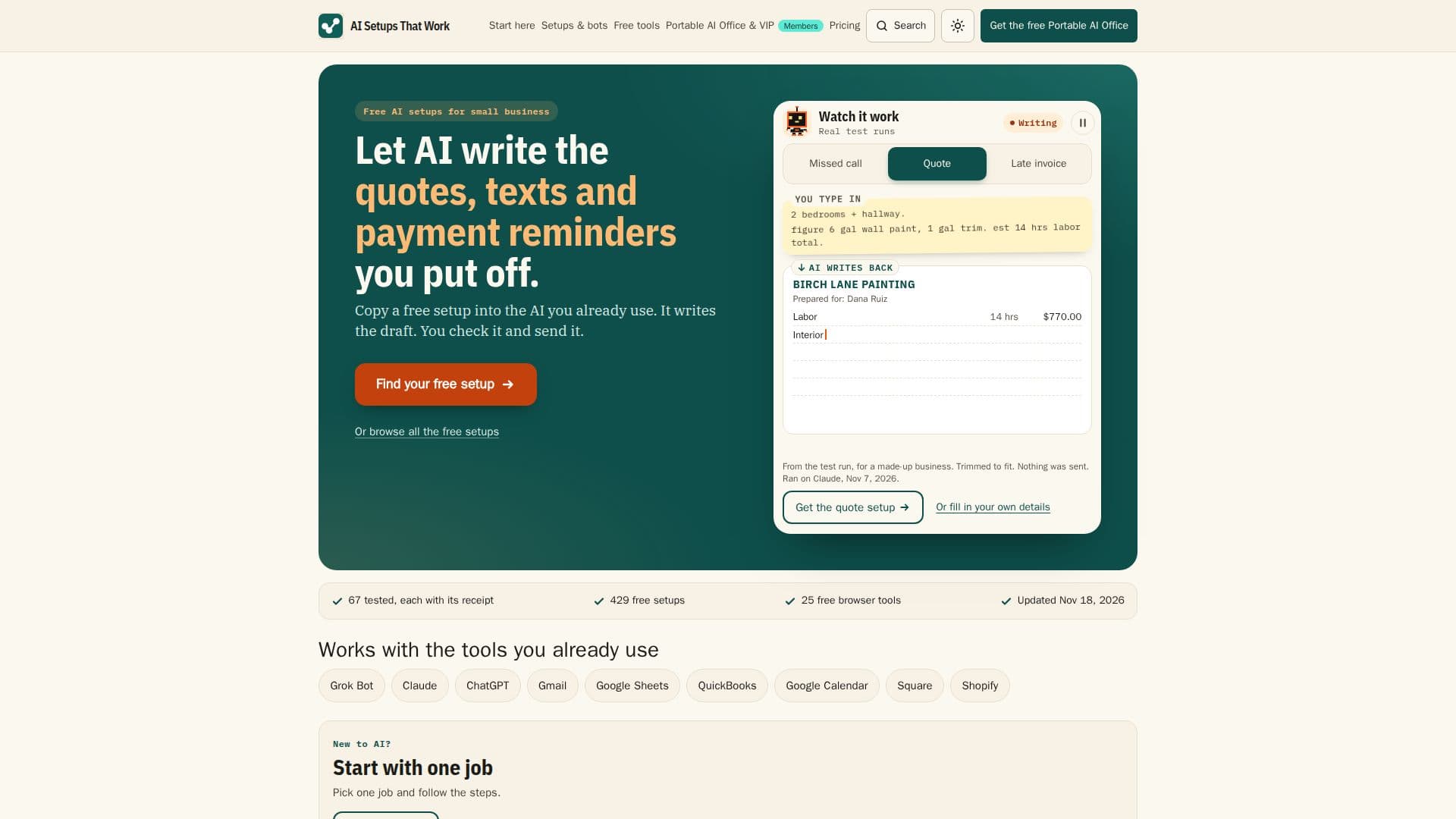
AI Setups That Work offers a comprehensive resource for small business owners and individuals looking to integrate AI into their daily operations. The platform provides a library of 429 free, step-by-step AI setups, each designed to address specific business challenges such as drafting follow-ups for cold quotes, generating missed-call texts, and creating payment reminders for unpaid invoices. These setups include clear instructions, copy-paste prompts, and guidance on what to check before using the AI-generated drafts.
Read More
The service is designed to be compatible with popular AI tools and platforms that users may already be utilizing, including Grok Bot, Claude, ChatGPT, Gmail, Google Sheets, QuickBooks, Google Calendar, Square, and Shopify. This approach allows users to leverage their existing subscriptions and familiarity with these tools, minimizing the learning curve.
For those new to AI, AI Setups That Work offers a free guided setup app that walks users through building their first bot, one step at a time, directly in the browser. This guided experience focuses on generating prompts for various tasks without sending, booking, or paying anything, ensuring a safe learning environment. The platform also provides "tune-up tools" for existing bot users, helping them score tasks for AI suitability, write business notes for bots, and practice safely with approval taps.
Beyond the setups, the platform offers a suite of free browser tools. These include a "Protect what you paste" tool to redact private information before inputting it into an AI, an "AI-ready website check" to evaluate public pages for AI agents and search bots, and a "Missed call cost calculator" to estimate potential losses from missed calls. Additionally, a "Chat to Markdown" tool helps convert AI chats into clean Markdown for notes.
AI Setups That Work operates on a freemium model. While all setup pages remain free, users can opt for paid tiers that offer additional resources. These include a "Complete Pack" for a one-time fee, providing access to safety checklists, prompt packs, and more. A "VIP" membership offers a second bot, cloud saving, and access to all kits and pro packs with a monthly or annual subscription. The platform also offers a "Premium Setup Review" for personalized async review of one setup. The site prides itself on transparency, with "Tested" setups including receipts detailing inputs, outputs, and any issues encountered during testing, ensuring users understand potential pitfalls.
- CategoryProductivity
- Pricing ModelFreemium
- DeploymentCloud
- PlatformsWeb
AI Setups That Work's Core Features
429 Free AI Setups
67 Tested Setups with Receipts
Copy-Paste Prompts for AI Tools
Step-by-Step Instructions
Guided Setup App for New Users
Compatibility with Popular AI Tools (ChatGPT, Claude, Grok Bot)
Integrations with Business Apps (Gmail, Google Sheets, QuickBooks, Shopify)
Free Browser Tools (Redaction, Website Check, Cost Calculator)
Setups for Missed Calls, Quotes, Invoices
Teams for Specific Professions (Realtors, Contractors, Bookkeepers)
Bot Safety Checklist
Second Brain Starter Vault
Voice File Starter
Tested Grok Bot Prompt Pack
Write It As Code Prompts
How to use AI Setups That Work?
Browse Setups: Explore the library of free AI setups for various business tasks.
Select a Job: Choose a specific task or problem you want AI to assist with, such as drafting quotes or managing missed calls.
Copy Prompt: Follow the steps provided and copy the pre-written prompt into your existing AI tool (e.g., ChatGPT, Claude).
Check Draft: Review the AI-generated draft for accuracy and completeness before using it.
Use Free Tools: Utilize browser tools like the text redactor or website checker to enhance your AI workflow.
Build a Bot (Optional): Use the guided setup app to build a first bot for specific tasks, following step-by-step instructions.
Request a Setup: If you can't find a setup for your job, submit a request for new setups to be written.
AI Setups That Work's Use Cases
- Missed Call Follow-ups
- Quote Follow-ups
- Invoice Reminders
- Lead Capture & Tracking
- Inbox Briefing & Triage
- Meeting Preparation
- Website AI Readiness Check
- Private Text Redaction
- Customer Call Summaries
- Social Media Content Drafting