Description
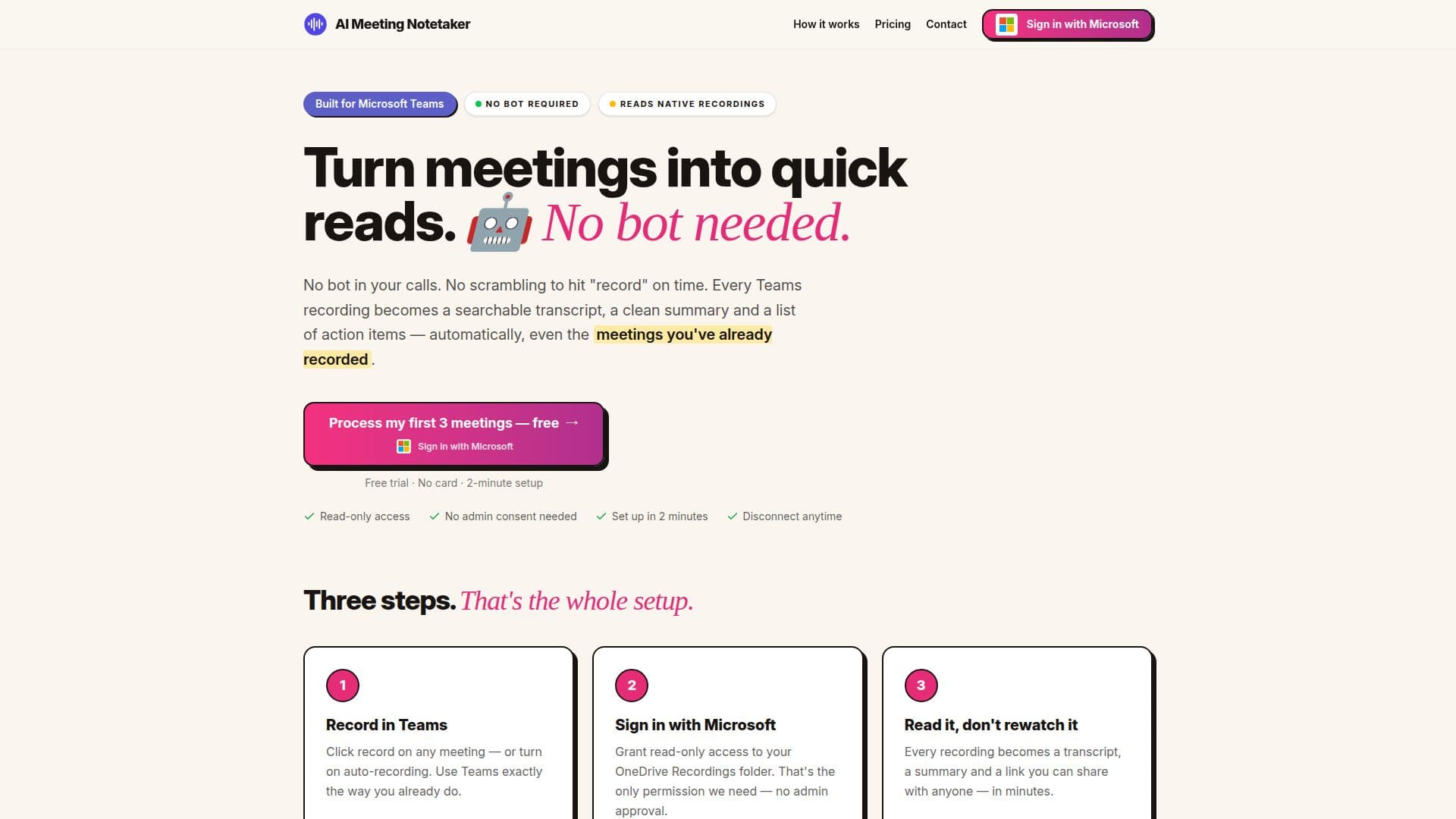
AI Meeting Notetaker is a powerful tool designed to enhance productivity by transforming Microsoft Teams recordings into comprehensive meeting notes. Unlike traditional bot-based solutions, this tool does not require a bot to join your calls. Instead, it leverages the recordings already saved in your OneDrive, converting them into searchable transcripts, clean summaries, and actionable items.
The setup is straightforward, requiring only read-only access to your OneDrive Recordings folder. This ensures that no admin consent is needed, and your data remains secure within your Microsoft account. The tool processes recordings in place, storing only the text outputs, while the video files remain in OneDrive.
AI Meeting Notetaker offers a unique advantage by working with past recordings, allowing users to backfill their meeting history. This feature is particularly beneficial for those who wish to revisit and organize previous meetings without the hassle of manual transcription.
Pricing is simple and transparent, with a pay-per-meeting model at $0.99 per meeting. Users can subscribe for as many meetings as needed each month, starting at 10 meetings for $9.90. This model eliminates the need for per-seat pricing or feature tiers, making it a cost-effective solution for individuals and teams alike.
The tool is designed for ease of use, with automatic processing of new recordings every 15 minutes. Summaries are delivered directly to your inbox, and transcripts can be shared via public links, QR codes, or email. The service also includes a free trial, allowing users to process three new recordings and five from their history at no cost.
AI Meeting Notetaker is ideal for professionals who rely on Microsoft Teams for communication and need an efficient way to manage and review meeting content. Its integration with Teams and OneDrive, combined with its focus on privacy and simplicity, makes it a valuable tool for enhancing meeting productivity.
AI Meeting Notetaker's Core Features
Automatic transcription and summarization
Integration with Microsoft Teams
Searchable transcripts
Action items extraction
No bot in calls
Works with past recordings
Pay-per-meeting pricing
Data privacy with Azure OpenAI
How to use AI Meeting Notetaker?
Record: Use Teams to record meetings
Sign in: Grant read-only access to OneDrive
Process: Automatic transcription and summarization
Share: Distribute transcripts and summaries
AI Meeting Notetaker's Use Cases
- Meeting transcription
- Action item extraction
- Historical meeting analysis
- Team collaboration
- Data privacy