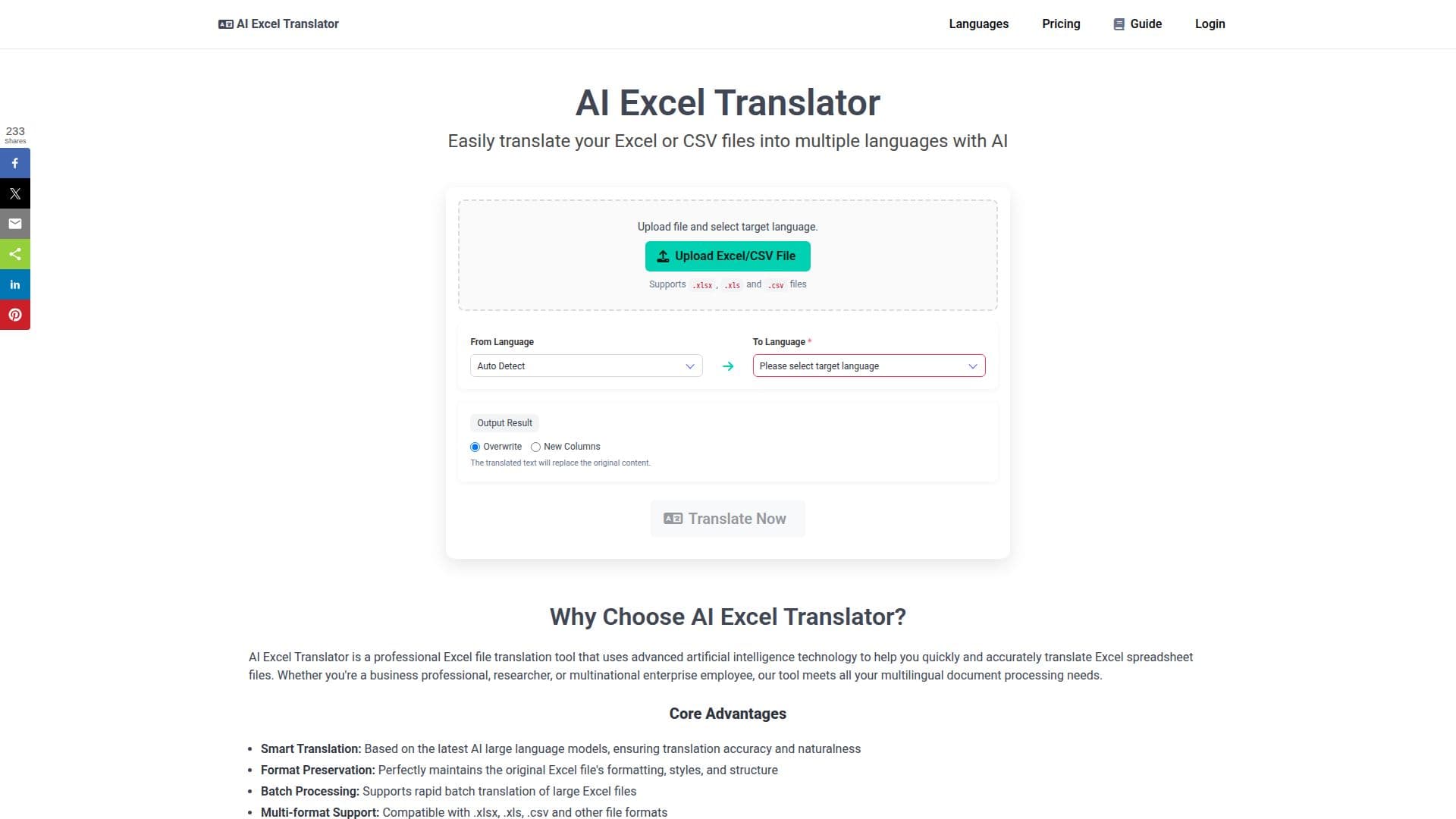
Description
AI Excel Translator is a web-based tool designed to translate Excel (.xlsx, .xls) and CSV files into over 100 languages using advanced artificial intelligence. The tool is particularly useful for business professionals, researchers, and multinational enterprises that need to process multilingual documents efficiently. Users can upload their spreadsheet files, select a target language, and choose whether to translate the entire document or just a specific range. The tool automatically detects the source language and offers options to overwrite the original text or add translations in new columns, ensuring that the original formatting and formulas remain intact.
Read More
The platform supports 109 languages, including widely used ones like Hindi, Arabic, Spanish, Chinese, and Japanese, as well as many European and Indian languages. AI Excel Translator operates entirely in the browser, requiring no installation, and users must sign in with a Google account to access its features securely. The tool reads files in the browser, sending only the cell text for translation, which enhances data privacy and security.
AI Excel Translator offers a freemium pricing model. The free plan allows for the translation of up to 10,000 English characters per month, while paid plans accommodate larger files and offer premium support. This makes it accessible for both small-scale users and larger enterprises with extensive translation needs.
The tool is praised for its accuracy and efficiency, with users highlighting its ability to handle complex spreadsheets and technical terminology. It is particularly beneficial for translating price lists, product catalogs, and survey exports, maintaining the integrity of the original document structure. Overall, AI Excel Translator provides a reliable solution for anyone needing to translate spreadsheet data across multiple languages.
- CategoryAI Translators
- Pricing ModelFreemium
- DeploymentCloud
- PlatformsWeb
AI Excel Translator's Core Features
Translate .xlsx, .xls, and .csv files
Supports 109 languages
Auto-detects source language
Translate entire document or selected range
Overwrite cells or add translations in new columns
Preserves sheet structure and formatting
Operates in the browser, no installation required
Free plan: 10,000 English characters per month
How to use AI Excel Translator?
Upload: Select and upload your Excel or CSV file
Define Scope: Choose entire document or specific range
Select Language: Pick your target language
Choose Output: Decide on overwrite or new columns
Translate: Initiate the translation process
Download: Automatically download the translated file
AI Excel Translator's Use Cases
- Business Reports
- Product Catalogs
- Survey Data
- Technical Documents
- Educational Materials