Description
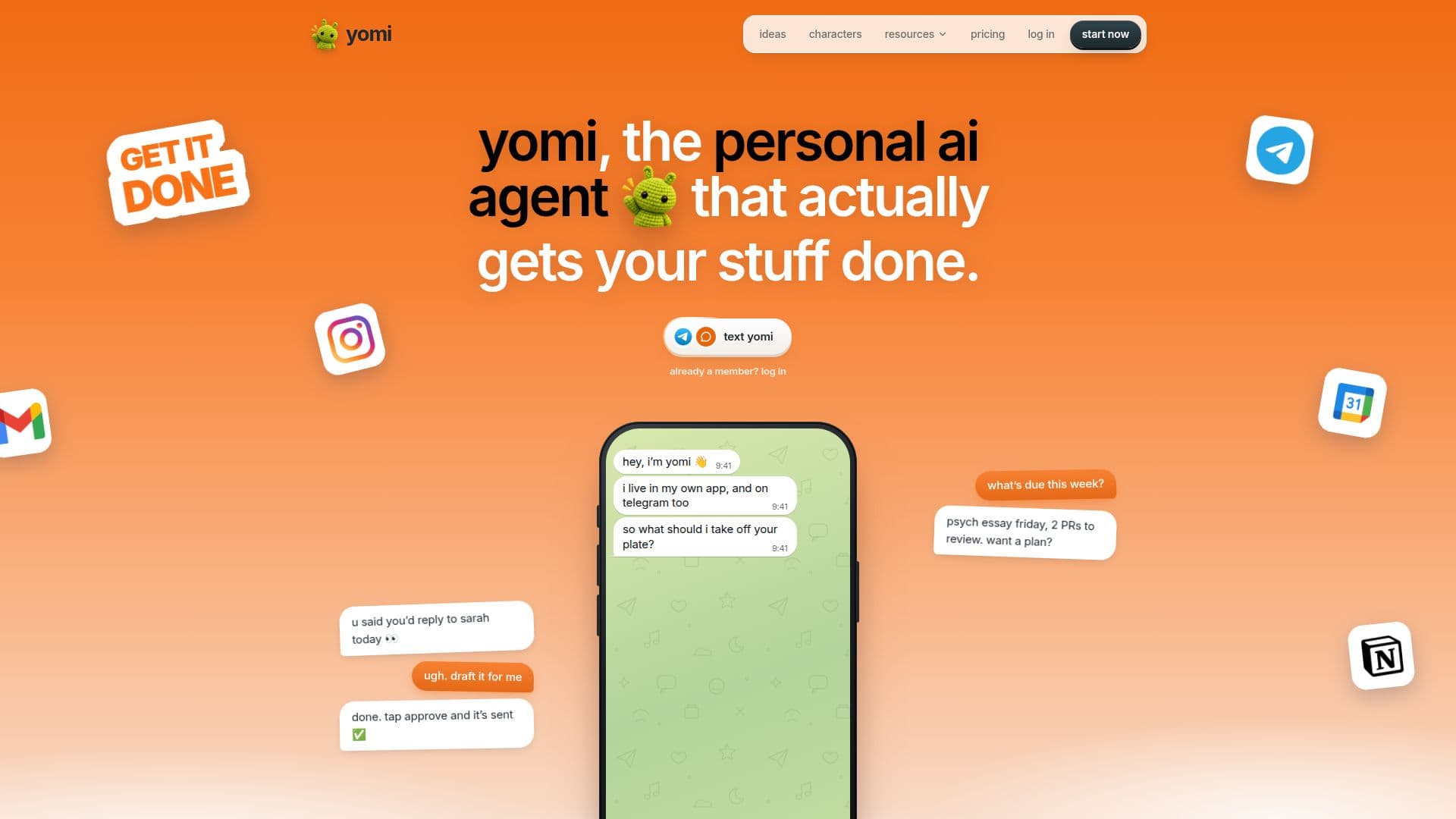
Yomi AI is a free personal AI agent designed to streamline daily tasks and manage digital interactions across multiple platforms. Users can communicate with Yomi through text, voice notes, or by sending photos within its dedicated app or via Telegram. Once a request is received, Yomi can act across a wide range of connected applications, including Gmail, Google Calendar, Google Drive, Google Docs, Slack, Notion, and GitHub.
Read More
Functioning as both an assistant and an agent, Yomi answers questions, retains information from past conversations, and provides scheduled check-ins. As an agent, it performs actions directly within connected apps, such as drafting and sending emails, adding calendar events, filing documents, and running background tasks. A core principle of Yomi is its approval system: it never sends, posts, books, or deletes anything without explicit user consent, providing a draft or proposed action for review before execution.
Key capabilities include managing email communications, scheduling meetings, organizing files, and tracking deadlines. Yomi offers features like a "morning brief" that summarizes daily meetings, important emails, and pending approvals, and a "deadline watch" that monitors upcoming due dates from Google Classroom and Calendar. It also includes a "meal log" for calorie and macro estimation from food photos and a "money" feature to track weekly spending.
Privacy and data security are central to Yomi's design. It only accesses connected apps for specific requests and does not use user chats to train AI models. User data is never sold, and users have the option to export or delete their memory and disconnect any app at any time. Passwords and logins are encrypted with AES-256-GCM and are only typed on their saved sites.
Yomi offers a free tier that includes every feature, unlimited app connectors, 50 messages a day, and 3 background tasks. A Pro plan is available for $8.99 a month, offering a smarter engine, 300 messages a day (fair use), unlimited tasks, and 100 computer tasks. Yomi is accessible on any phone, tablet, or computer, either through its web app, a home screen app, or via Telegram, with all conversations synchronized across platforms. It is an independent product developed by Arka Garai.
- CategoryAI Personal Assistants
- Pricing ModelFreemium
- DeploymentCloud, Web App, Mobile App, Telegram
- PlatformsWeb, iOS, Android
Yomi AI's Core Features
Text, voice, and photo message input
Durable memory for past interactions
Gmail integration for email management
Google Calendar integration for event scheduling
Google Drive integration for document filing
Slack integration for team communication
Notion integration for workspace management
GitHub integration for development tasks
Approval system for all external actions
Morning brief for daily summaries
Deadline watch for upcoming tasks
Meal log for nutrition tracking
Spending tracker for financial overview
Encrypted password vault
How to use Yomi AI?
Connect Apps: Link Yomi to your desired applications like Gmail, Calendar, or Slack.
Send Messages: Communicate with Yomi via text, voice, or photo messages in its app or on Telegram.
Delegate Tasks: Ask Yomi to draft emails, schedule events, file documents, or summarize information.
Review Approvals: Approve or reject Yomi's proposed actions before they are executed externally.
Utilize Features: Access specific tools like the morning brief, deadline watch, or meal log for automated assistance.
Manage Data: Export or delete your memory and disconnect apps as needed to maintain privacy.
Yomi AI's Use Cases
- Email Management
- Calendar Scheduling
- Document Organization
- Task Automation
- Daily Briefings
- Financial Tracking
- Nutrition Logging
- Project Management
- Communication Assistance