
Description
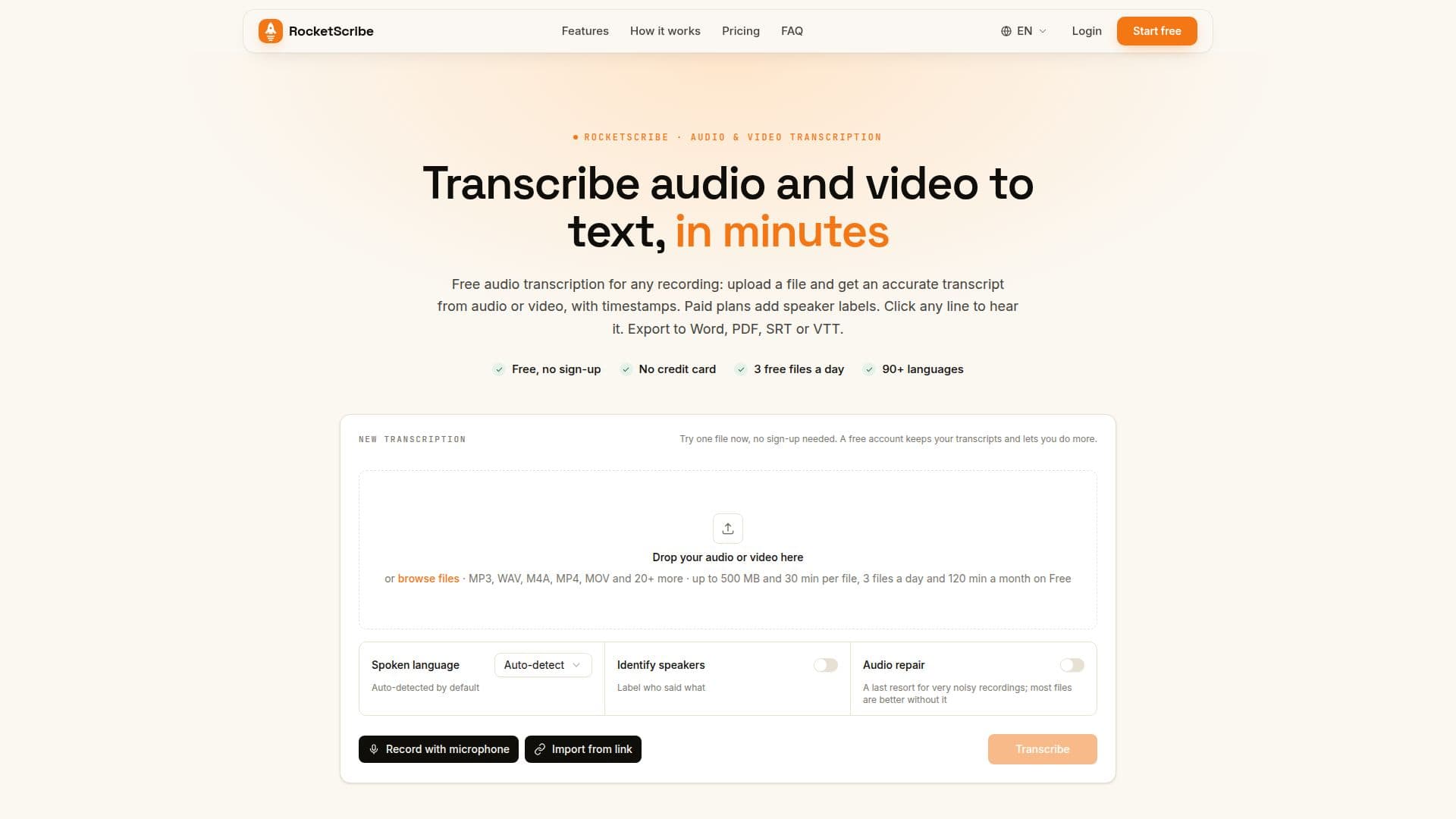
RocketScribe provides a comprehensive solution for transcribing audio and video recordings into text. The service supports over 90 languages, automatically detecting the spoken language or allowing manual selection for complex audio. Transcripts are typically ready in minutes, offering high accuracy comparable to leading services, especially for clear recordings. Factors like background noise, crosstalk, and heavy accents may reduce accuracy, as is common across transcription platforms.
Read More
The platform allows users to upload various common audio and video file formats, including MP3, WAV, M4A, AAC, FLAC, OGG, MP4, MOV, WEBM, and MKV. It automatically extracts audio from video files. Transcripts are presented in a script-like format, not a wall of text, with each line carrying a timestamp and speaker attribution. A synced player highlights the current line as audio plays, and users can click any line to jump to that point in the recording.
Key capabilities include speaker identification, which attributes each turn to a specific speaker. This feature is included in paid plans (Plus and Unlimited) and available for free accounts using Minute Packs. Users can rename speakers, and the changes update throughout the transcript. Live progress updates are provided during extraction, transcription, and speaker identification processes.
RocketScribe offers a free tier that allows users to transcribe one file without signing up. A free account provides 3 files per day (up to 120 minutes per month) and retains transcripts for 30 days. Paid plans, such as Plus and Unlimited, offer increased transcription minutes, larger file size limits (up to 5 GB and 600 minutes per file), batch uploads, priority processing, and extended speaker identification minutes. Minute Packs are also available to top up any plan, providing additional minutes and unlocking Plus limits for free accounts.
Transcripts can be edited directly within the platform and exported to multiple formats, including Word, PDF, TXT, SRT, and VTT. The service emphasizes data security, stating that user files are stored securely, never used for training, and deleted upon user request. RocketScribe is designed for a wide range of use cases, from interview and meeting transcription to podcast and lecture notes, making it suitable for individuals and small teams requiring efficient and accurate transcription.
- CategoryAI Transcription Tools
- Pricing ModelFreemium
- DeploymentCloud
- PlatformsWeb
RocketScribe's Core Features
Transcribe Audio to Text
Transcribe Video to Text
Support for 90+ Languages
Automatic Language Detection
Speaker Identification
Timestamped Transcripts
Synced Playback with Text Highlighting
In-Browser Recording
Edit Transcripts
Export to Word, PDF, TXT, SRT, VTT
Supports MP3, WAV, M4A, AAC, FLAC, OGG, MP4, MOV, WEBM, MKV
Extract Audio from Video Automatically
Live Progress Reporting
Secure File Storage
How to use RocketScribe?
Upload File: Drop an audio or video file into the designated box, or record directly from your browser.
Choose Language & Speakers: Select the language or let it auto-detect, and choose whether to label speakers.
Transcribe: The system extracts audio, transcribes it, and identifies speakers, with live progress updates.
Review & Edit: Read along with the synced player, click lines to jump in the audio, and make any necessary edits.
Export Transcript: Share your transcript by exporting it to Word, PDF, TXT, SRT, or VTT formats.
RocketScribe's Use Cases
- Interview Transcription
- Meeting Transcription
- Podcast Transcription
- Lecture & Sermon Transcription
- Voice Memo Conversion
- Focus Group Analysis
- Video Content Transcription
- Multilingual Content