Description
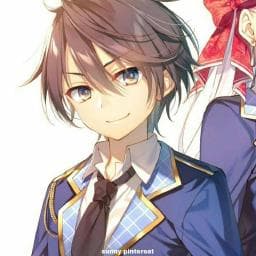
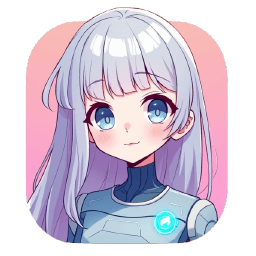
Capri Desktop is an innovative application that integrates the character Capri, a Project Capricorn construct from Cyberpunk: Edgerunners 2, directly onto your computer desktop. This unique tool provides users with an interactive companion that narrates the activities of Claude Code, offering a dynamic and engaging experience.
Read More
The application is designed to bring a piece of the Cyberpunk universe to life, allowing Capri to exist as a virtual presence on your screen. Beyond simple narration, Capri Desktop includes advanced interactive features. Users can engage in chat with Capri, and through these interactions, Capri can perform various actions on your PC. These capabilities include adjusting system settings, controlling sound outputs, managing timers, and manipulating windows, providing a truly integrated and responsive desktop assistant.
Developed as an open-source project, Capri Desktop emphasizes community contribution and transparency. The repository shows active development with recent commits focusing on core functionalities, asset management, and user interaction. The project's structure includes dedicated directories for assets, documentation, hooks, scripts, and source code, indicating a well-organized development effort.
Capri Desktop is licensed under the PolyForm Noncommercial license, ensuring that it remains free for personal use and cannot be sold. This commitment to non-commercial use aligns with the spirit of fan-made projects and community sharing. The project also includes documentation in multiple languages, such as French, demonstrating an effort to reach a broader audience.
This tool is ideal for fans of Cyberpunk: Edgerunners 2 who wish to deepen their immersion in the game's universe, as well as for users looking for a novel and interactive desktop companion. It showcases the potential for AI-driven characters to enhance daily computing experiences through narrative and direct system control.
- CategoryAI Companions
- Pricing ModelOpen source
- DeploymentDesktop app
- PlatformsWindows, macOS, Linux
Capri Desktop's Core Features
Desktop companion featuring Capri from Cyberpunk: Edgerunners 2
Narrates actions of Claude Code
Interactive chat capabilities with Capri
Control PC settings via chat commands
Manage sound outputs through interaction
Set and manage timers from the application
Manipulate desktop windows
Open-source project for community collaboration
PolyForm Noncommercial license for free use
Includes documentation in multiple languages (e.g., French)
Active development with recent commits
Structured repository with dedicated directories for assets, docs, scripts, src
Electron overlay window for seamless desktop integration
Local event bridge for inter-process communication
Supports hooks for extended functionality
Getting Started with Capri Desktop
Clone Repository: Use `git clone` to download the Capri Desktop project from GitHub.
Install Dependencies: Navigate to the project directory and install necessary dependencies using `npm install` or `yarn install`.
Configure Hooks: Review and configure any required hooks for integration with Claude Code or other applications.
Execute Application: Run the application using the appropriate command, typically `npm start` or `electron .` from the root directory.
Interact with Capri: Begin chatting with Capri on your desktop to utilize her narration and PC control features.
Customize Settings: Adjust PC settings, sound, timers, and windows through Capri's interactive chat interface.
Capri Desktop's Use Cases
- Interactive Desktop Companion
- Enhanced Coding Workflow
- PC Control via Chat
- Cyberpunk Immersion
- Open-Source Development