
Description
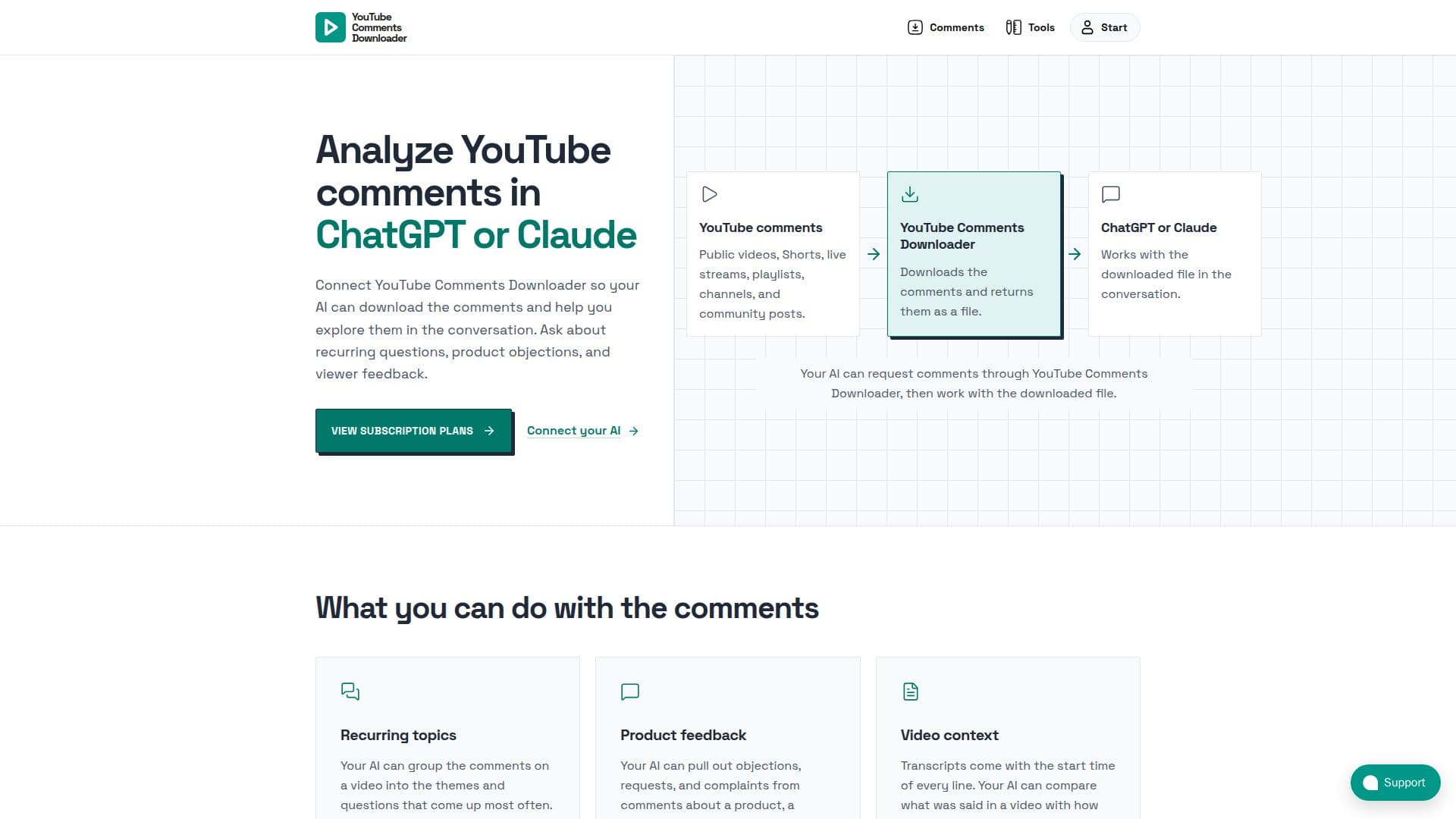
YouTube Comments Downloader (YCD) is a specialized tool designed to extract and prepare YouTube comment data for analysis by AI chat applications such as ChatGPT and Claude. It allows users to connect their AI directly to the downloader, enabling the AI to request and process comments from various YouTube content types, including public videos, Shorts, live streams, playlists, channels, and community posts.
Read More
The primary function of YCD is to download comments and associated data, returning them in multiple export formats like JSON, CSV, HTML, XLSX, and TXT. Beyond just comments, it also provides video transcripts with start times for each line, allowing AI to compare video content with viewer reactions. Additionally, YCD can fetch channel details such as title, description, subscriber, view, and video counts, along with join dates and links, offering a comprehensive dataset for analysis.
Once the data is downloaded by YCD, the AI application takes over for analysis. Users can prompt their AI to identify recurring themes, group comments by common questions, extract product objections, requests, or complaints, and even correlate viewer feedback with specific moments in a video using the provided transcripts. This separation of duties ensures that YCD focuses on efficient data acquisition, while the AI excels at interpreting and summarizing the information.
Connecting YCD to an AI app is a straightforward process involving adding a server URL to the AI app's connector settings, signing in with a YCD account, and then prompting the AI to initiate downloads and analysis. It supports various Claude plans, including the free tier, and can be set up in the ChatGPT desktop app. A free account with credits is available for users to test the connection before committing to a subscription.
For more advanced use cases, YCD offers a REST API and n8n integration, allowing developers to build custom backend jobs, direct data pipelines, and integrate comment data into moderation systems, AI enrichment workflows, and reporting tools. The subscription plan includes 10,000,000 credits per month, AI app access for Claude and ChatGPT, the REST API, and the n8n node. Prepaid credit packs are also available for one-time use without recurring plans or AI app access. The tool is praised by users for its speed, user-friendliness, and comprehensive export options, making it a valuable asset for social media managers, researchers, and anyone needing to analyze large volumes of YouTube comment data.
- CategoryWeb Scraping & Data Extraction
- Pricing ModelSubscription, Prepaid Credits
- DeploymentCloud, Desktop app
- PlatformsmacOS, Windows, Linux (Desktop App)
YouTube Comments Downloader's Core Features
Connects to ChatGPT and Claude for comment analysis
Downloads comments from public videos, Shorts, live streams, playlists, channels, and community posts
Exports comments in JSON, CSV, HTML, XLSX, and TXT formats
Provides video transcripts with start times for AI context
Extracts channel details: title, description, subscriber, view, video counts, join date, links
Enables AI to group comments into recurring topics and themes
Facilitates AI analysis of product feedback, objections, and requests
Allows AI to compare video content with viewer reactions
Offers a REST API for direct integrations and custom workflows
Supports n8n and custom script integrations for automation
Includes a desktop app license with unlimited local usage (separate purchase)
Provides built-in search and filters for comments
Supports bulk downloads for entire channels or playlists
Offers a free account with credits to try the connection
How to use YouTube Comments Downloader?
Add Server URL: Paste the provided server URL into your AI app's connector settings.
Sign In and Approve: Sign in with your YouTube Comments Downloader account when prompted by your AI app.
Ask Your AI: Instruct your AI to start a download of YouTube comments, check its progress, and then analyze the finished file.
Analyze Data: Use your AI to explore recurring questions, product objections, viewer feedback, or compare video content with reactions.
YouTube Comments Downloader's Use Cases
- Analyze Recurring Topics
- Extract Product Feedback
- Correlate Video Context
- Competitor Research
- Social Media Management
- Academic Research
- Content Strategy Development
- Automated Data Pipelines