
Description
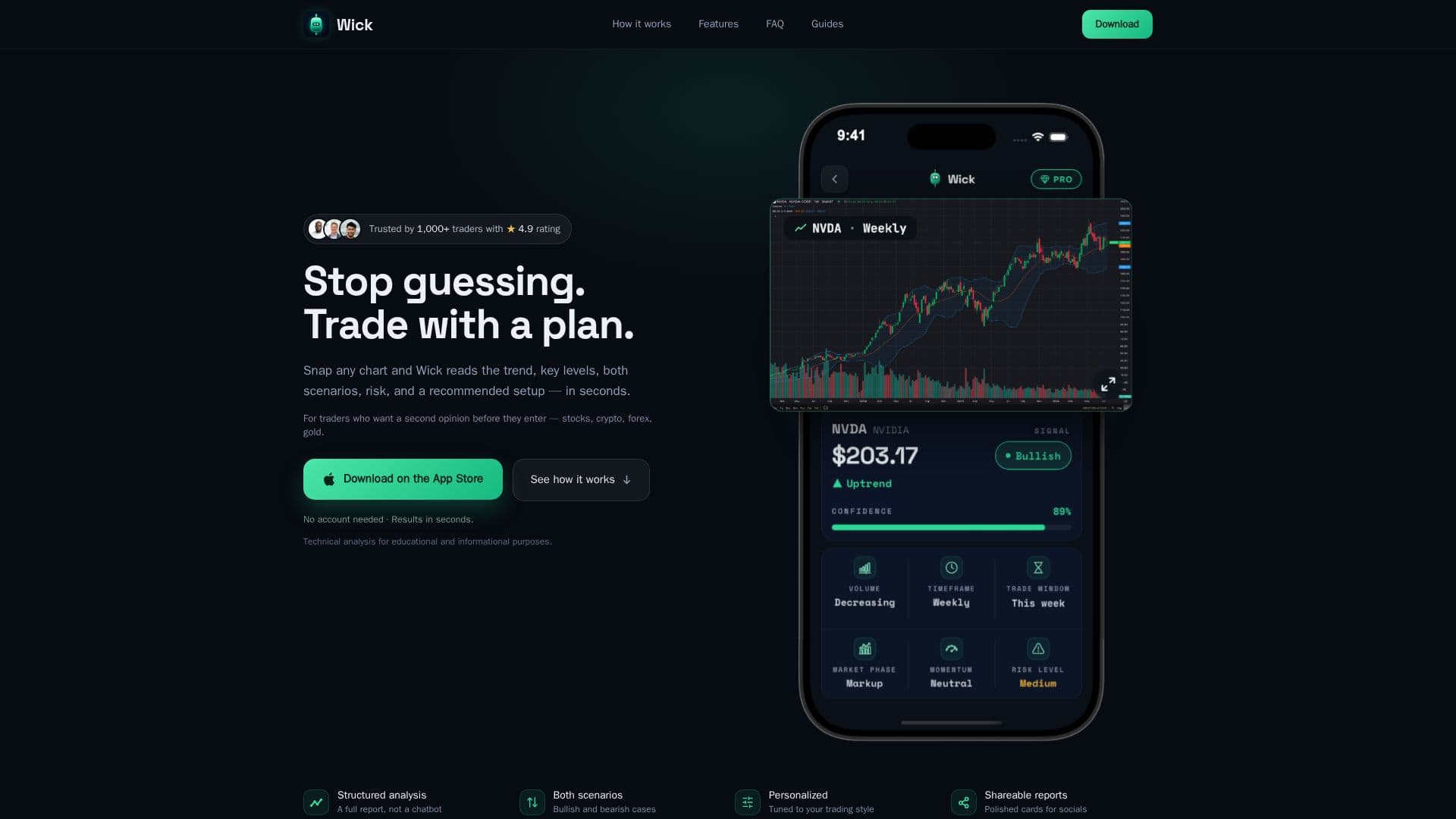
Wick App is an iOS application designed to provide structured technical analysis from any trading chart screenshot. Users can upload or photograph a chart, and Wick processes the image to deliver a comprehensive report. This analysis includes identifying the market trend, key support and resistance levels, detected chart patterns, and outlining both bullish and bearish scenarios.
Read More
The app also suggests a recommended trading approach, complete with example entry points, stop-loss levels, and target prices. It is compatible with charts from popular platforms such as MetaTrader 4/5, TradingView, and various broker apps, supporting assets like stocks, cryptocurrencies, forex, and gold (XAUUSD) across any timeframe. Wick is built to analyze candlestick, line, and bar charts, advising users to include the full price action for optimal results.
Wick emphasizes that its analysis is for educational and informational purposes only and does not constitute financial advice. It is not a broker or a trading platform, and no information provided should be considered a recommendation to buy or sell. Users are cautioned that analyses may be inaccurate or incomplete due to the inherent uncertainty of financial markets, stressing the importance of conducting personal research before making trading decisions.
The app offers a free download, with a subscription service called Wick Pro unlocking full reports and unlimited scans. Wick Pro provides complete analyses, premium report sharing, and access to a full Journal. Subscriptions are managed through the Apple App Store, with options for weekly or six-month plans that auto-renew unless canceled. A key feature is that Wick does not require user accounts, allowing immediate chart analysis upon download.
- CategoryAI Trading & Investing Tools
- Pricing ModelFreemium
- DeploymentCloud
- PlatformsiOS
Wick App's Core Features
Analyzes trading chart screenshots
Identifies market trend
Detects key support and resistance levels
Outlines bullish and bearish scenarios
Provides recommended trading approach
Includes example entry, stop loss, and target
Works with MetaTrader, TradingView, and broker charts
Supports stocks, crypto, forex, and gold (XAUUSD)
Analyzes candlestick, line, and bar charts
Offers structured technical analysis reports
No user account required for basic use
Wick Pro subscription for full reports and unlimited scans
Educational and informational analysis only
Available as an iPhone app
Reads chart image structure, momentum, and indicators
How to use Wick App?
Capture Chart: Take a screenshot or photo of any trading chart.
Upload Image: Upload the chart image directly into the Wick App.
Receive Analysis: Get a structured technical analysis report in seconds.
Review Scenarios: Evaluate bullish and bearish scenarios with triggers and estimated weightings.
Access Full Report: Subscribe to Wick Pro for complete reports including entry, stop loss, and target.
Manage Subscription: Handle Wick Pro subscriptions via your Apple Account settings.
Wick App's Use Cases
- Technical Chart Analysis
- Trade Plan Development
- Scenario Evaluation
- Educational Trading Tool
- Pre-Trade Idea Validation
- Multi-Platform Chart Reading
- Market Context Understanding
- Risk Assessment