Description
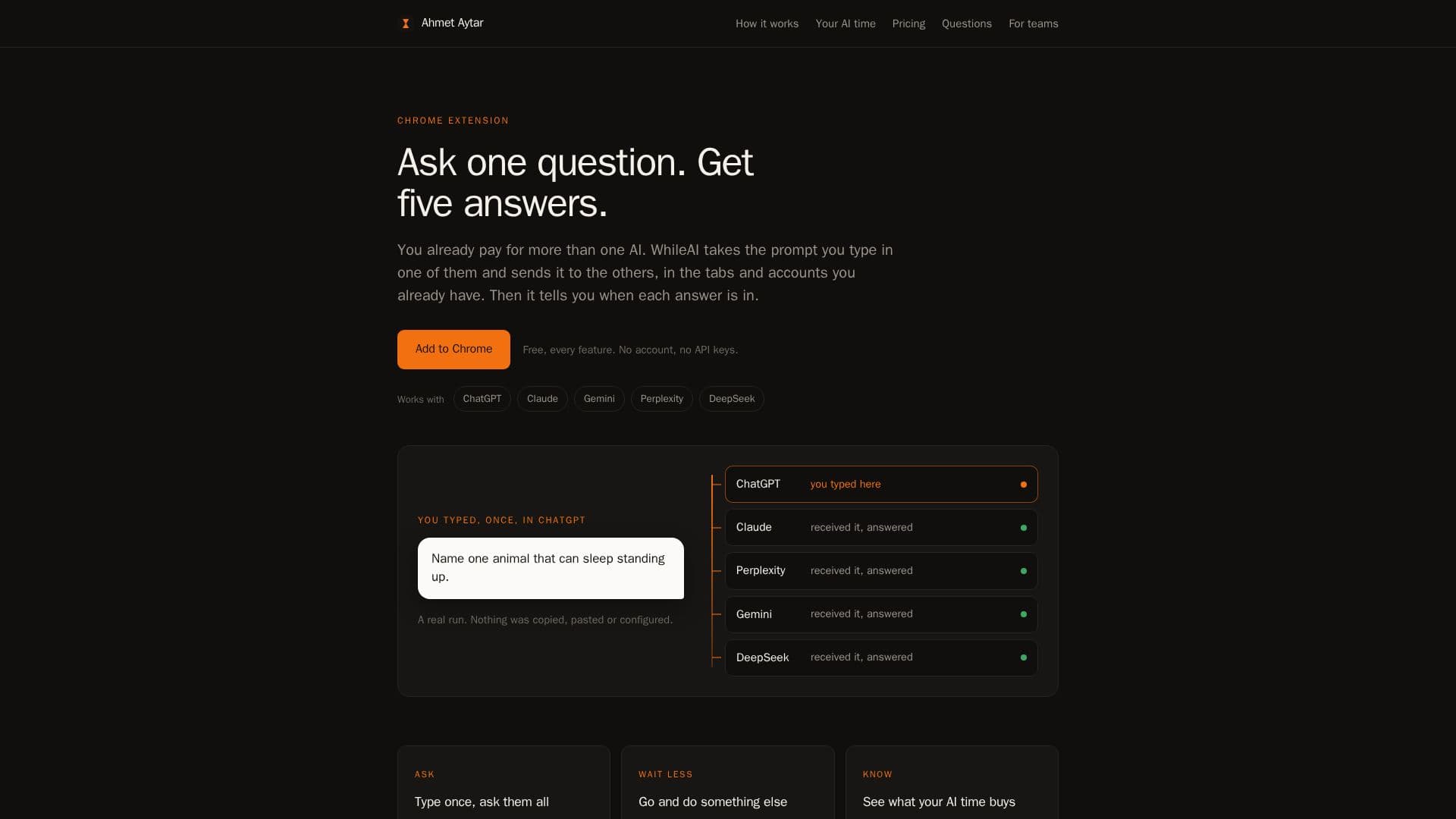
WhileAI is a browser extension designed to streamline interactions with multiple large language models (LLMs) by allowing users to submit a single prompt to several AIs at once. It supports popular platforms such as ChatGPT, Claude, Gemini, Perplexity, and DeepSeek. The core functionality involves typing a prompt into one AI interface, and WhileAI then automatically sends the same prompt to the other selected AIs, each opening in its own tab and processing at a human-like pace.
Read More
One of the key benefits of WhileAI is its ability to notify users when answers are ready, even if they are working in other tabs or applications. A popup lists completed answers, the toolbar icon counts them, and a chime with a desktop notification alerts the user. This feature allows users to initiate prompts and then focus on other tasks, returning to review the AI responses when convenient.
The extension also provides comprehensive analytics on AI usage. It measures writing, waiting, and reading time for each AI, offering insights into which models are fastest for specific prompts and how much time is spent on different stages of interaction. This data helps users understand their AI consumption patterns and identify underutilized subscriptions. The dashboard presents historical data, follow-up counts, head-to-head comparisons, and a heatmap of usage.
WhileAI operates without requiring API keys or passwords, integrating directly with the user's existing signed-in AI accounts and tabs. Users can easily toggle which AIs receive prompts from within the extension panel. The tool is entirely free, offering all features, including full history tracking and analysis, without any paid plans, time limits, or prompt caps. It is compatible with Chrome and Chromium-based browsers like Edge, Brave, and Arc.
- CategoryBrowser & Web Automation
- Pricing ModelFree
- DeploymentBrowser extension
- PlatformsChrome, Edge, Brave, Arc
WhileAI's Core Features
Send one prompt to multiple AIs simultaneously
Supports ChatGPT, Claude, Gemini, Perplexity, and DeepSeek
Delivers AI answers in separate browser tabs
Notifies users when AI answers are ready
Tracks writing, waiting, and reading time per AI
Measures AI subscription costs and usage
Provides historical usage data and comparisons
Operates without requiring API keys or passwords
Integrates with existing AI accounts and tabs
Allows toggling AIs on/off in the extension panel
Offers desktop notifications and chimes for new answers
Lists answers ready in a popup and toolbar icon
Identifies which AI subscriptions are underutilized
Completely free with no paid plans or limits
Compatible with Chrome, Edge, Brave, and Arc browsers
How to use WhileAI?
Sign in to AIs: Ensure you are signed in to the AI platforms you intend to use in your browser tabs.
Pick AIs: Use the extension panel to switch on the specific AI models you want to receive your prompts.
Type prompt once: Write your prompt in any of your chosen AI tabs; WhileAI will send it to the others.
Compare and continue: Review the answers as they arrive in their respective tabs and proceed with your next prompt.
Monitor usage: Check the dashboard for insights into your AI time, costs, and subscription utilization.
WhileAI's Use Cases
- AI Model Comparison
- Productivity Enhancement
- AI Usage Tracking
- Subscription Optimization
- Research and Analysis
- Content Generation