Description
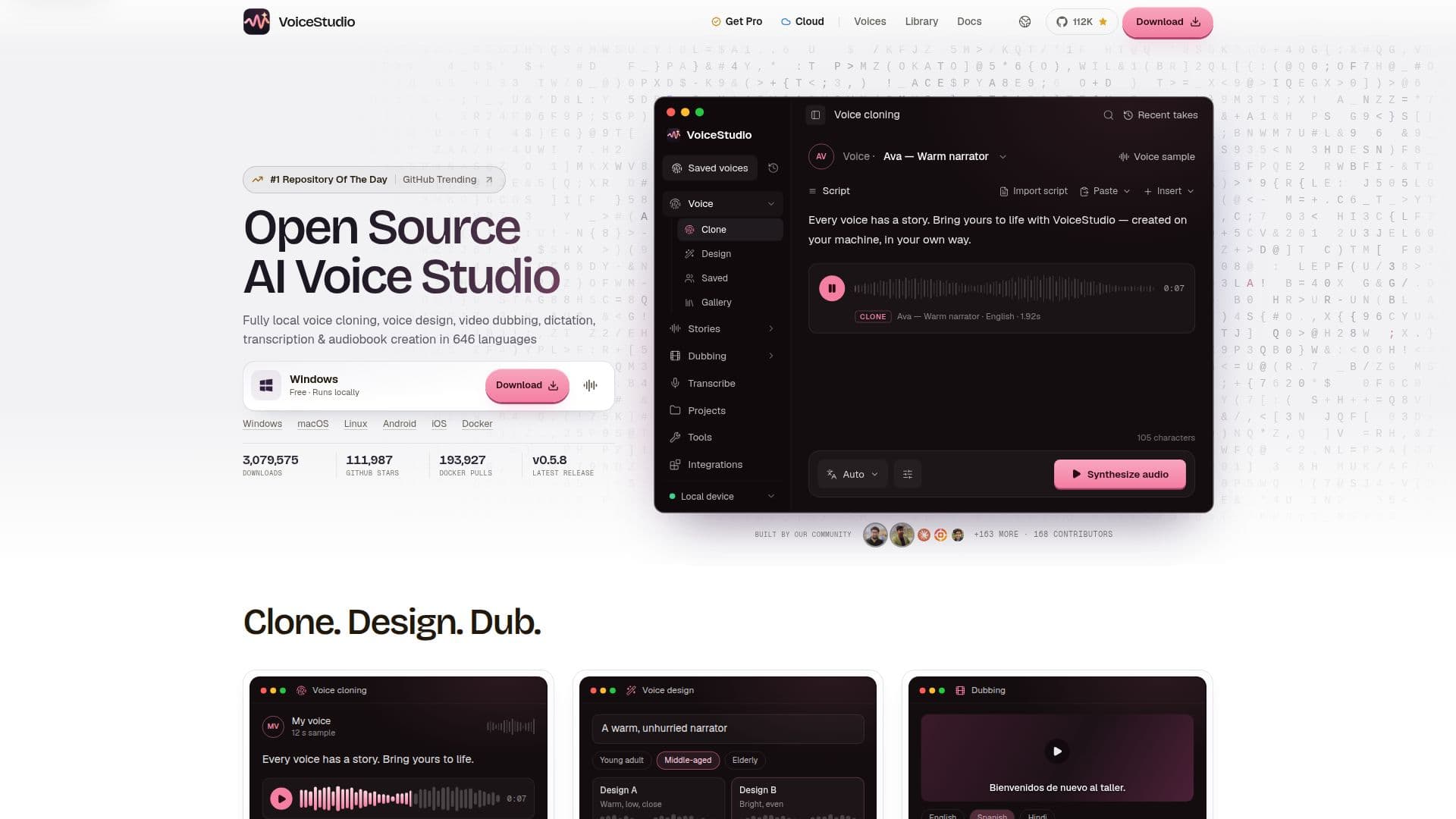
VoiceStudio is a comprehensive, open-source desktop studio and local API designed for advanced voice manipulation tasks. It allows users to perform voice cloning, voice design, video dubbing, transcription, and text-to-speech generation directly on their own machines. This eliminates the need for cloud services or accounts, ensuring data privacy and local processing.
Read More
The platform supports a wide array of languages, with capabilities extending to up to 646 languages for dubbing and transcription. Users can clone voices from as little as three seconds of clean audio, making it highly efficient for creating personalized voice models. For voice design, VoiceStudio enables users to describe a desired voice—including gender, age, accent, pitch, and emotion—and generate it without any reference audio.
Key functionalities include multilingual video dubbing, which matches new language audio to the original video's timing, and speech transcription for converting audio recordings into timed text. It also facilitates audiobook creation by allowing users to cast scripts and voice multiple roles, and dictation for converting spoken words into text.
VoiceStudio offers an OpenAI-compatible audio API, allowing developers to integrate its capabilities into their own applications and agents. It supports local model management, giving users control over the AI engines they utilize. The application is available for Windows, macOS, and Linux, and is distributed under the AGPL-3.0 open-source license, making the core desktop app free to use.
While the core VoiceStudio OSS (Open Source Software) is free, a "Pro" version is available for commercial use, offering additional features and a paid commercial license. The Pro version requires an account and sends license and usage data, unlike the free version which keeps all data local. The platform emphasizes user control and privacy, with audio data staying on the user's machine for the OSS and Pro versions. It is designed for individuals and teams who need robust, local AI voice capabilities without relying on external cloud services.
- CategoryAI Voice Generators
- Pricing ModelFreemium
- DeploymentLocal (Desktop)
- PlatformsWindows, macOS, Linux
VoiceStudio's Core Features
Zero-shot voice cloning from short audio samples
Voice design from text descriptions (gender, age, accent, pitch, emotion)
Multilingual video dubbing in up to 646 languages
Speech transcription for audio recordings
Local text-to-speech generation
OpenAI-compatible local audio API
Local model management for AI engines
Dictation for converting speech to text
Audiobook creation and script casting
Browse and use ready-made voices
Connect with AI agents (e.g., Cursor, Claude Code, Codex)
Runs locally on Windows, macOS, and Linux
Open-source under AGPL-3.0 license
No account required for the free desktop app
7-day full refund policy for Pro version
How to use VoiceStudio?
Download VoiceStudio: Obtain the desktop application for macOS, Windows, or Linux from the official website.
Install and Launch: Follow the installation instructions for your operating system and launch the VoiceStudio application.
Choose a Workflow: Select a task such as voice cloning, voice design, video dubbing, or transcription.
Input Content: For cloning, provide a short audio clip; for design, enter a text description; for dubbing, upload a video; for transcription, input an audio file.
Generate Output: Process the input using VoiceStudio's local AI models to produce cloned voices, designed voices, dubbed videos, or transcribed text.
Reuse and Integrate: Utilize generated voices in stories, audiobooks, or integrate the local API with other tools and agents.
VoiceStudio's Use Cases
- Voice Cloning
- Voice Design
- Video Dubbing
- Speech Transcription
- Audiobook Creation
- Dictation
- Agent Integration
- Content Creation