Description
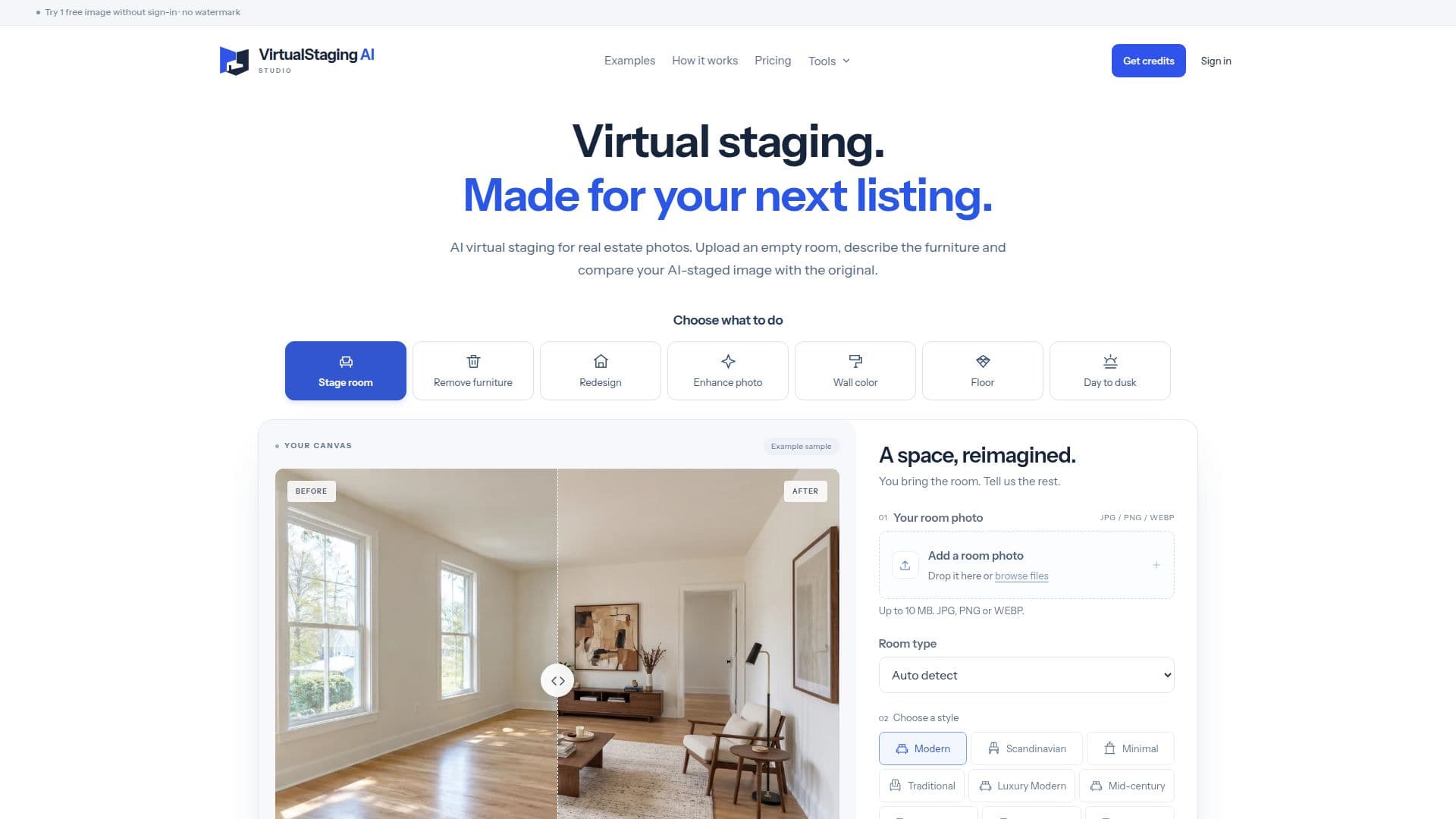
Virtual Staging AI Studio provides a dedicated online platform for real estate agents and property owners to enhance their listings through AI-powered virtual staging. The service allows users to transform empty room photographs into inviting, furnished spaces by digitally adding furniture and decor. This helps potential buyers visualize the property's potential without the logistical challenges and costs associated with traditional physical staging.
Read More
The process is straightforward: users upload a clear photo of an empty room in JPG, PNG, or WebP format, up to 10 MB. They can then choose from editable styles or describe their preferred furniture, colors, and materials. The AI model processes these instructions to generate a staged image. A key feature is the side-by-side comparison tool, which allows users to review the AI-edited photo against the original, ensuring that permanent features like walls, windows, and doors are preserved and that the staging accurately represents the space.
The platform offers a free daily image for signed-in users (via Google) and a guest trial for one image after verification, both without watermarks. For more extensive needs, Virtual Staging AI Studio provides various pricing options, including yearly and monthly subscription plans, as well as one-time image packs. These plans cater to different usage levels, from occasional photos to regular listings, with unused annual credits rolling over within the subscription year.
Beyond basic staging, the tool also supports additional creative options, such as generating a short video or an alternative view from a staged result, though these require paid image credits. The service emphasizes responsible use, advising users to check local MLS and listing platform disclosure rules, as the downloaded images do not include automatic disclosure labels. All uploads and results remain private to the user's account or browser, ensuring confidentiality. The platform is designed to be user-friendly, requiring no specialized app or 3D design software, making virtual staging accessible to a broad audience in the real estate sector.
- CategoryAI Interior & Architecture Design
- Pricing ModelFreemium
- DeploymentCloud
- PlatformsWeb
Virtual Staging AI Studio's Core Features
AI-powered virtual staging for empty rooms
Editable style prompts for furniture and decor
Before-and-after comparison tool
Daily free image for signed-in users (Google sign-in)
Guest trial for one free image (per browser/IP)
No watermarks on downloaded images (free or paid)
Support for JPG, PNG, WebP input formats (up to 10 MB)
Downloadable PNG output format
Yearly and monthly subscription plans available
One-time image packs for flexible use
Option to generate short videos from staged results (paid)
Option to create additional views from staged results (paid)
Preservation of permanent room features (walls, windows, doors, flooring)
Private uploads and results (not public gallery)
Stripe checkout for secure payments
How to use Virtual Staging AI Studio?
Upload Photo: Start by uploading a clear JPG, PNG, or WebP photo of an empty room.
Set the Mood: Choose a room type and style, then add specific furniture, color, or material preferences.
Generate Staging: The AI will process your input to create a virtually staged image.
Compare & Review: Use the side-by-side comparison to check the staged image against the original, focusing on permanent features and furniture realism.
Download Result: Download the high-quality PNG image without watermarks for your listing.
Disclose as Required: Add any necessary disclosure labels or descriptions according to your local MLS or listing platform rules.
Virtual Staging AI Studio's Use Cases
- Real Estate Listing Enhancement
- Property Visualization
- Interior Design Concepts
- Wall Color Preview
- Flooring Change Visualization
- Clutter Removal
- Furniture Removal
- Exterior Photo Enhancement