


Description
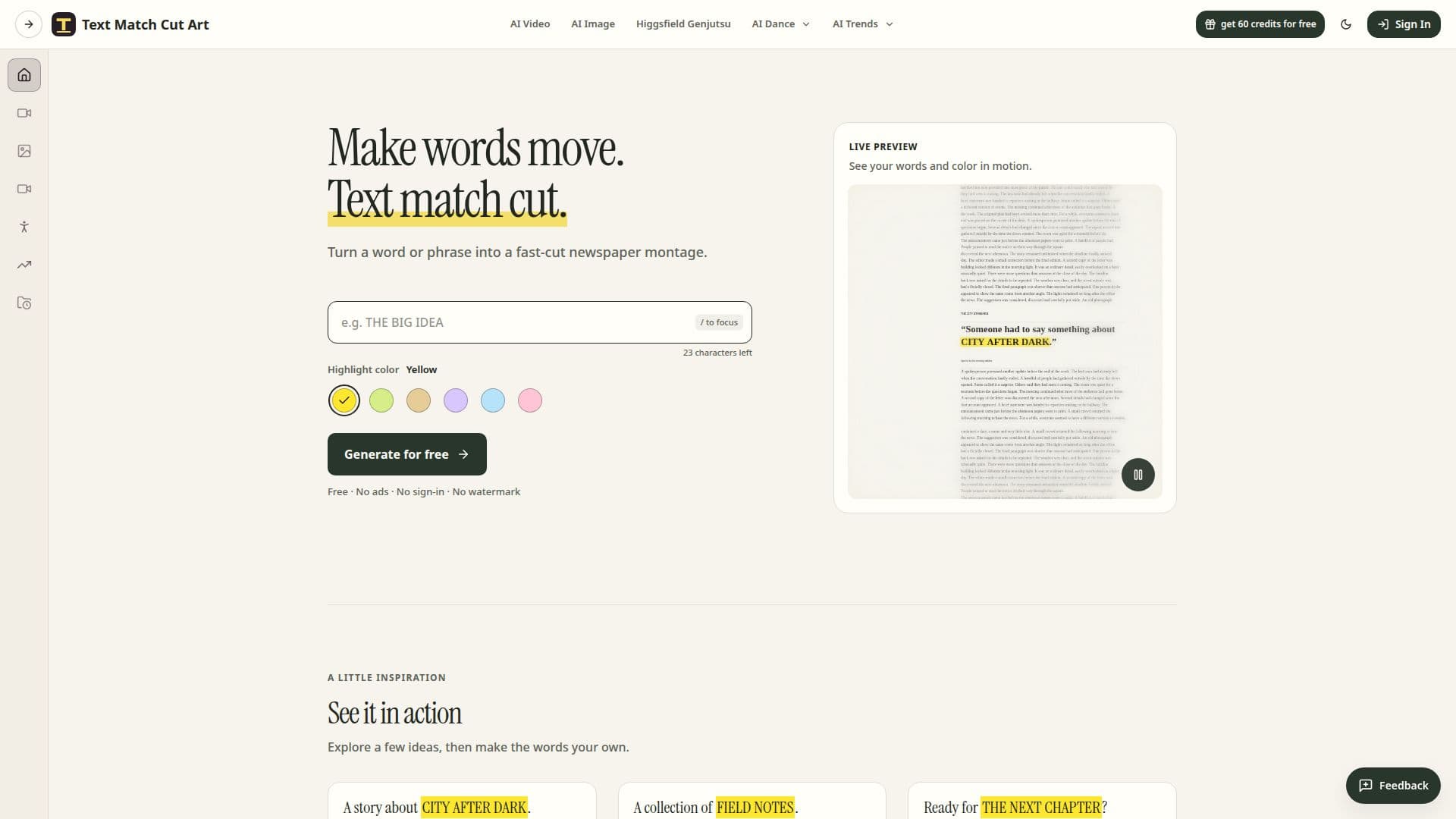
Text Match Cut Art offers a unique, free-to-use online tool for generating text match cut videos. This editor allows users to create dynamic visual sequences where a chosen word or phrase remains stationary while the surrounding newspaper-style layouts and typography change. This technique provides a visual thread for quick montages, helping viewers follow a consistent idea across different visual contexts.
Read More
The process is straightforward: users simply type a word or short phrase, up to 23 characters, and select a highlight color. The tool then generates an initial square-frame video. After this first generation, users can customize various settings, including aspect ratio (1:1 square, 9:16 vertical, or 16:9 landscape), video format (MP4 or WebM, depending on browser support), and sound effects or silence. Advanced settings allow for adjustments to cuts per second, zoom, and background blur, with changes applied by regenerating the video.
Text Match Cut Art is designed to be accessible and user-friendly, operating entirely within the browser without the need for sign-ups, accounts, or AI credits. It explicitly states that the editor runs on the user's device, ensuring privacy as the entered text does not leave the device. The generated videos are a few seconds long and can be downloaded in HD quality without watermarks. Users can then import these clips into their own video editing software for longer projects, transitions, or emphasis.
While the text match cut generator itself is free and operates locally, Text Match Cut Art also offers separate AI image and video generation tools that have their own sign-in and credit requirements. The free editor does not accept custom newspaper pages or article screenshots as source material, instead creating its own newspaper-inspired layouts. This tool is ideal for content creators, video editors, and anyone looking to add a distinctive visual element to their videos quickly and easily.
- CategoryAI Video Generators
- Pricing ModelFree
- DeploymentCloud
- PlatformsWeb
Text Match Cut Art's Core Features
Free in-browser text match cut generator
No sign-up or account required
No ads or watermarks on generated videos
Animated newspaper highlight effect
Enter up to 23 characters for focal phrase
Choose highlight color
Supports 1:1 (square), 9:16 (vertical), and 16:9 (landscape) aspect ratios
MP4 and WebM export options (browser dependent)
Adjust cuts per second
Control zoom and background blur
Add sound effects or silence
HD video download
Text processing occurs on user's device
Preview generated video before download
Independent service, unaffiliated with model providers
How to use Text Match Cut Art?
Choose Focal Words: Type a word, name, or short phrase (up to 23 characters) that will remain in focus.
Generate Initial Cut: Select 'Generate' to create the first text match cut, which defaults to a square frame.
Adjust Settings: After the initial cut, choose a different aspect ratio (vertical, square, landscape), video format, or sound effect. Open Advanced settings to modify cut speed, zoom, and background blur.
Regenerate Video: Select 'Generate' again to apply your chosen settings and create a new preview.
Preview and Download: Watch the complete preview of your text match cut, then download the finished video in an available format (MP4 or WebM).
Text Match Cut Art's Use Cases
- Open a Story
- Highlight a Name or Idea
- Create a Transition
- Make a Short-Form Hook
- Video Editing Accent
- Social Media Content