ToolPotion
AI Advisor
Submit a Tool (Free)

tensorViz

AI AppsMLOps & Model DeploymentMachine Learning & Data Science#92Free · VS Code, Cursor, VSCodium, Claude Code, Codex

tensorViz is a PyTorch model visualizer that generates interactive graphs directly from Python source code, eliminating the need for `torch.export` or ONNX. It allows users to explore models with measured tensor shapes, navigate to the source code of individual layers, and review architectural changes. Available as an editor extension or coding-agent plugin, it supports PyTorch and traced JAX/Flax programs.

Visit Website
Share
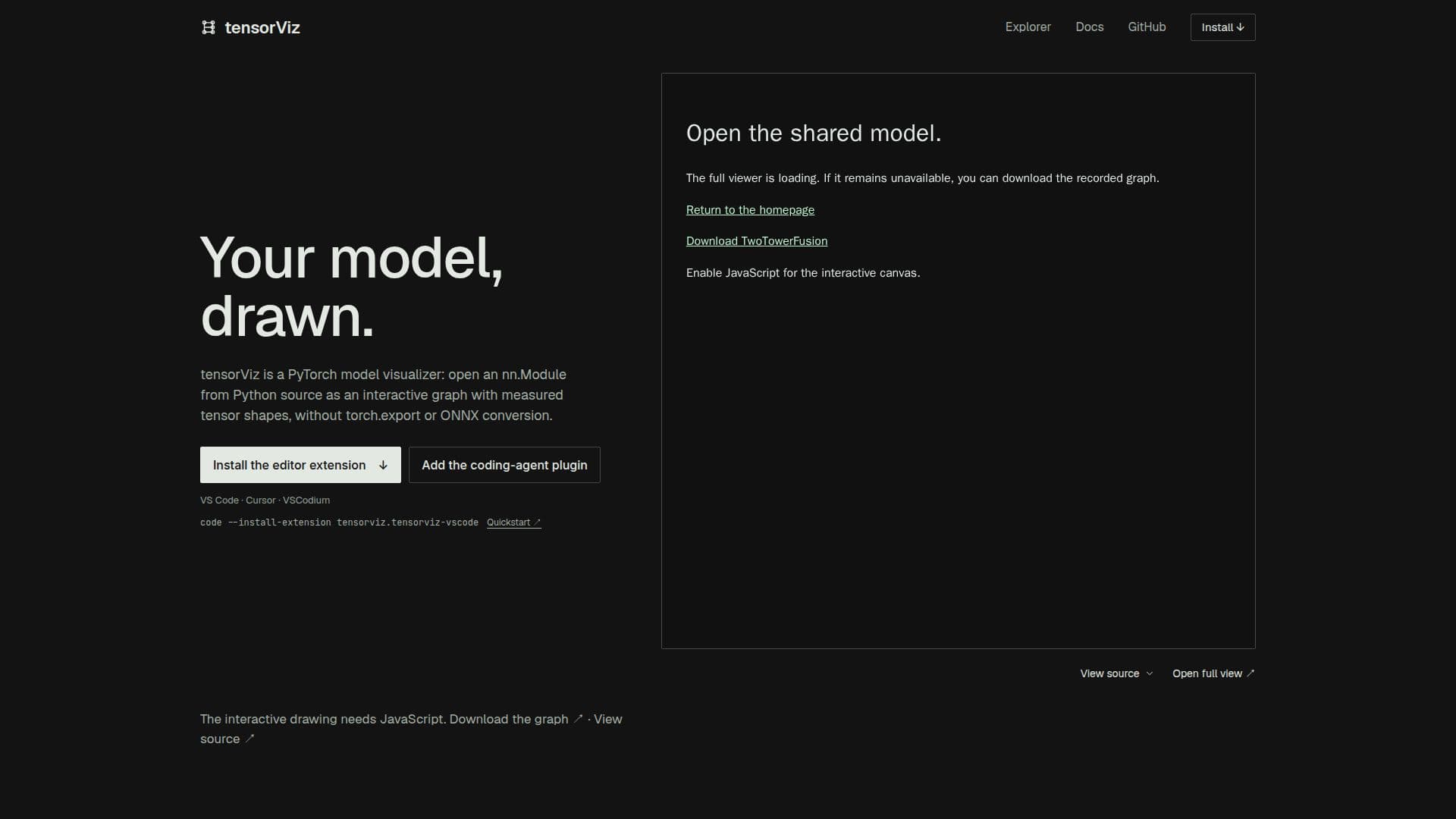
tensorViz screenshot

tensorViz is a powerful visualization tool designed for machine learning models, specifically focusing on PyTorch and traced JAX/Flax programs. It offers an interactive and expandable canvas that allows developers to understand their model's architecture directly from its Python source code, without requiring intermediate steps like `torch.export` or ONNX conversion.

Read More

The core functionality of tensorViz includes generating graphs with tensor shapes measured from a single eager forward call, providing crucial insights into data flow and potential mismatches. Users can easily navigate from any layer in the graph directly to its corresponding Python source code, facilitating rapid debugging and understanding of implementation details. The tool also supports a "source-only preview" mode, which visualizes the graph without needing to run the model.

A standout feature is "Graph review," which enables users to compare layers and connections between two Python revisions, displaying the code diff alongside the visual graph. This is invaluable for understanding the impact of architectural changes. Furthermore, tensorViz integrates with coding agents, allowing them to inspect graphs and propose edits, which users can then review and accept or discard, maintaining full control over the development process.

Installation is straightforward, primarily through editor extensions for VS Code, Cursor, or VSCodium, or as a plugin for coding agents like Claude Code, Codex, and Cursor. The tool runs models on the user's local machine within their chosen Python environment, ensuring data privacy and control. It also offers the ability to inspect Hugging Face `safetensors` headers without downloading full weights.

While tensorViz is free to install and its core graph tools do not require an AI subscription or provider key, it is distinct from other visualization tools like Netron (which focuses on saved model files) or `torchview`/`torchviz`/`torchinfo` (which produce static diagrams or text summaries). tensorViz prioritizes interactive exploration of live Python source, making it a unique solution for model understanding and debugging.

  • CategoryMLOps & Model Deployment
  • Pricing ModelFree
  • DeploymentEditor Extension, Coding-Agent Plugin
  • PlatformsVS Code, Cursor, VSCodium, Claude Code, Codex

  • Visualize PyTorch models from Python source

  • Visualize traced JAX/Flax programs

  • Interactive and expandable model graphs

  • Measure tensor shapes from eager forward calls

  • Navigate from graph layers to Python source code

  • Review architectural changes with graph comparison

  • Source-only graph preview without running the model

  • Inspect Hugging Face safetensors headers

  • Integrate with coding agents for graph inspection and edits

  • Supports VS Code, Cursor, and VSCodium extensions

  • Coding-agent plugin for Claude Code, Codex, Cursor

  • Model execution on local machine

  • Public source repository on GitHub under MIT license

  • Browser-based Model Explorer for shared graphs

  1. Install Extension: Install the tensorViz editor extension for VS Code, Cursor, or VSCodium, or add the coding-agent plugin to your agent.

  2. Open Project: Open your Python project containing your `nn.Module` class.

  3. Visualize Model: Click "Open as Graph" above your `nn.Module` class or ask your coding agent to open the model.

  4. Configure Inputs: Choose your Python environment and review example inputs for the forward pass.

  5. Explore Graph: Pan, zoom, expand modules, search layers, and select layers to view their Python source.

  6. Review Changes: Use the Graph Review feature to compare layers and connections between different Python revisions.

  7. Export Graph: Export graphs as SVG/PNG or share them to be viewed in the browser-based Model Explorer.

  • PyTorch Model Visualization
  • JAX/Flax Program Visualization
  • Tensor Shape Inspection
  • Code Navigation and Debugging
  • Architectural Review
  • Coding Agent Collaboration
  • Hugging Face Model Exploration
  • Model Understanding
  • Educational Tool

tensorViz Reviews

Loading...

Popular AI Tools Like tensorViz

Netron Visualizer

AI GitHub Repos

Netron is a visualizer for neural network, deep learning, and machine learning models. It provides an intuitive interface to explore model architectures and parameters, making it…

MLOps & Model Deployment

Ranked #84 in AI GitHub Repos

View Tool

AI GitHub Repos

Visualizer for neural network, deep learning, and machine learning models. It provides an intuitive interface to explore model architectures and parameters, making it…Netron is a visualizer for neural network, deep learning, and machine learning models. It provides an intuitive interface to explore model architectures and parameters, making it…

MLOps & Model Deployment
Ranked #84 in AI GitHub Repos

ModelScope

AI Apps

An open-source model community and platform for exploring, running, fine-tuning, and deploying AI models and datasets, with a Python library and hosted studios for building AI…

Machine Learning Platforms

Ranked #27 for Fine-tuning AI models

View Tool

AI Apps

An open-source model community and platform for exploring, running, fine-tuning, and deploying AI models and datasets, with a Python library and hosted studios for building AI…

Machine Learning Platforms
Ranked #27 for Fine-tuning AI models

RapidMiner AI Studio empowers business users and data scientists to create sophisticated AI and machine learning models. It offers a comprehensive environment for developing,…

Machine Learning PlatformsFinance & Banking

Ranked #21 in Manufacturing & Industrial

View Tool

Empowers business users and data scientists to create sophisticated AI and machine learning models. It offers a comprehensive environment for developing,…RapidMiner AI Studio empowers business users and data scientists to create sophisticated AI and machine learning models. It offers a comprehensive environment for developing,…

Machine Learning PlatformsFinance & Banking
Ranked #21 in Manufacturing & Industrial

Unsloth

AI Apps

A free, open-source desktop app for running and training AI models locally on Mac, Windows, and Linux, with a no-code UI, agent connectivity, and an OpenAI-compatible API.

Machine Learning & Data Science

Ranked #15 in Machine Learning & Data Science

View Tool

AI Apps

A free, open-source desktop app for running and training AI models locally on Mac, Windows, and Linux, with a no-code UI, agent connectivity, and an OpenAI-compatible API.

FeaturedMachine Learning & Data Science
Ranked #15 in Machine Learning & Data Science

TensorFlow

AI Frameworks

TensorFlow is an end-to-end open source machine learning platform designed for everyone. It provides a flexible ecosystem of tools, libraries, and community resources to create…

Machine Learning Platforms
View Tool

AI Frameworks

End-to-end open source machine learning platform designed for everyone. It provides a flexible ecosystem of tools, libraries, and community resources to create…TensorFlow is an end-to-end open source machine learning platform designed for everyone. It provides a flexible ecosystem of tools, libraries, and community resources to create…

FeaturedMachine Learning Platforms
See the Top 50 AI Frameworks

Langfuse

AI Platforms

Langfuse is an open-source LLM engineering platform designed to help developers build, monitor, and improve AI applications. It offers tracing, prompt management, evaluation, and…

MLOps & Model Deployment

Ranked #50 in AI Platforms

View Tool

AI Platforms

Open-source LLM engineering platform designed to help developers build, monitor, and improve AI applications. It offers tracing, prompt management, evaluation, and…Langfuse is an open-source LLM engineering platform designed to help developers build, monitor, and improve AI applications. It offers tracing, prompt management, evaluation, and…

FeaturedMLOps & Model Deployment
Ranked #50 in AI Platforms

The What-If Tool is an interactive visual interface designed to help users understand machine learning models. It allows users to explore model predictions and compare different…

Machine Learning Platforms

Ranked #13 for Labeling & annotating data

View Tool

The What-If Tool is an interactive visual interface designed to help users understand machine learning models. It allows users to explore model predictions and compare different…

Machine Learning Platforms
Ranked #13 for Labeling & annotating data

PyTorch

AI GitHub Repos

PyTorch is an open-source machine learning library that provides tools for building dynamic neural networks in Python, leveraging strong GPU acceleration for efficient computation.

Machine Learning & Data Science
View Tool

AI GitHub Repos

Open-source machine learning library that provides tools for building dynamic neural networks in Python, leveraging strong GPU acceleration for efficient computation.PyTorch is an open-source machine learning library that provides tools for building dynamic neural networks in Python, leveraging strong GPU acceleration for efficient computation.

FeaturedMachine Learning & Data Science
See the Top 250 AI GitHub Repos
1 of 8