
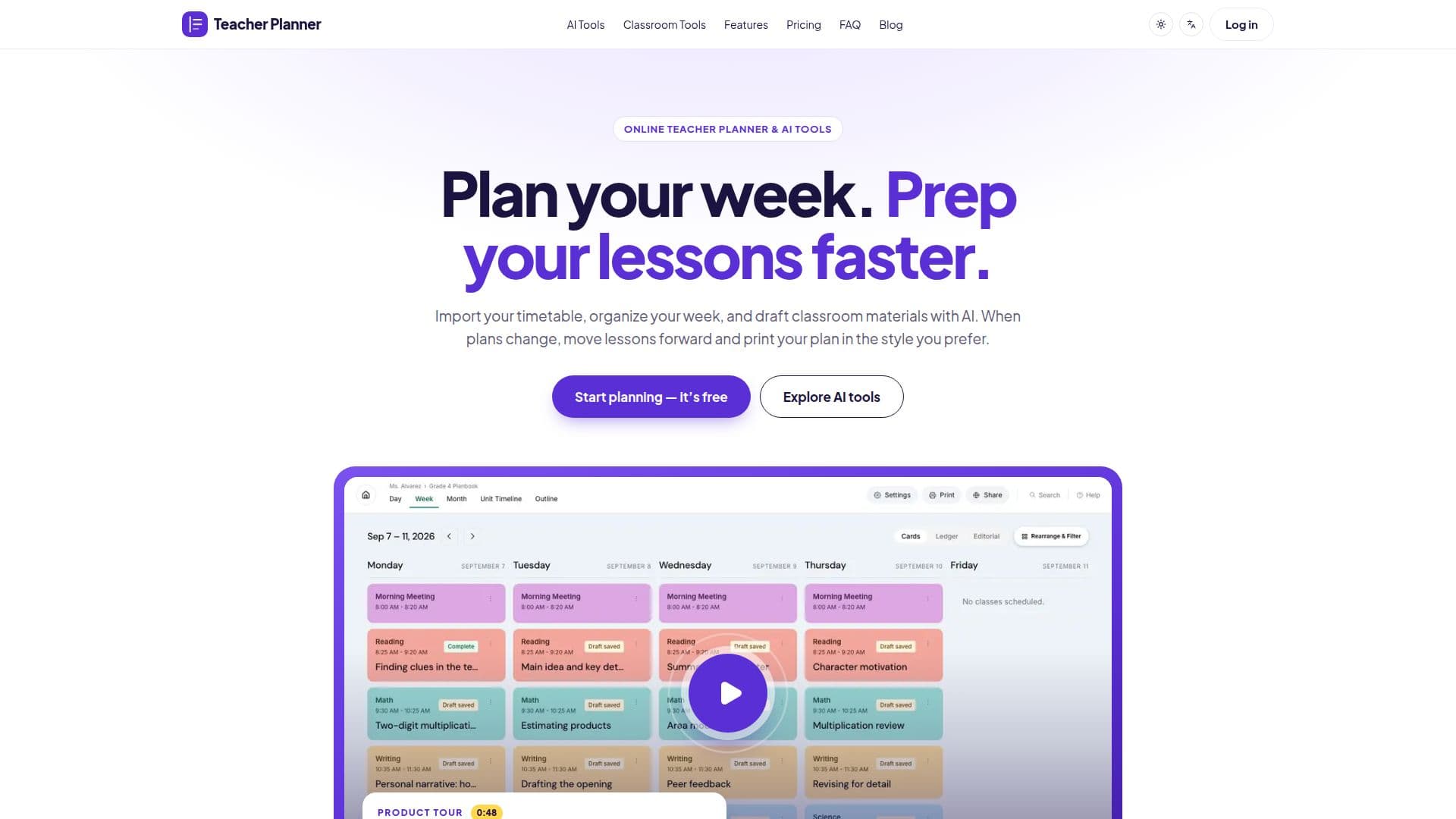
Description
Teacher Planner is a comprehensive online tool designed to assist teachers in organizing their schedules and preparing classroom materials. It allows users to import timetables, organize lessons by day, week, or month, and draft classroom materials using AI tools. Teachers can upload a photo or PDF of their existing timetable, and Teacher Planner will read and organize the classes, days, and times for review before saving. The platform offers a feature called 'Bump Forward' to adjust lesson plans when schedules change, ensuring that lessons remain in sequence without the need for retyping.
Read More
The AI tools included in Teacher Planner allow teachers to draft lesson plans, worksheets, quizzes, and provide writing feedback. These tools are available to all users, including those on the Free plan, which requires no credit card. The platform emphasizes the importance of reviewing AI-generated materials for accuracy and suitability before sharing them with students.
Teacher Planner offers various printing options, including day, week, month, and outline views, with templates such as Classic, Minimal, and Cards. The Free plan includes basic printing with the Minimal template, while the Pro and Lifetime plans offer additional templates and advanced printing options. The Pro plan provides unlimited planbooks, a Standards Tracker, and advanced print settings, available through monthly or yearly billing. The Lifetime plan offers ongoing access to Pro features for a one-time payment.
While Teacher Planner focuses on lesson planning and material preparation, it does not replace an LMS or gradebook. Teachers are advised to keep grades and student records in their school's approved systems. The platform also provides guidelines for handling student information, emphasizing the removal of confidential details before using AI tools.
Overall, Teacher Planner is ideal for teachers looking to streamline their planning process, adapt to changing schedules, and utilize AI tools to enhance their teaching materials.
- CategoryEducation & Research
- Pricing ModelFreemium
- DeploymentCloud
- PlatformsWeb
Teacher Planner's Core Features
Import timetable from photo or PDF
Organize lessons by day, week, or month
AI tools for lesson plan drafting
Bump Forward feature for schedule changes
Multiple print templates and options
Free plan with basic features
Pro plan with advanced features
Lifetime access option
How to use Teacher Planner?
Import: Upload your timetable as a photo or PDF
Organize: Arrange lessons by day, week, or month
Draft: Use AI tools to create lesson plans and materials
Print: Choose from various templates and print options
Teacher Planner's Use Cases
- Lesson Planning
- Timetable Management
- AI Material Drafting
- Schedule Adjustment
- Printing Options