Description
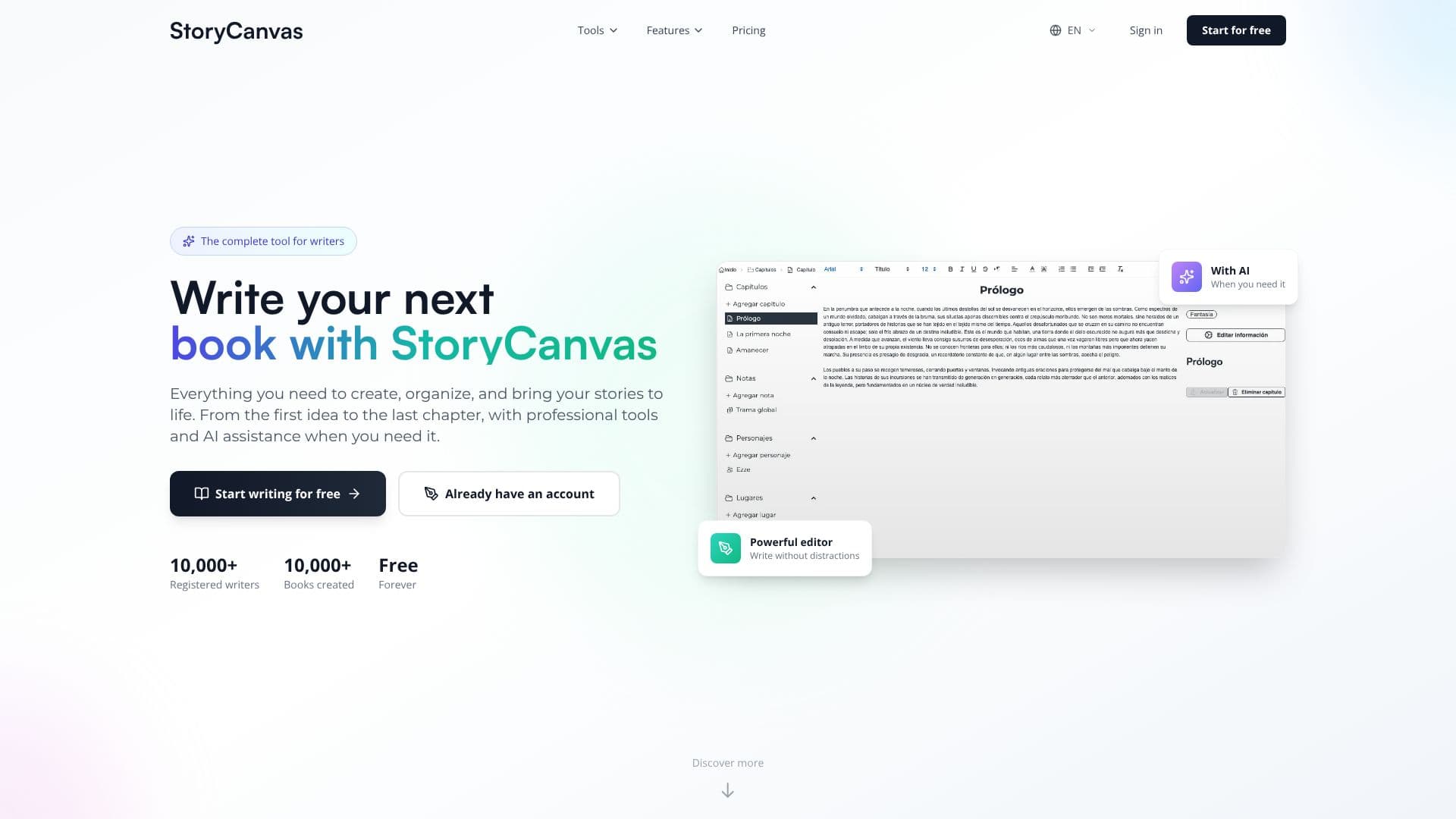
StoryCanvas provides a complete suite of tools for writers aiming to craft their next book. From the initial spark of an idea to the final chapter, it offers professional writing tools enhanced by AI assistance when needed. The platform is designed to help users create, organize, and bring their stories to life.
Read More
At its core, StoryCanvas features a powerful, distraction-free editor for writing chapters. Complementing this are specialized tools for organizing narrative elements. Users can create detailed notes with a Notion-style editor, develop unforgettable characters through detailed profiles and visual editors, and design unique settings with location editors. The platform also supports worldbuilding with map creation tools, allowing users to design maps from scratch, shape terrain, and add layers of detail. Timelines help structure chronological events, while Kanban-style boards and mind maps aid in idea organization and visualization.
StoryCanvas integrates AI as a writing assistant, not a replacement for creativity. Features include an AI chapter corrector for spelling, grammar, and style, an AI cover generator based on descriptions, and an AI assistant for brainstorming and overcoming creative blocks. Additional tools outside the main editor include a free text corrector, an improved image generator, an image editor, an unlimited name generator, a free translator, and a text summarizer. Many of these tools are also accessible via WhatsApp for on-the-go use.
The platform caters to writers at all stages, offering a free tier with unlimited book creation and essential writing tools. Paid plans introduce advanced AI features, increased limits for AI generations and summaries, more beta reader slots, and expanded map and template libraries. StoryCanvas also facilitates collaboration through a beta reader system, allowing authors to share specific chapters and receive contextual feedback before publication. Professional book pages can be created to promote finished works, complete with customizable templates, excerpts, and purchase links.
- CategoryAI Story Generators
- Pricing ModelFreemium
- DeploymentCloud
- PlatformsWeb
StoryCanvas's Core Features
Distraction-free writing editor
AI-powered chapter correction for grammar, spelling, and style
AI cover generation based on text descriptions
Notion-style editor for notes, maps, and character profiles
Visual map creator with terrain and layer tools
Timeline creation for chronological event structuring
Kanban-style boards and mind maps for idea organization
Beta reader system for feedback collection
Export options in DOCX, PDF, EPUB, TXT, Markdown, and Kindle
Writing metrics and goal tracking
Book page creation for promotion
Free text corrector, image generator, and translator tools
WhatsApp integration for AI tools
How to use StoryCanvas?
Start Writing: Sign up for a free account to access basic writing tools.
Organize Ideas: Use notes, character profiles, maps, and boards to structure your story elements.
Write Chapters: Utilize the distraction-free editor for focused writing.
Leverage AI: Employ AI tools for chapter correction, cover generation, or creative assistance.
Gather Feedback: Share your work with beta readers for constructive criticism.
Promote Your Book: Create a professional book page to showcase your story.
Export and Publish: Download your book in various formats for publication.
StoryCanvas's Use Cases
- Novel Writing
- Worldbuilding
- Character Development
- Story Organization
- AI Writing Assistance
- Book Promotion
- Feedback Collection
- Draft Exporting