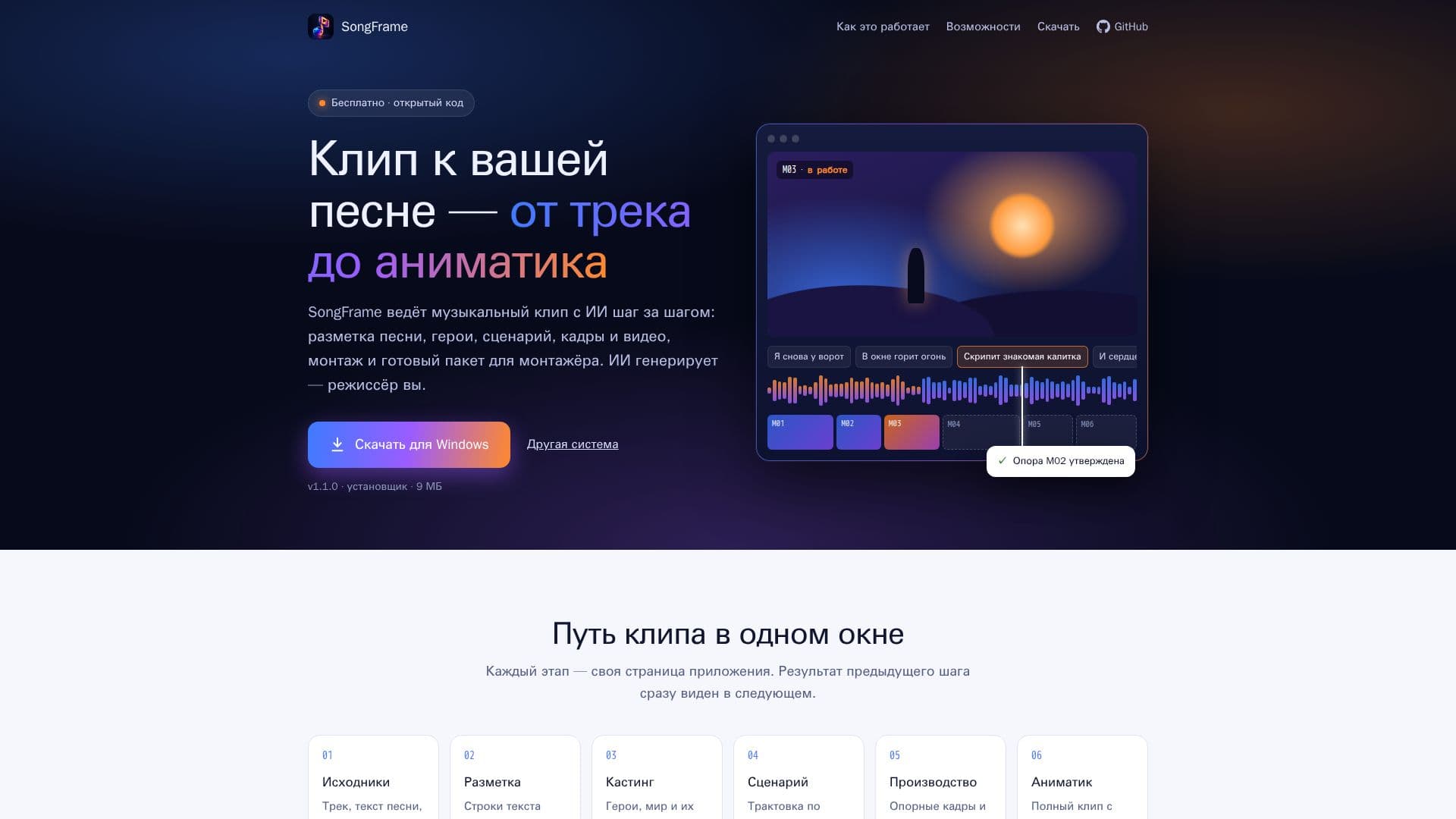
Description
SongFrame is a comprehensive desktop application designed to streamline the creation of music videos using artificial intelligence. It provides a step-by-step workflow, enabling users to transform a song and its lyrics into a complete animatic and a package ready for a professional editor. The application is available for both Linux and Windows operating systems, offering a local and controlled environment for creative production.
Read More
The process within SongFrame begins with importing source materials such as the track, lyrics, concept, cover art, and references. Users can simply drag and drop these files into the application. The next stage involves song markup, where lyrics are aligned with the vocal track directly on the computer, visualized on a waveform. Users can adjust and confirm line boundaries by ear, ensuring precise synchronization without sending sensitive audio data to the cloud.
Following markup, the casting phase allows users to define characters, environments, and their emotional states with reference images. This feature ensures visual consistency, preventing character appearances from changing unexpectedly between scenes. The scriptwriting stage leverages an AI agent, such as Claude Code or Codex, to propose interpretations, scripts, and prompts. Users review these suggestions before they are recorded, allowing for refinement or rejection.
For production, SongFrame generates keyframes and video segments for each shot using a chosen generation provider. Users can also import their own PNG, JPG, and WebP images as visual anchors. The application facilitates viewing, comparing, and individually accepting these generated assets. Throughout the process, SongFrame incorporates checks and trials, including short video clips for evaluating scenes and transitions, manual editing of trials with sound, and MP4 export.
The final stage is the animatic assembly, where the entire music video is compiled chapter by chapter, incorporating approved scenes and placeholders for unfinished shots. The application then exports a complete media package for the editor. SongFrame emphasizes user control over both finances and project files. It requires explicit confirmation for every paid generation, displaying prompts, input materials, cost, and remaining balance beforehand. It also prevents automatic retries of interrupted or failed generations and ensures downloaded videos are not automatically accepted as final scenes. All project materials are stored in a local folder, allowing for easy portability and version control with systems like Git. The application intelligently manages dependencies like FFmpeg and markup models, either finding them in the system or downloading them on demand, and projects remain editable even without these components. Markup processing is CPU-based, eliminating the need for a dedicated graphics card. For generation, an account with a selected provider is necessary, and for text-based stages, Claude Code or Codex must be installed.
- CategoryAI Animation Tools
- Pricing ModelFree
- DeploymentDesktop Application
- PlatformsLinux, Windows
SongFrame's Core Features
AI-assisted music video creation
Local song text alignment with vocals
Character and environment casting with image references
AI agent for script and prompt generation
Keyframe and video segment generation
Import custom images (PNG, JPG, WebP)
Scene and transition evaluation with short videos
Manual trial editing with sound and MP4 export
Animatic assembly by chapters
Export complete media package for editors
Explicit confirmation for paid generations
Local project folder for all materials
CPU-based markup processing (no GPU required)
Supports Linux and Windows operating systems
Integration with external generation providers
How to use SongFrame?
Download and Install: Download the SongFrame application for Linux or Windows and follow the installation instructions.
Import Project Assets: Drag and drop your song track, lyrics, ideas, cover art, and reference files into the application.
Mark Up Song: Align lyrics with the vocal track on the waveform, adjusting and confirming timing by ear.
Define Characters and Script: Create characters and environments with reference images, then use the AI agent to generate script interpretations and prompts.
Generate and Review Visuals: Produce keyframes and video segments for each shot using your chosen provider, or import your own images, then review and accept them.
Assemble Animatic: Compile the full music video from accepted scenes and export the complete package for your editor.
SongFrame's Use Cases
- Music Video Production
- Animatic Generation
- Character Consistency
- Script Development
- Visual Storyboarding
- Pre-production Workflow
- Independent Artist Content