Description
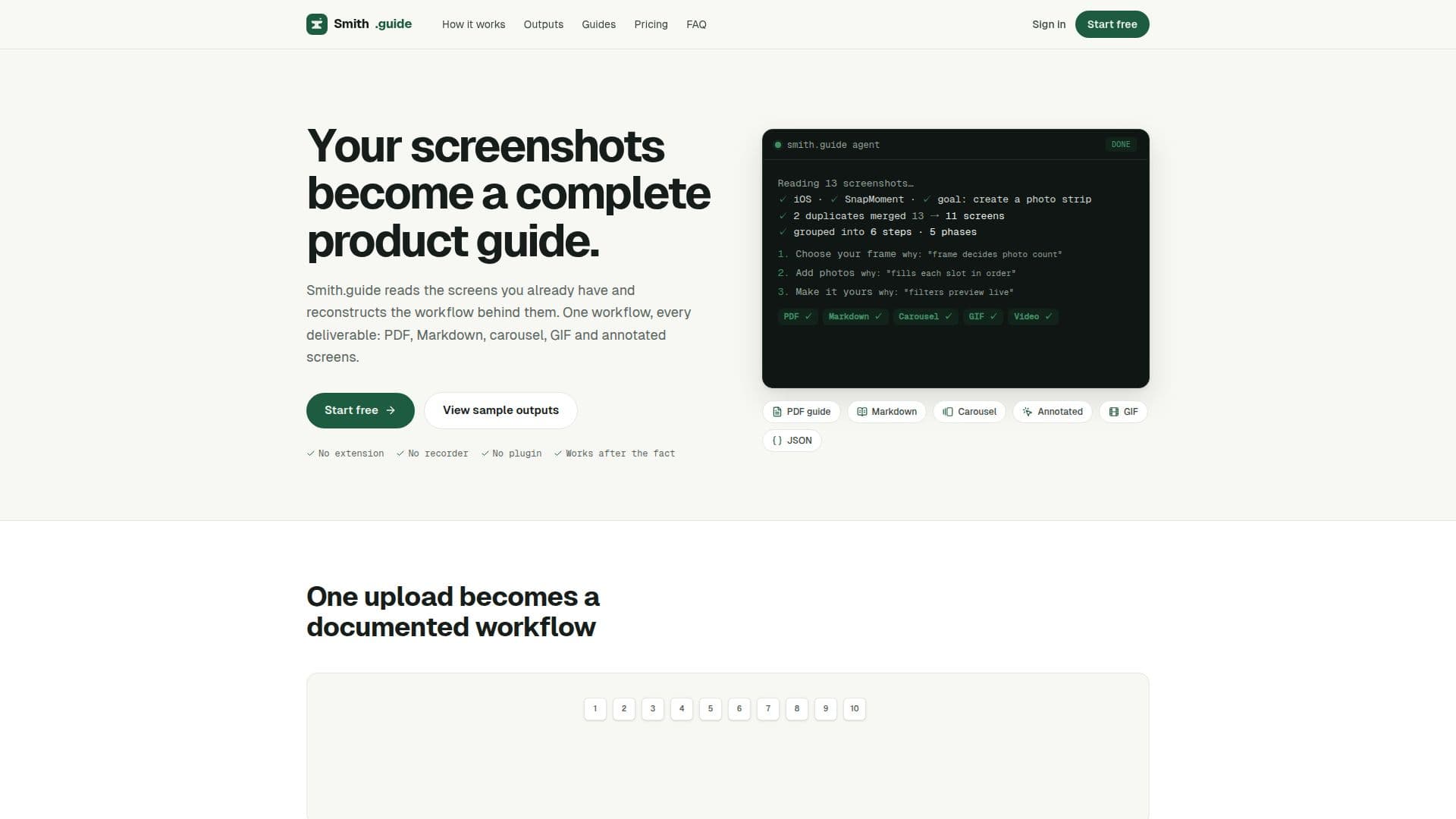
Smith.guide is an innovative AI documentation agent designed to streamline the creation of product guides and technical documentation. By simply uploading a series of screenshots depicting a workflow, the platform intelligently analyzes and reconstructs the underlying process. It identifies the application, platform, and goal, distinguishing between different screen types like loading screens and forms, and pinpointing critical controls and actions.
Read More
The core functionality revolves around generating a single, editable workflow from your visual inputs. This workflow then serves as the source of truth for various export formats. Users can obtain a professionally designed PDF guide complete with phases, zoomed action shots, screen anatomy, and detailed reasoning for each step. Additionally, it produces repo-ready Markdown documentation, social media carousels, animated GIFs, and annotated screens with precise callouts and arrows.
Smith.guide emphasizes user control, allowing for comprehensive editing of the AI-drafted workflow. Users can rename steps, merge screens, and refine the reasoning within a visual builder. Any edits made are instantly reflected across all generated formats, ensuring consistency and accuracy without requiring multiple rewrites. The AI performs its analysis once, and subsequent re-exports from the edited workflow are free, offering cost-efficiency and flexibility.
This tool is particularly beneficial for product managers, developers, and founders who need to create clear, consistent, and comprehensive documentation efficiently. It eliminates the manual, time-consuming tasks of writing guides, cropping and annotating screenshots, and reformatting content for different platforms. Instead, it automates these processes, allowing teams to focus on product development rather than documentation overhead.
Smith.guide offers a tiered pricing model, including a free plan for trying out the service with limited guides and screenshots, and watermarked exports. Paid plans like Pro and Team provide increased limits on guides and screenshots, access to all export formats (PDF, Markdown, GIF, carousel, JSON), API access, and additional features like workspaces, templates, and brand kits for teams. It supports documentation for a wide array of tools and platforms, from API & Backend to Project & Task Management, Design & Web, and Commerce & Payments.
- CategoryAI Document & PDF Tools
- Pricing ModelFreemium
- DeploymentCloud
- PlatformsWeb
Smith.guide's Core Features
Screenshot-to-documentation conversion
Workflow reconstruction from screenshots
Automatic narration and reasoning generation
Multi-deliverable export: PDF, Markdown, carousel, GIF, video
Annotated screens with action spotlights
Editable AI-drafted workflows
Detection of duplicate and stray screens
Grouping of screens into phases and steps
Identification of primary actions and their reasoning
Unlimited re-exports from edited workflows
App, platform, and goal detection from screenshots
API access for Pro and Team plans
Workspace, templates, and brand kit for Team plan
Audit log for Team plan
How to use Smith.guide?
Upload Screenshots: Drop a handful of screenshots of any workflow, in any order, up to 100 on Team plans.
Reconstruct Workflow: The AI agent reads each screen, groups them into phases and steps, names actions, and writes the reasoning.
Review and Edit: Edit the AI-drafted workflow, rename steps, merge screens, and fix reasoning in a visual builder.
Export Deliverables: Render all formats from the same workflow, including PDF guides, Markdown, social carousels, GIFs, and annotated screens.
Smith.guide's Use Cases
- Product Guide Creation
- Developer Documentation
- Social Media Content
- User Onboarding Guides
- Internal Training Materials
- API Documentation
- iOS App Guides
- Workflow Automation Documentation
- CRM System Guides
- E-commerce Platform Documentation