Description
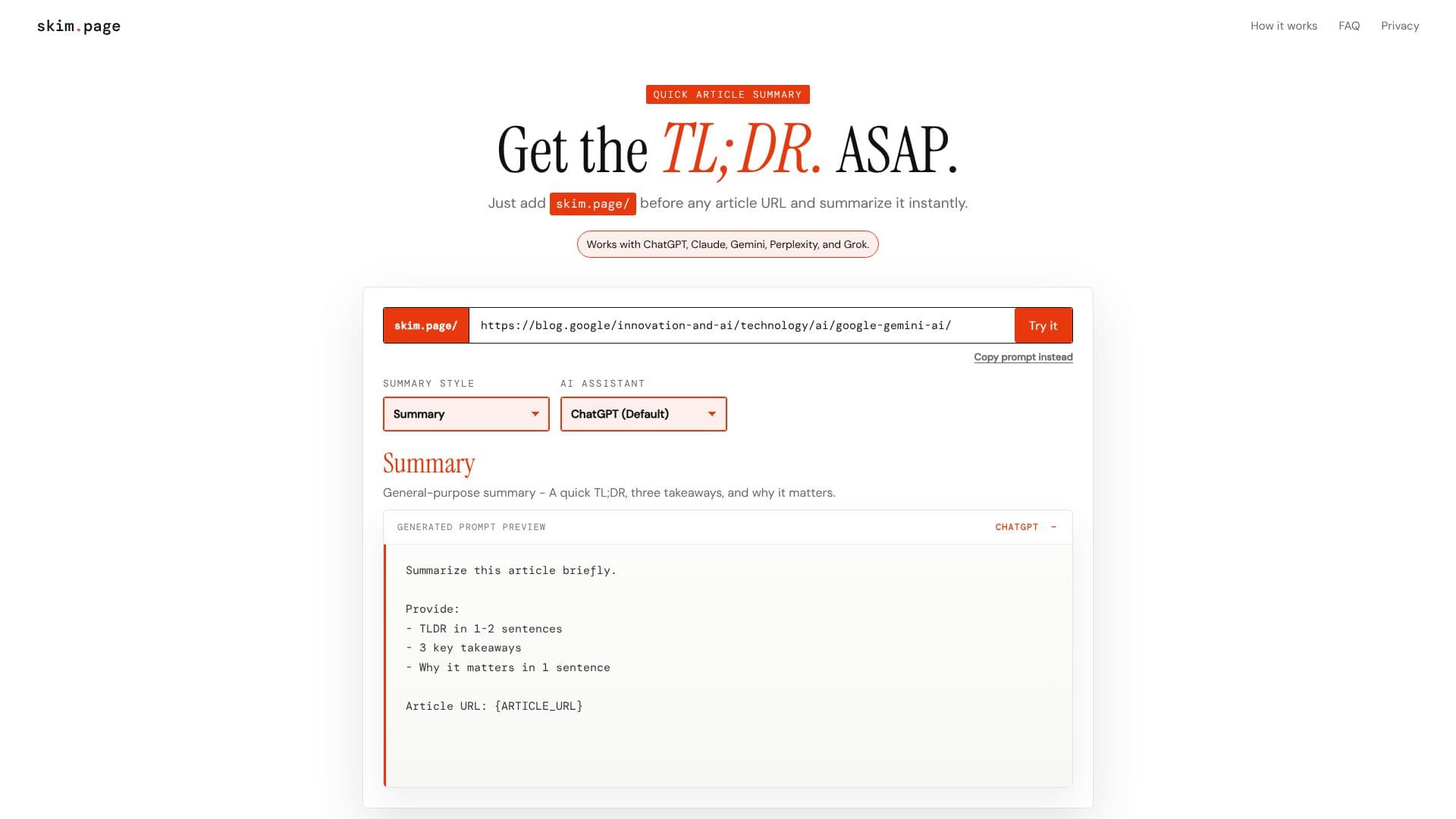
skim.page offers a streamlined method for quickly understanding the essence of any online article. By prepending "skim.page/" to the URL of a news article, blog post, or long-read, users can instantly generate a concise summary. This tool acts as a prompt generator, directing your preferred AI assistant to provide the desired information.
Read More
The process is straightforward: locate an article, add "skim.page/" before its URL, and press Enter. Your browser will then redirect to your selected AI assistant with a pre-filled prompt, ready to summarize the content. For instance, using skim.page/https://example.com/article will initiate the summarization process.
skim.page supports several popular AI assistants, including ChatGPT (default), Claude, Gemini, Perplexity, and Grok. Users can also specify different summary styles, such as the default "Summary" (TL;DR, three takeaways, why it matters), "ELI5" (Explain Like I'm 5), "Research", or "Investor" summaries. These can be combined with AI assistant shortcuts for even more tailored results, like skim.page/i/cl/https://example.com/article for an Investor summary using Claude.
The tool emphasizes user privacy and transparency. skim.page itself does not scrape articles, store prompts, or create accounts. It operates within your browser, generating a prompt and handing off the article URL to your chosen AI assistant. It's important to note that skim.page does not bypass paywalls or unlock paid content; it merely facilitates the summarization process through your existing AI subscriptions.
skim.page is ideal for researchers, students, busy professionals, or anyone who needs to quickly digest information from multiple sources. It saves time by providing immediate access to the core message of articles, allowing users to decide more efficiently which content warrants a deeper read.
- CategoryAI Summarizers
- Pricing ModelFree
- DeploymentBrowser extension
- PlatformsWeb
skim.page's Core Features
Instant article summarization via URL prefix
Supports multiple AI assistants (ChatGPT, Claude, Gemini, Perplexity, Grok)
Customizable summary styles (Default, ELI5, Research, Investor)
Browser-based operation
Pre-generated prompts for AI assistants
No article scraping or prompt storage by skim.page
Fallback prompt copy option
URL-based shortcut system for styles and assistants
How to use skim.page?
Find Article: Open any article in your browser.
Prepend URL: Add "skim.page/" before the article's URL.
Open AI Assistant: Press Enter to redirect to your AI assistant with a ready prompt.
Copy Prompt (Fallback): If redirect fails, copy the prompt displayed on skim.page.
Use Shortcuts: Add summary style or AI assistant shortcuts before the URL for custom results.
skim.page's Use Cases
- Quick Article Digest
- Research Efficiency
- Content Curation
- Learning Aid
- Investor Briefings
- News Consumption