
Description
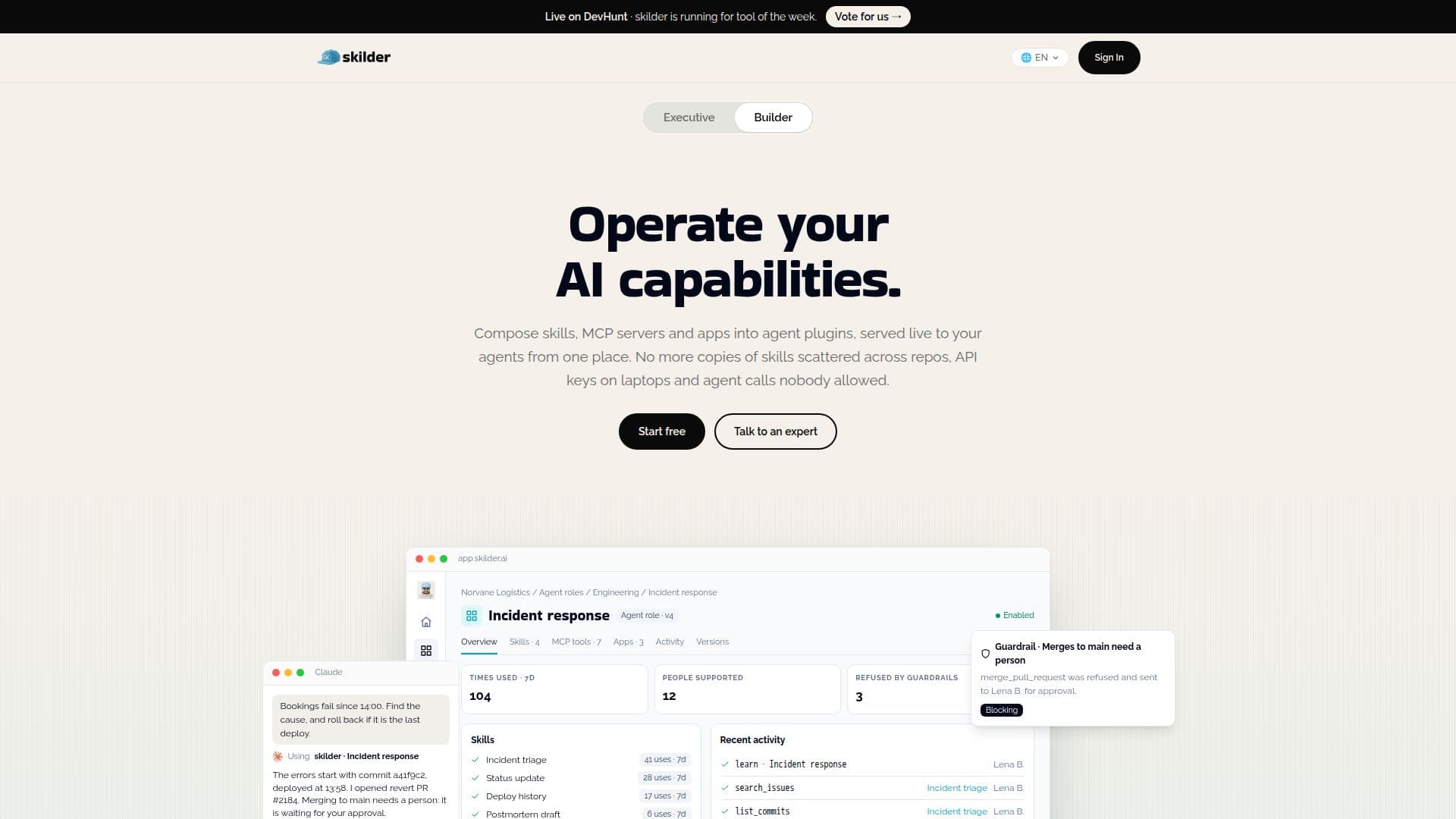
skilder is a platform designed to help organizations operate and govern their AI capabilities by composing them into agent plugins. These plugins are served live to various AI assistants, including Claude, ChatGPT, Copilot, and any other Model Context Protocol (MCP) compatible client. The core idea is to centralize the management of AI skills, preventing their scattering across different repositories and ensuring secure, controlled deployment.
Read More
The platform allows users to define "skills," which are pieces of know-how complete with methods, tools, and expected result formats. These skills run on the skilder runtime, ensuring consistency and security. Users can also integrate MCP servers from their internal registries, connecting tools like GitHub, Sentry, Slack, Atlassian, and Google Drive. Credentials for these integrations are securely held by skilder, eliminating the need for API keys on individual laptops. Additionally, skilder supports "apps" that open directly within the conversation interface, allowing agents to interact with forms, tables, or approval buttons built on the plugin's tools and guardrails.
skilder provides robust governance features, including version control for skills, allowing teams to edit in draft and publish new versions. It also offers comprehensive rights management, defining who can use or edit a plugin. Guardrails can be implemented to check tool calls before execution, enabling observation or blocking of actions based on predefined rules. The platform offers detailed activity logs, attributing every call per user, plugin, skill, tool, and result, which are exportable for audit purposes.
Deployment options are flexible, with hosting available in Switzerland (Infomaniak) or the EU. For enterprise clients, dedicated, single-tenant instances within a private cloud, or even on-premise deployments with air-gapped configurations, are available. This ensures data sovereignty and compliance with regulations like GDPR and the Swiss nFADP. skilder is built for IT and security teams, offering features like Enterprise SSO, role-based access control (RBAC) per plugin, workspace isolation, OAuth for agents, and zero data retention at model providers.
Pricing includes a free Basic plan for getting started, with paid plans (Pro, Business, Enterprise) scaling with usage rather than per seat. Users bring their own AI model provider keys, ensuring no markup on token costs. The platform aims to solve common challenges like scattered agents, unmanaged agent catalogs, and inconsistent quality of AI outputs by providing a centralized, governed approach to AI capability deployment.
- CategoryAI Agent Builders
- Pricing ModelFreemium
- DeploymentCloud, Private Cloud, On-Premise
- PlatformsWeb
skilder's Core Features
Compose Agent Plugins from Skills, MCP Servers, and Apps
Live Serving to Claude, ChatGPT, Copilot, Gemini, and MCP Clients
Centralized Management of AI Capabilities
Version Control for Skills and Plugins
Rights Management and Access Control (RBAC)
Configurable Guardrails for Agent Actions
Detailed Activity Logging and Audit Trails
Secure Credential Management for Integrations
In-Chat Apps for Agent Interaction
Flexible Deployment Options (Cloud, Private Cloud, On-Premise)
Enterprise SSO and Workspace Isolation
Zero Retention at Model Providers
Insights on Skill Usage and Performance
Dependency Tracking for Connectors
How to use skilder?
Gather Existing Capabilities: List current agents, prompts, and plugins as raw material for new skills.
Choose and Publish Use Case: Select a promising use case and have an expert team convert it into a skill.
Expand to Other Teams: Open the newly published skill to additional teams within the organization.
Improve Based on Usage: Monitor real usage to identify areas for improvement, then update the skill for everyone.
Connect AI Agent: Connect your AI assistant (e.g., Claude, ChatGPT) to skilder via MCP.
Define Roles: Create AI roles that bundle skills, connectors, and rules for specific jobs.
Integrate MCP Servers: Connect internal MCP servers and scope tool access for plugins.
Set Guardrails: Implement rules to check and potentially block agent actions before they run.
skilder's Use Cases
- Incident Response Automation
- Logistics Operations
- Engineering Workflow Enhancement
- Business Process Validation
- Customer Service Automation
- On-Site Technical Reporting
- Sales Assistant
- Invoice Checking