
Description
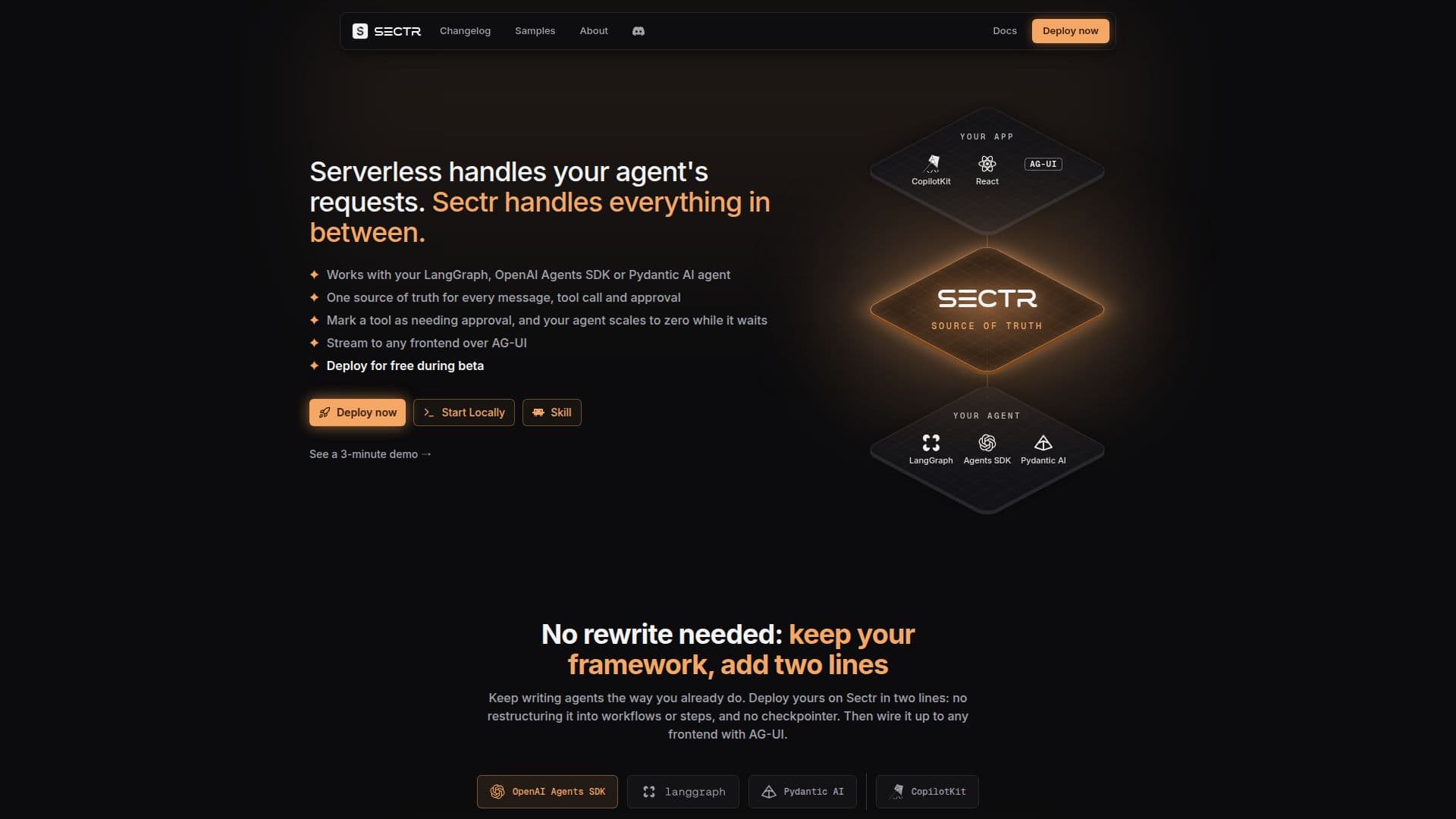
Sectr is a platform designed to simplify the deployment and management of AI agents in production environments. While serverless solutions handle agent requests, Sectr manages the crucial aspects in between, establishing itself as a single source of truth for every message, tool call, and approval. This architecture allows agents to efficiently scale to zero when awaiting human intervention and resume operations exactly from their last state, eliminating idle compute time.
Read More
The platform integrates seamlessly with popular AI agent frameworks such as LangGraph, OpenAI Agents SDK, and Pydantic AI. Developers can continue building agents using their preferred methods, requiring only two lines of code to deploy on Sectr. This approach removes the need for complex restructuring into workflows, steps, or custom checkpointing mechanisms, streamlining the development process.
Sectr's core functionality revolves around its "one source of truth" database. Every interaction, including chat messages, tool calls, tool results, approval decisions, and errors, is recorded in a single, comprehensive transcript. This journal serves multiple purposes: it loads chat history for frontends, enables agents to resume accurately after approvals by rebuilding their state, and provides a detailed audit trail for understanding agent behavior. Conversations can be replayed in the Sectr dashboard, offering valuable insights for debugging and optimization.
A key feature is the ability to suspend agents and scale them to zero while they await human approval. When a tool call requires human oversight, the agent pauses, consumes no compute resources, and then resumes precisely where it stopped once approval is granted. This is managed at the platform level, meaning no additional code for checkpointing, queues, schedulers, or wake-up logic is needed within the agent itself. Approvals are delivered natively to chat UIs via AG-UI interrupts, ensuring a smooth user experience.
Sectr also provides a built-in AG-UI endpoint for every deployed agent, simplifying frontend integration. Frontends like CopilotKit can point directly to the agent's URL to stream text, tool calls, and approvals without requiring complex SDKs or event parsing. This setup ensures conversations persist across browser refreshes and allows the server to remain stateless, as conversation data resides on Sectr.
For development, `sectr dev` offers a local chat UI, enabling developers to prototype and iterate on agent behavior without writing any frontend or server code. Once ready, `sectr deploy` publishes the agent online, providing a shareable link for team testing and feedback. The local and cloud environments use the same engine, ensuring consistency from prototype to production. Sectr is currently free during its beta phase, supporting sign-ups via GitHub, Google, Vercel, or email.
- CategoryAI Agent Builders
- Pricing ModelFree in Beta
- DeploymentCloud
- PlatformsWeb
Sectr's Core Features
Single source of truth for agent interactions
Compatibility with LangGraph, OpenAI Agents SDK, and Pydantic AI
Agent suspension and scale-to-zero during human waits
Exact agent resumption from previous state
No agent code changes for state management or approvals
Comprehensive transcript logging of messages, tool calls, and approvals
Live streaming to any frontend via AG-UI
Built-in AG-UI endpoint for simplified frontend integration
Local development environment with chat UI (`sectr dev`)
Cloud deployment with a single command (`sectr deploy`)
Conversation history persistence across deploys and restarts
Native human-in-the-loop tool approvals
Secure handling of model API keys as encrypted secrets
Auditable conversation transcripts in the Sectr dashboard
Stateless server hosting for applications
How to use Sectr?
Sign Up: Register for Sectr using GitHub, Google, Vercel, or email.
Install CLI: Install the Sectr command-line interface.
Integrate Agent: Add two lines of code to your existing LangGraph, OpenAI Agents SDK, or Pydantic AI agent.
Develop Locally: Use `sectr dev` to run your agent locally with a built-in chat UI for prototyping and testing.
Deploy Agent: Use `sectr deploy` to build and publish your agent to the cloud, creating an AG-UI endpoint.
Connect Frontend: Point your CopilotKit or other AG-UI compatible frontend to your deployed agent's URL.
Manage Approvals: Declare approval policies at the platform level for human-in-the-loop tool calls.
Sectr's Use Cases
- Human-in-the-Loop Agents
- Scalable Agent Deployment
- Agent State Management
- Frontend Integration for Agents
- Agent Prototyping and Testing
- Auditing Agent Behavior
- Framework-Agnostic Agent Hosting
- Durable Agent Sessions